94
Product Activation
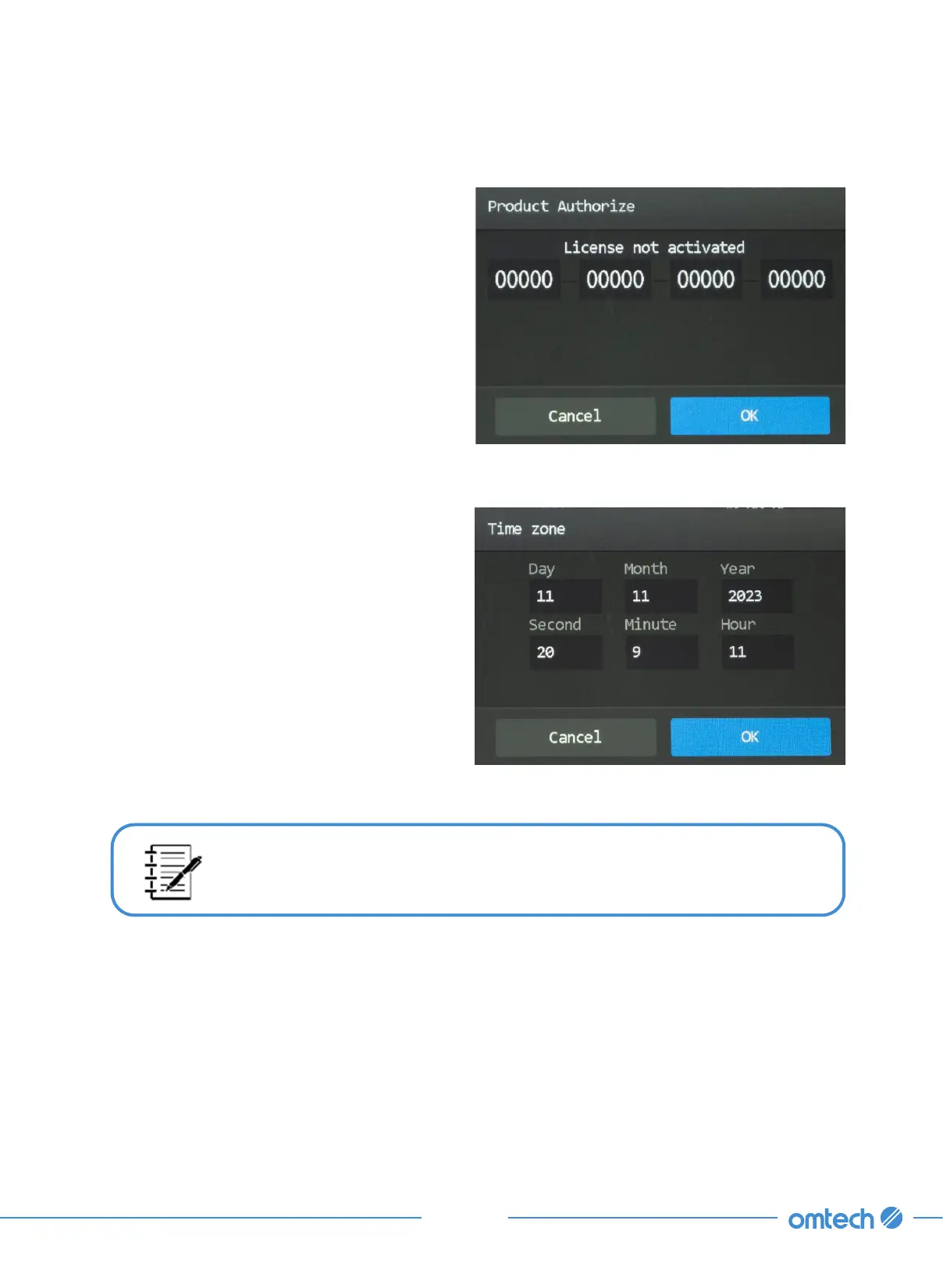
1. T a p Menu>SysCfg>Sysinfo>Product
Authorization, and the pop-up as shown
shows up.
2. Enter your product authorization/activation
code.
3. Tap OK to confirm. Tapping Cancel closes
the pop-up and returns to the SysInfo menu.
Setting Time Zone
1. Tap Menu>SysCfg>Sysinfo>Time zone, and
the pop-up as shown shows up.
If the change is password protected, enter your passcode.
3. Tap OK to save your change. Tapping Cancel exit the current menu and returns to the SysCfg
menu.
2. Tap to change the time.



 To Next Page