Good Excessive Insucient
•
Maximum number of items: This parameter
specifies the maximum number of objects
expected in a single detection. Lower values reduce the processing time.
•
Color is important (Useful for workpieces with similar shapes): Select it if the task is
meant to distinguish between workpieces that have the same outer shape but
dierent colors (the detection method does not change, only the sorting criteria).
•
Press .
•
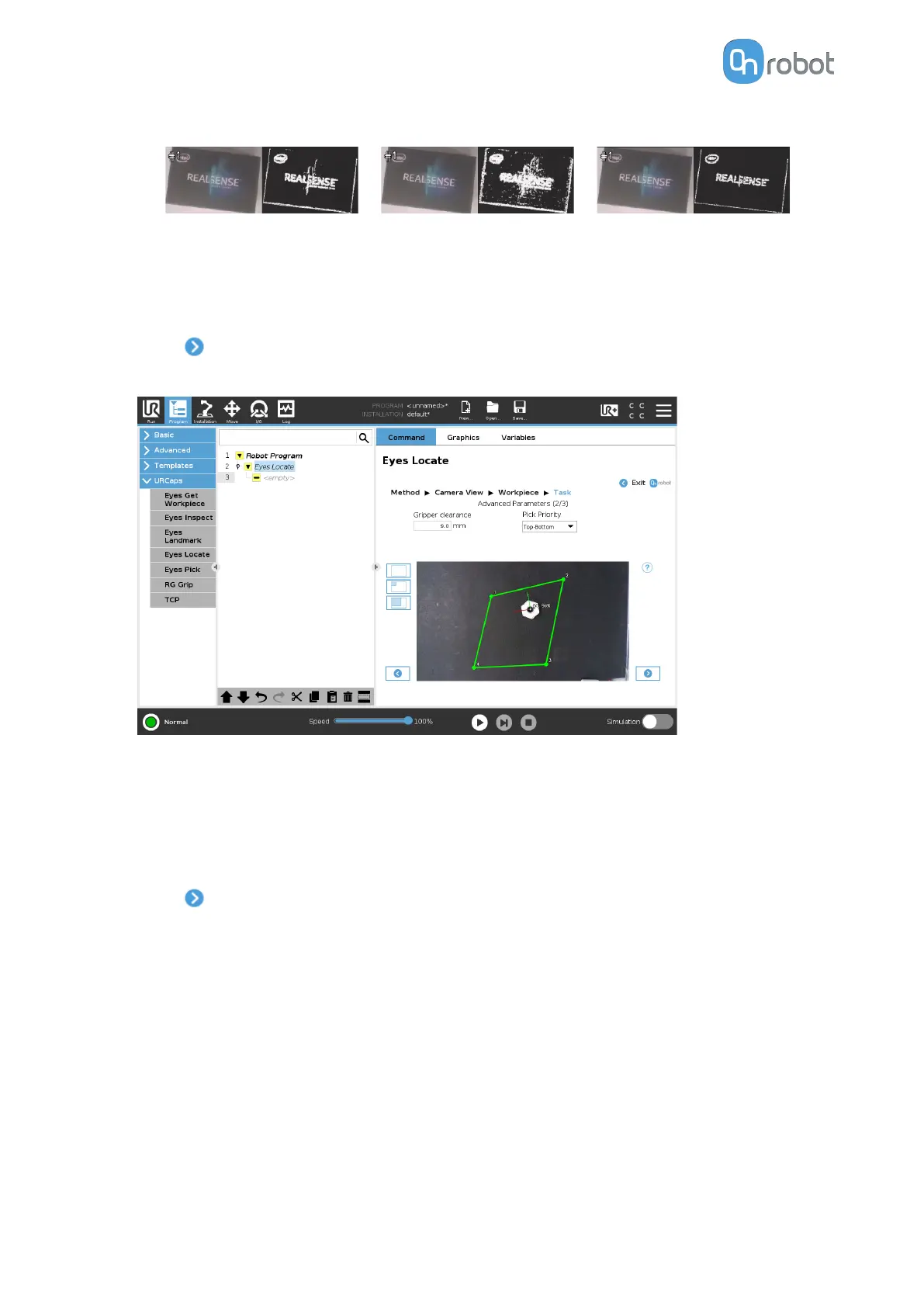
Adjust the detection by setting the Pick priority and the Gripper clearance parameters.
•
Pick priority (Workpiece marked in white will be picked first): This option defines in
which order the workpieces will be picked, based on their position in the image. The
first workpiece is marked in white in the image.
•
Gripper clearance (mm): Distance in millimeters of free space required around an
object for it to be detected. This parameter is useful to guarantee that the gripper will
be able to grip the object.
•
Press
.
•
Adjust the picking oset and the rotation for each workpiece. Select a workpiece from the
drop-down list, and set the parameters for that workpiece.
If the picking position of the workpiece is placed inside the region of interest, the picking
position and the axes are visualized in the overlay. Axes X, Y, Z are represented by red,
green, and blue lines, respectively. If parts of the axis are covered by the workpiece or the
surface, the color of that part of the axis will be darker.
OPERATION
59


 To Next Page
 Loading...








