Select Eyes task
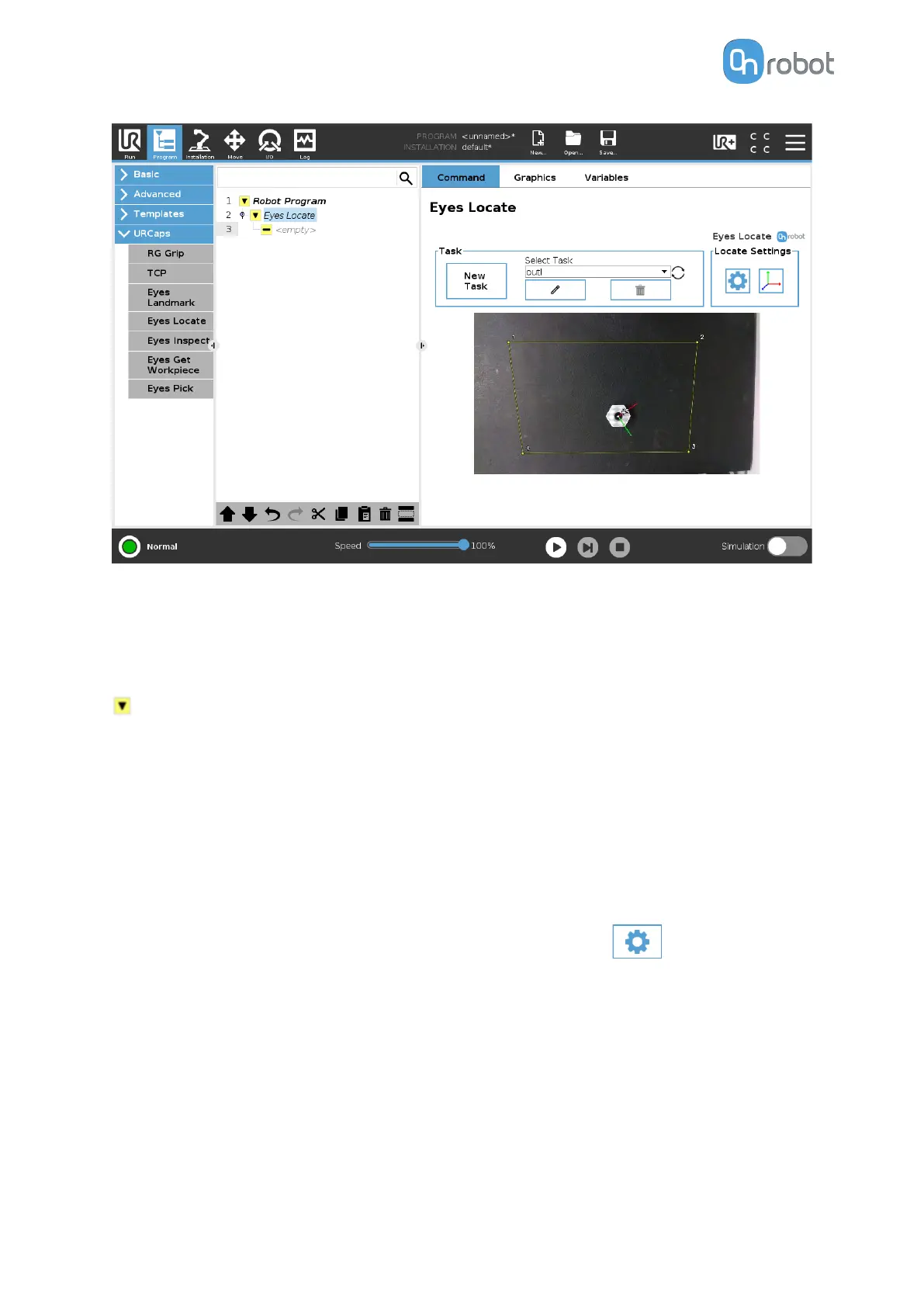
The user can select an Eyes task from the drop-down selection. When there is no task
selected the drop-down menu will be bordered in red and the Eyes Locate command will be
incomplete, as shown below.
Eyes Locate
Once a task is selected the drop-down menu will be bordered green, the Eyes Locate node
will be complete and the Camera feed from the camera will be shown.
Camera feed
Here the live video feed of the Eyes will be shown. Detected workpieces from the selected
task will be shown in the live feed.
Settings
A new page with the program setting will be shown by pressing on
.
OPERATION
65


 To Next Page
 Loading...








