11
2.3 Installing the Paper Rolls
When the paper has finished, the front display will show “ERROR Check Printer” error, the rear
display will show “EP 2” error, and it also makes a sound.
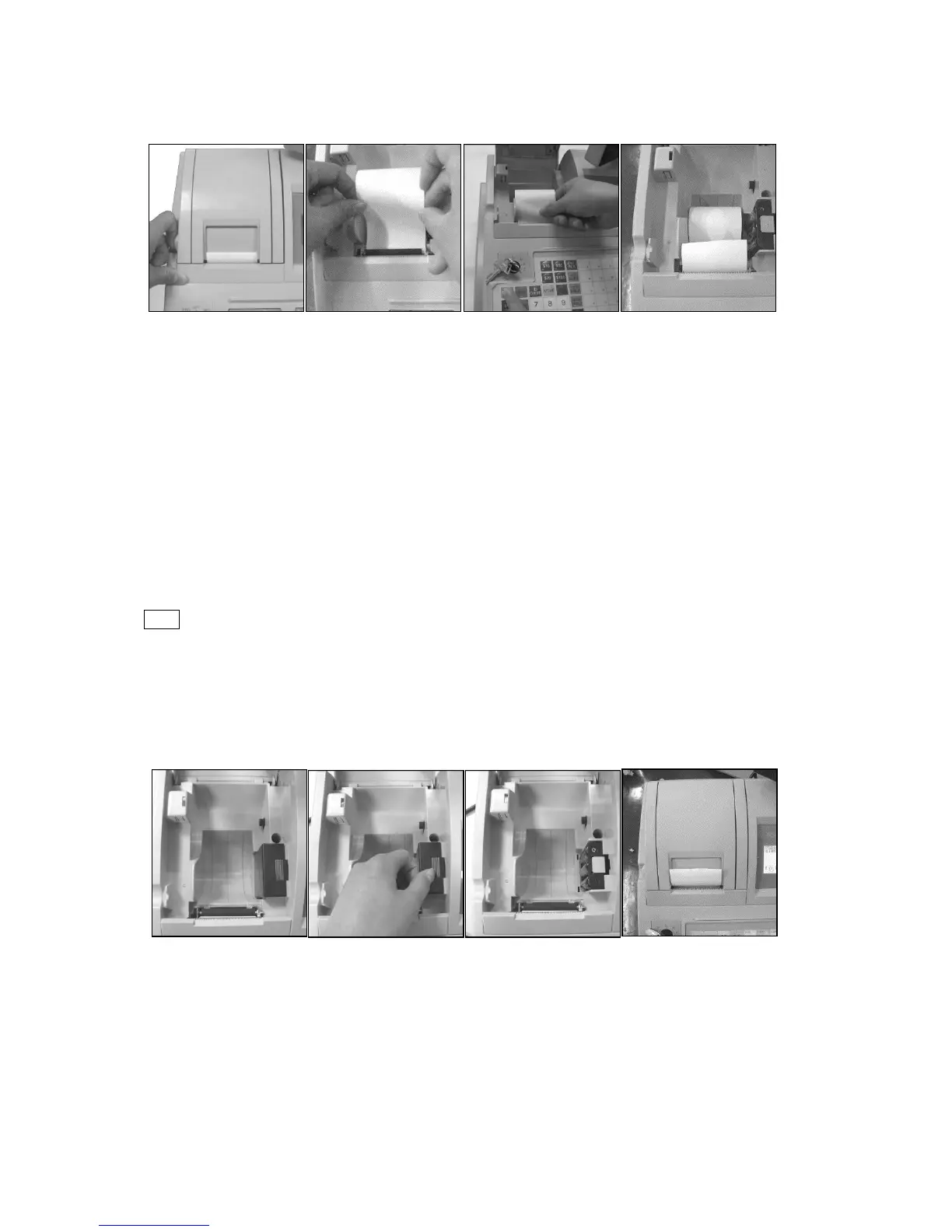
1. Open the printer cover(Fig.1).
2. Set the paper roll gently into the paper location. Insert the end of the paper into the paper
entrance(Fig.2) , the paper feed out from printer roll automatically. If the paper not feed out from
printer roll automatically , press FEED key is OK (Fig.3 and Fig.4).
3. Close the printer cover.
2.4 Installing the Batteries
Note
1. Please attend not to change polarity of the battery when changing battery.
2. When display shows " Battery LOW , pls change ! ", please change your battery.
3. Please make sure the ECR power is on when the batteries are changed, otherwise the sales
data, setting data and electronic journal will be lost.
To change the batteries follow the procedure below.
1. Open the printer cover, remove the paper (See Fig.1)
2. Open the battery lid. (See Fig.2)
3. Change the batteries (See Fig.3) and close the lid firmly.
4. Installing the Paper Roll and close the printer cover (See Fig.4).



 To Next Page