58
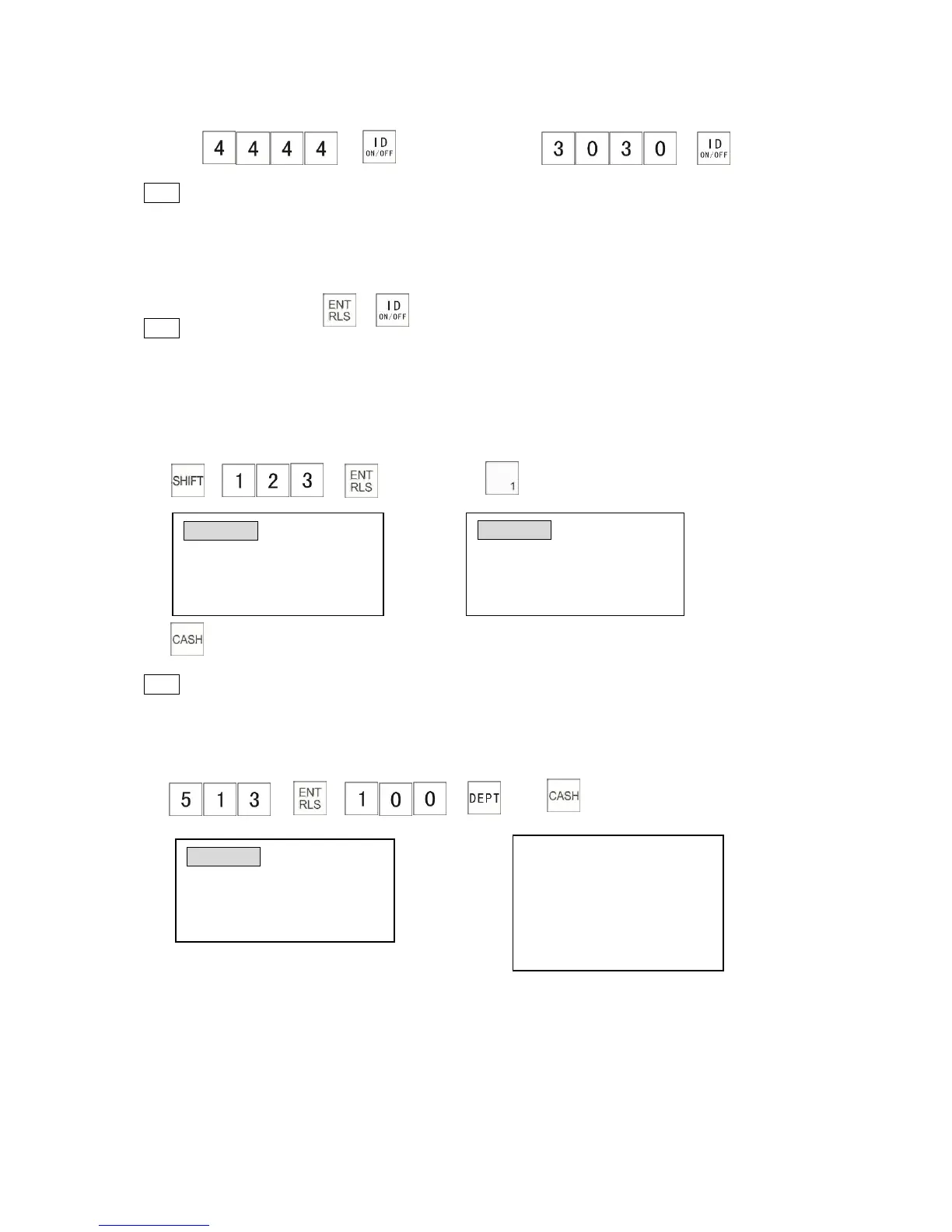
A. login Clerk 4 B.Change Clerk 7 during transaction
→ (transaction)→ →
(Input first clerk ID number) (Enter the other clerked number)
Note
*To activate the above function System Flag 0601 should be set to “1”.
5.3 Clerk Log Out
After a clerk logs out, the cash register cannot be operated unless a valid clerk logs in.
To log out a clerk: →
Note
*You cannot log out the clerk until the current transaction is completed.
5.4 Plu Shift
One plu key can be shifted with the [SHIFT] key to another plu.
The following example shows how to register an item of Plu 71.
1) → → 2)
3)
Note
* Please refer to System Flag 0805 and 0806.
5.5 Using [DEPT] Key
[DEPT] key can be used to enter a unit price of a department which is not located on keyboard.
1) → → → 2)
The receipt shows:
5.6 Calculator Mode
‘R’ position
Press [CAL] key to enter calculator mode. In this mode, [$10] is ‘+’ key, [$50] is ‘-’ key, [$20] is ‘×’
key, [$100] is ‘÷’ key and [CASH] is ‘=’ key. Press [CAL] key again to exit calculator mode.
Calculator mode will allow addition, subtraction, multiplication and division. Pressing the [=] key
gives the result.



 To Next Page