43
3.18.7 Using [DEL] Key
To delete the character which the cursor is on.
For example: to program a department name, the display shows:
Press key
Cash
4.Cash Register Operation (“R” mode)
Note
* All the following settings should be performed in the “R” position.
* All of the amounts and prices shown in examples use two decimal format if not noted.
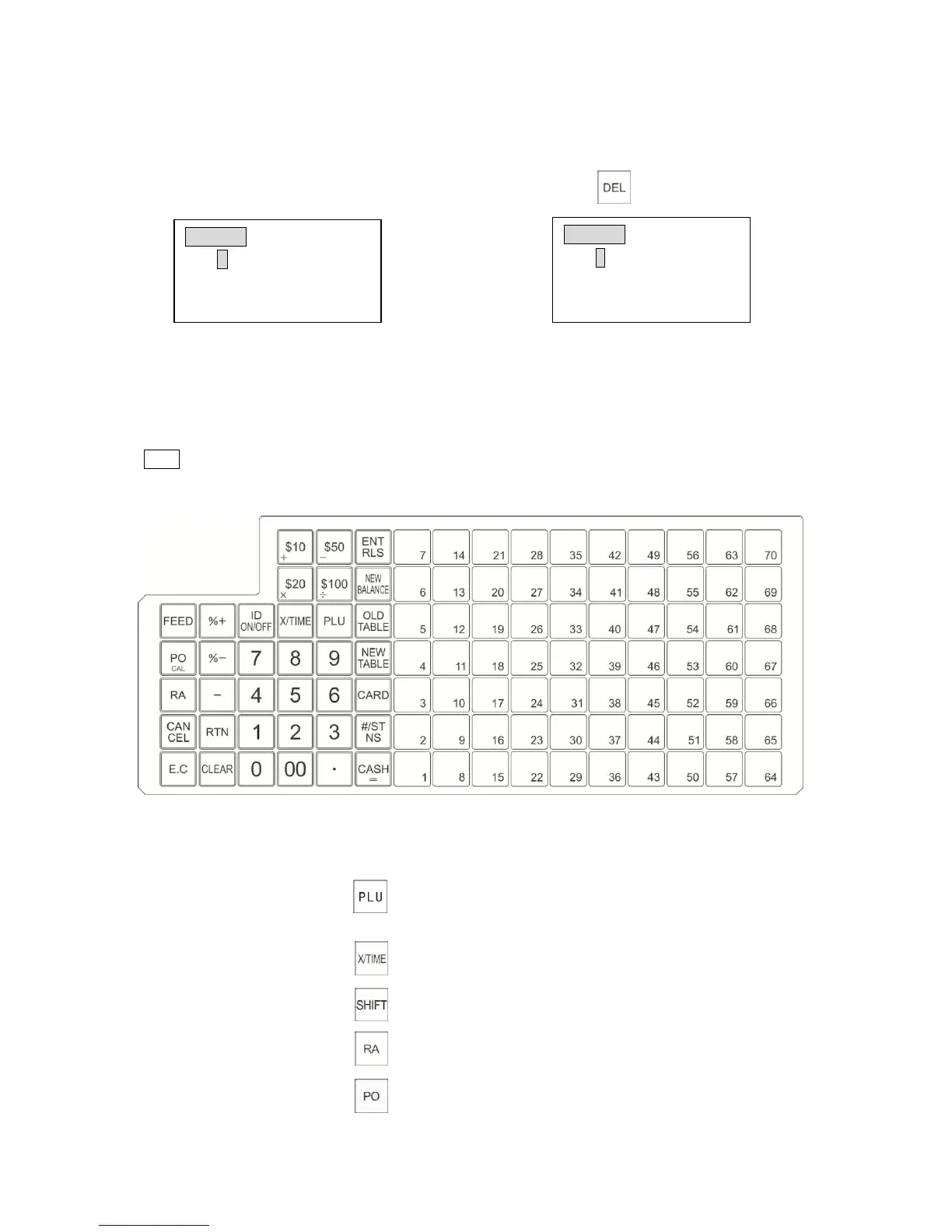
Below shows the standard keyboard functions:
Name Abbreviation Functions
1. Price Look Up Key
2. Multiplication/Times Key
3. Plu Shift Key
4. Received on Account Key
5. Paid-Out Key
*Double function - Used to register multiple quantity of a
PLU/Department
-Used to display the current time or date.
Used to register a PLU. A PLU is used as a code for pre-programming
product prices, to maintain a tally of cost and quantity of the products
sold.
Max.3000 PLUs with periodical total.



 To Next Page