12
3. Programming Layout (Turn the Control Lock to ‘P’ Position)
Note
* All the following settings should be performed in the “P” position.
*
All of the amounts and prices shown in examples use two decimal formats if not noted.
*
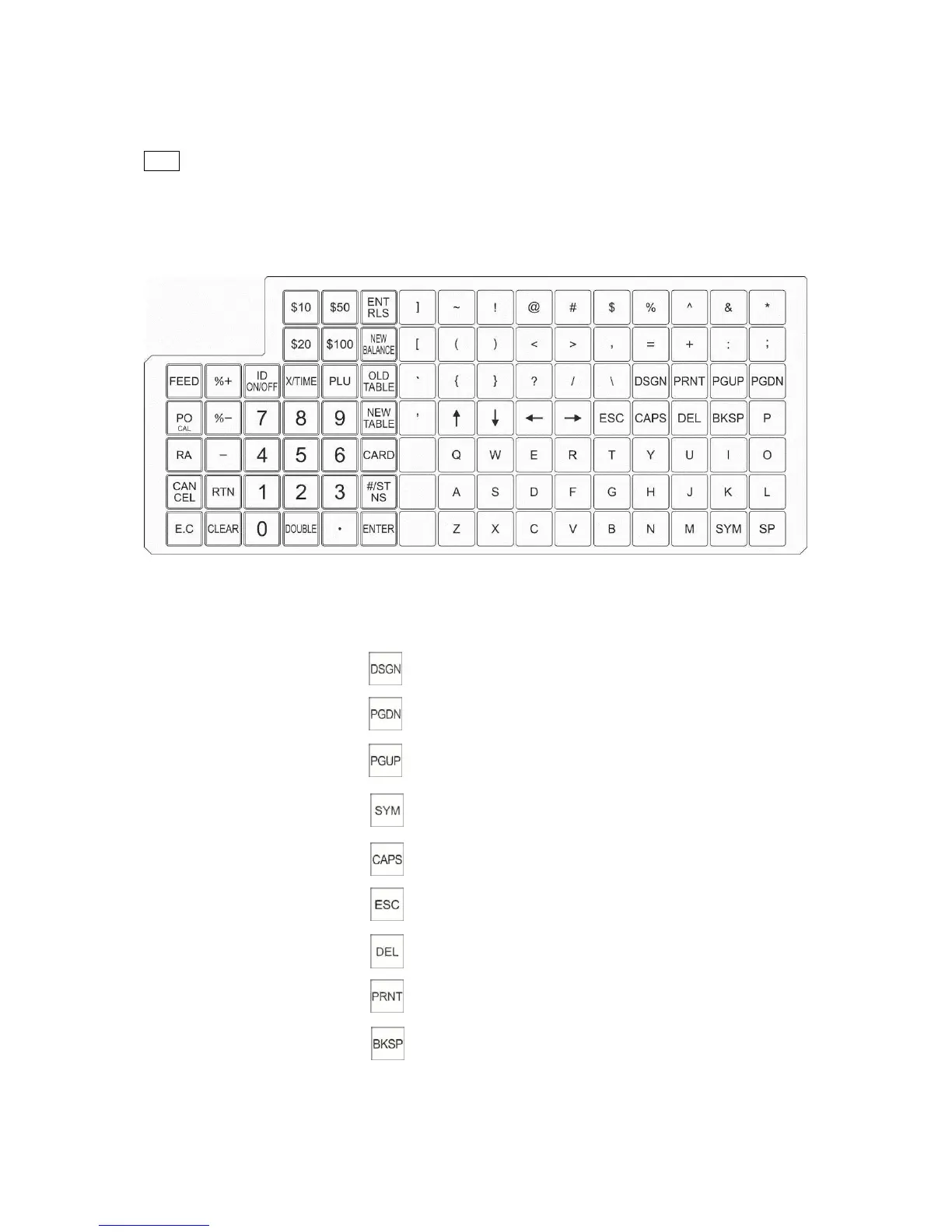
The below keyboard layout is for programming. For key names and functions, please refer
to the layout.
The figures below show the standard keyboard functions for this cash register.
Name Abbreviation Functions
1. Specified input key
2. Page down key
3. Page up key
4. Symbol table open key
5. Capital letter shift key
6. Escape key
7. Delete key
8. Print key
9. Back space key
10. Numeric Keys 0 to 9



 To Next Page