EasyManua.ls Logo

Optimas OP-680 - Operation for the Total Sale; Using the Discount [-%] Key and Surcharge [+%] Key; Operation for Single Item

Default Icon
76 pages
Print Icon
To Next Page IconTo Next Page
To Previous Page IconTo Previous Page
Loading...
51
4.1.10 Using the Discount [-%] Key and Surcharge [+%] Key
This section explains how to operate the cash register when giving a percentage discount or
adding a percentage to the price of an item. You can use the programmed percentage or you can
enter the percentage manually.
4.1.10.1 Operation for Single Item
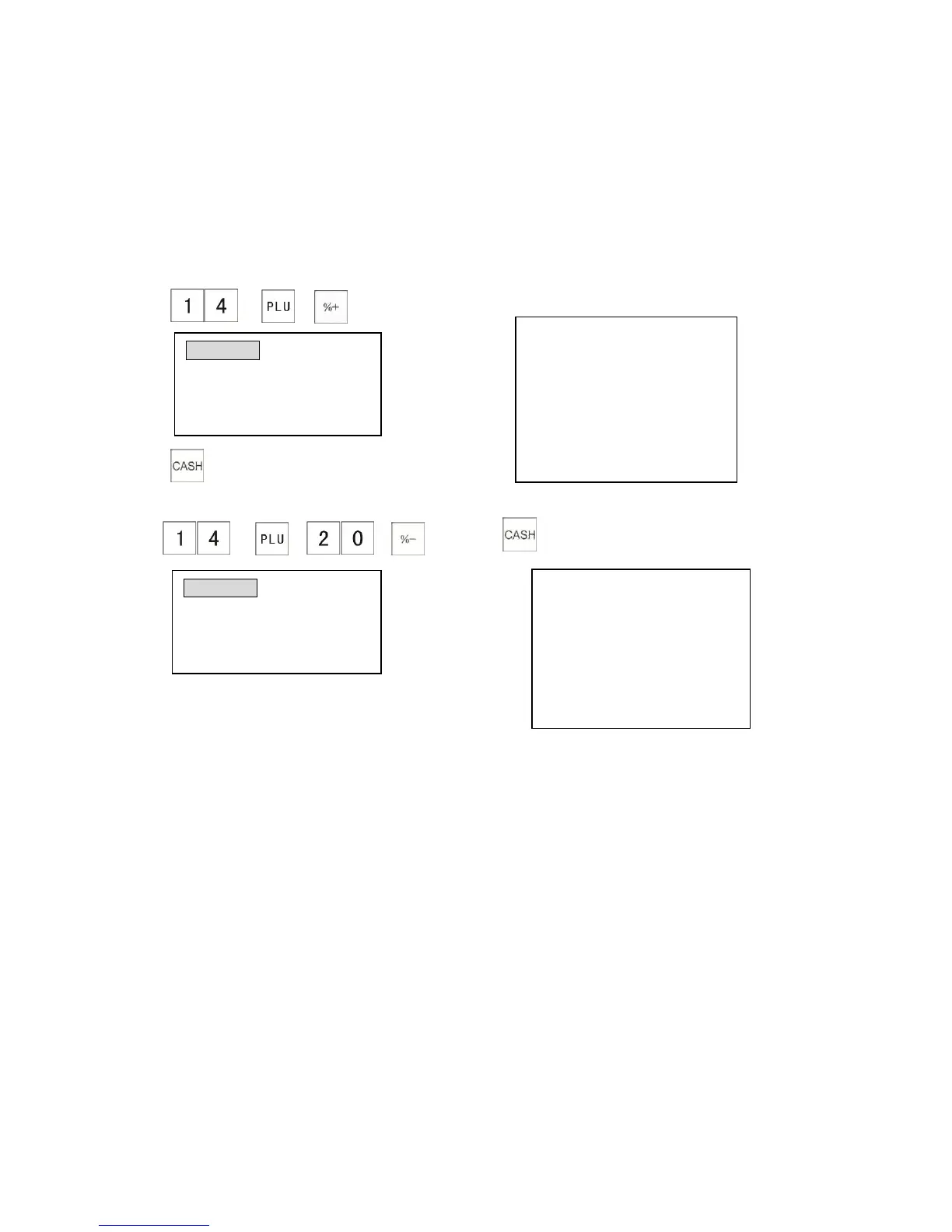
Example: When you want to add a preset percentage to the price of an item:
(If the preset price of PLU 0014 is $20.00 and [+%] rate as 10%)
1) The receipt shows:
2)
Example: The following example shows how to give a discount of percentage 20% for the PLU
0014.
1) 2)
The receipt shows:
PLU0014 $20.00
-%N 20% $4.00
--------------------------------------
ITEM CT 1
--------------------------------------
CASH $16.00
PLU0014 $20.00
+%N 10% $2.00
-------------------------------------
ITEM CT 1
-------------------------------------
CASH $22.00
CLERK 01 0.00
-%N
Rate: 20.00%N -4.00
TOTAL 16.00
CLERK 01 0.00
+%N
Rate: 10.00%N 2.00
TOTAL 22.00

Table of Contents