67
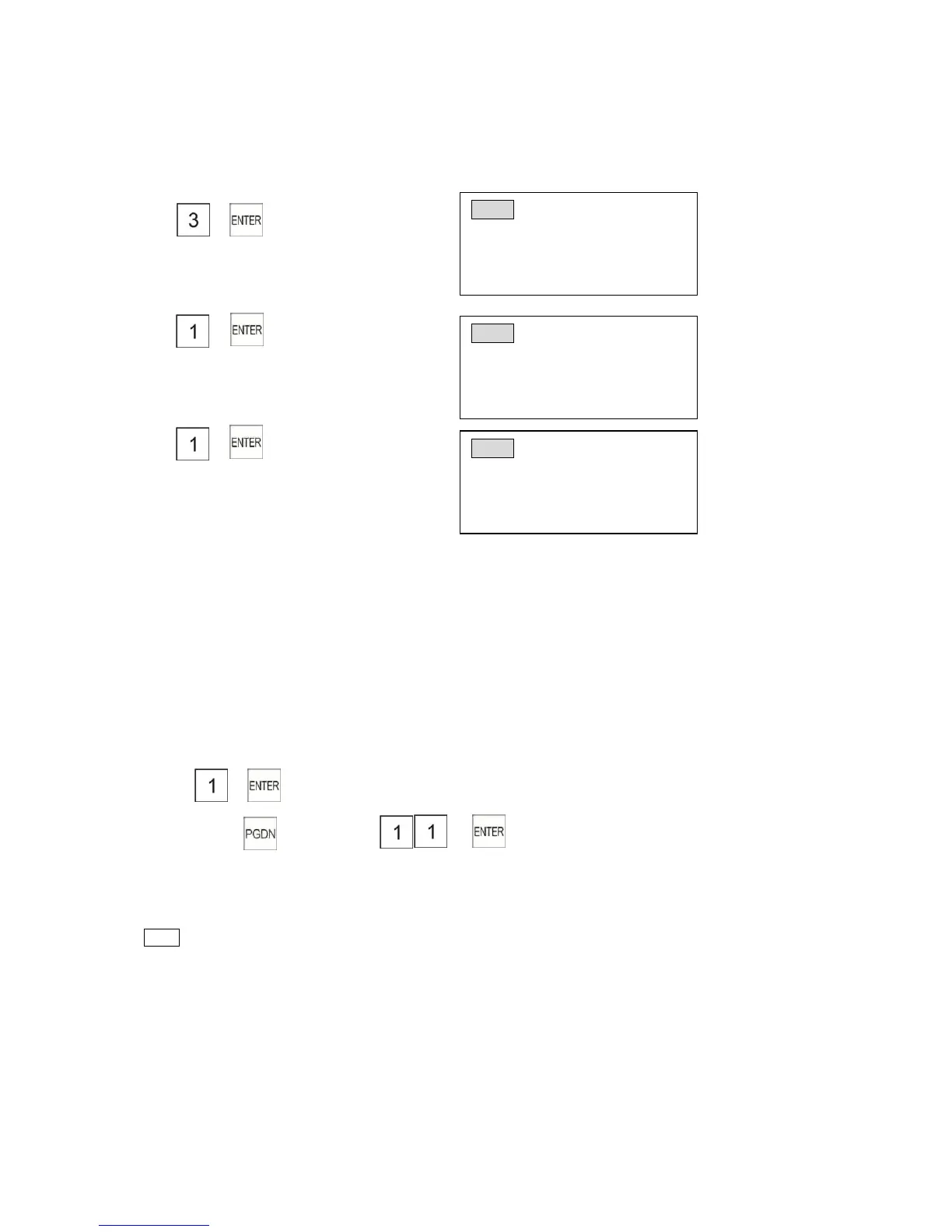
8.1.3 Search the Particular Report (Display-only)
Certain data can be displayed when necessary.
1) Turn the control lock to the “X” location
2) →
3) →
4) →
(Net sales)
8.1.4 Serial Report Print
System flag programming
1207 1 Serial report print total report
1206 1 Serial report print cash in-drawer
1205 1 Serial report print hourly report
1204 1 Serial report print PLU report
1203 1 Serial report print DEPT group report(Z position is not)
Example: Print daily serial report of “X” position
1)Turn the control lock to the “X” position
2) →
3)Press key 5 times→ →
Now is printing daily full report , daily cash in-drawer , daily hourly report , daily PLU report , daily
DEPT group report of “X” position.
Note
* Do not print if system flag is 0 .
* Print serial report will clear it of “Z” position
8.1.5 Journal List
System reset is not clearing journal list . Whether to print journal after Z report issued .( please
refer the section 3.6 System Flag1708) .



 To Next Page