EasyManua.ls Logo

Optimas OP-680 - System Flag Programming; System Flag Configuration Example

Default Icon
76 pages
Print Icon
To Next Page IconTo Next Page
To Previous Page IconTo Previous Page
Loading...
23
Note
* You can use [-] key with a preset to subtract an amount or by manually entering an amount
during the transaction.
3.6 System Flag Programming (Configuration Options)
This section explains how to set the system function flags to control the operation of the cash
register.
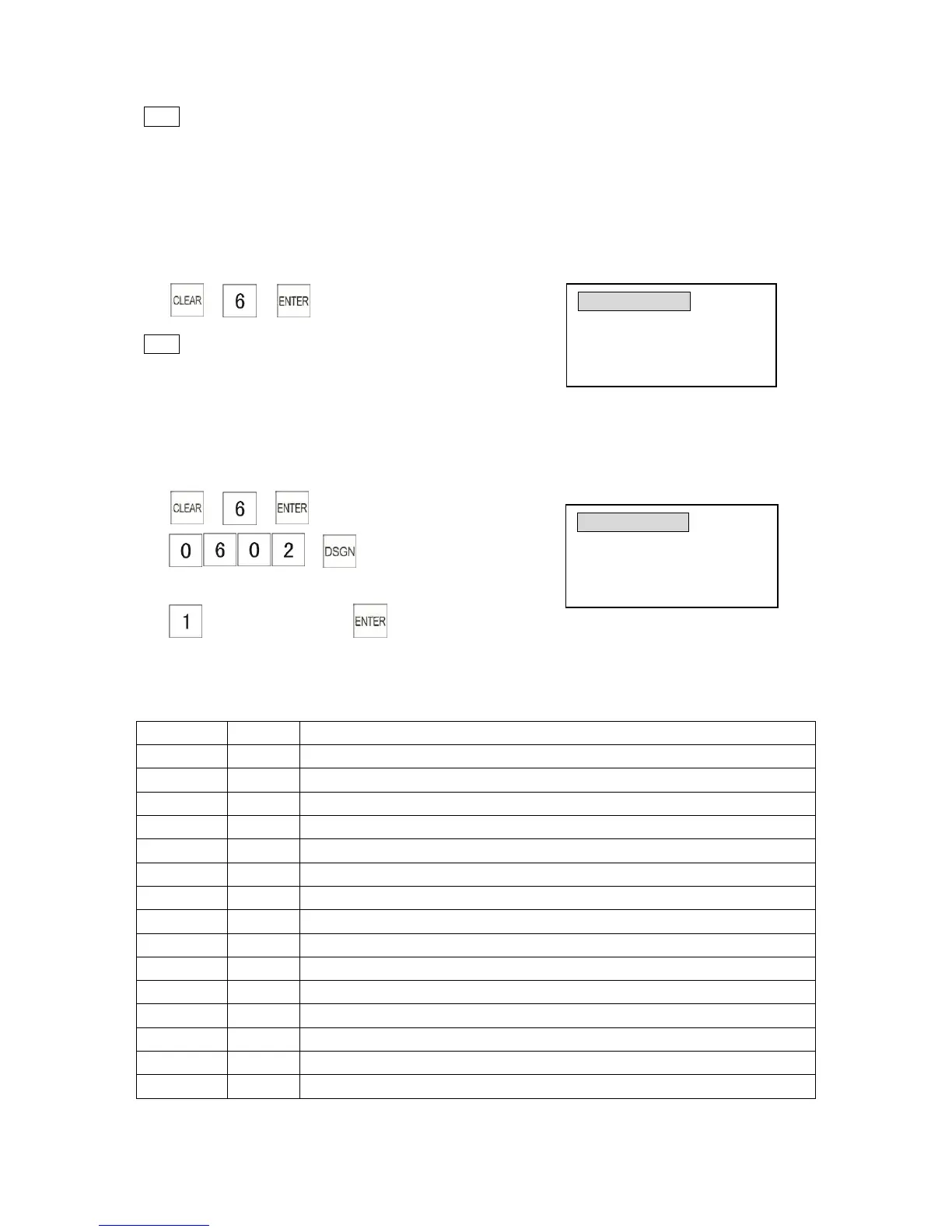
Entering System Flag settings menu:
Note
* Press [PGDN] to select next flag setting.
* Press [→] key or [↓] key to select next flag bit setting.
* Press number and [DSGN] to select a flag.
Example: Enable add +% automatically (SF6#2)
1)
2)
(Flag 6 #2)
3) (choose the item 1)
Functions of System Flags are as follows:
Flag 1

Options
Select
Function
0101
0
0 decimal position
1
0.0 decimal position
2
0.00 decimal position
3
0.000 decimal position
0102
Not use
0103
Not use
0104
Not use
0105
0
Select decimal symbol .
1
Select decimal symbol ,
0106
0
Enable PLU No
1
Enable PLU barcode
0107
0
Use journal mode
1
Use receipt mode
0108
0
Allow [ON/OFF] key for receipt on/off
1
Do not allow [ON/OFF] key for receipt on/off
CONFIG OPTIONS 0101=2
Decimal Select: 0=NONE
1=0.0 2=0.00 3=0.000
Input # then [enter]
3
CONFIG OPTIONS
0602=0
Add +% automatically
0=No 1=Yes
Input # then [enter]
3

Table of Contents