8
1.4 Control Lock and Functions
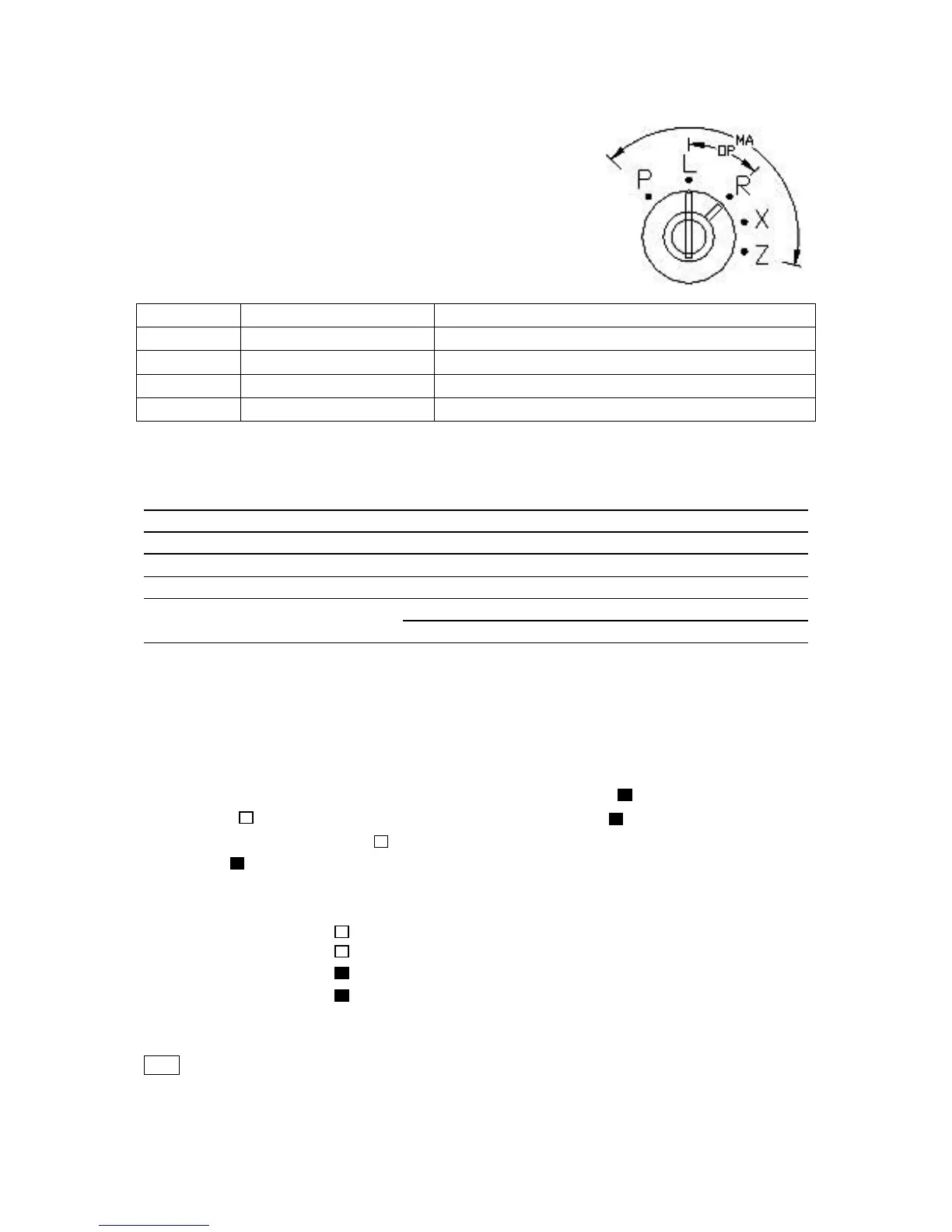
The control lock allows you to change the cash register mode.
Your register is equipped with five modes.
The cash register is always in one of these five modes. To change
the mode, use the manager's key (marked with “MA”) and the
operator's key (marked with “OP”).
Insert the manager's key or the operator's key into the control lock
and turn it to a required position. The manager’s key can select
any mode. The operator’s key can select the “L” and ”R” positions.
1.5 Kitchen Printer General Specifications
1.5.1 Description
Name Description
Power source DC 12V , 1.0A (Please using a dedicated power adapter)
Operating environment temperature 0℃ to 40℃ (32°F to 104°F)
Type of printer 1 station thermal printer
Printing speed Approx. 7 lines per sec
Paper roll size Width 56.5-57.5mm (2.22-2.26 inches)
Max. diameter 60mm(2.36 inches)
1.5.2 Installing the Paper Rolls
Please refer to chapter 2.3 “Installing the Paper Rolls” for instructions.
1.5.3 To code instructions
To change the four switches(Switch No. 1, Switch No. 2, Switch No. 3, Switch No. 4) state of the
kitchen printer codes.See Fig.1. The switch is turned off when select “ “. The switch is turned on
when select “ “. The four switches are all turned off (both choose “ “), kitchen printer code is 1.
Switch No. 1 is turned on (select” “). Switch No. 2, Switch No. 3 and Switch No. 4 are turned off
(both select” “), kitchen printer code is 2.
Example: kitchen printer code is 4.
1) Switch No. 1 select “ “
Switch No. 2 select “ “
Switch No. 3 select “ “
Switch No. 4 select “ “
2) Remove the power cord from the outlet. Wait for at least 5 seconds and plug in the power
cord.( kitchen printer reset)
Note
* Kitchen printer reset after the new code to be effective.



 To Next Page