EasyManua.ls Logo

Optimas OP-680 - Error Correction Operation; Cancel; Return Product

Default Icon
76 pages
Print Icon
To Next Page IconTo Next Page
To Previous Page IconTo Previous Page
Loading...
53
4.1.12 Error Correction Operation
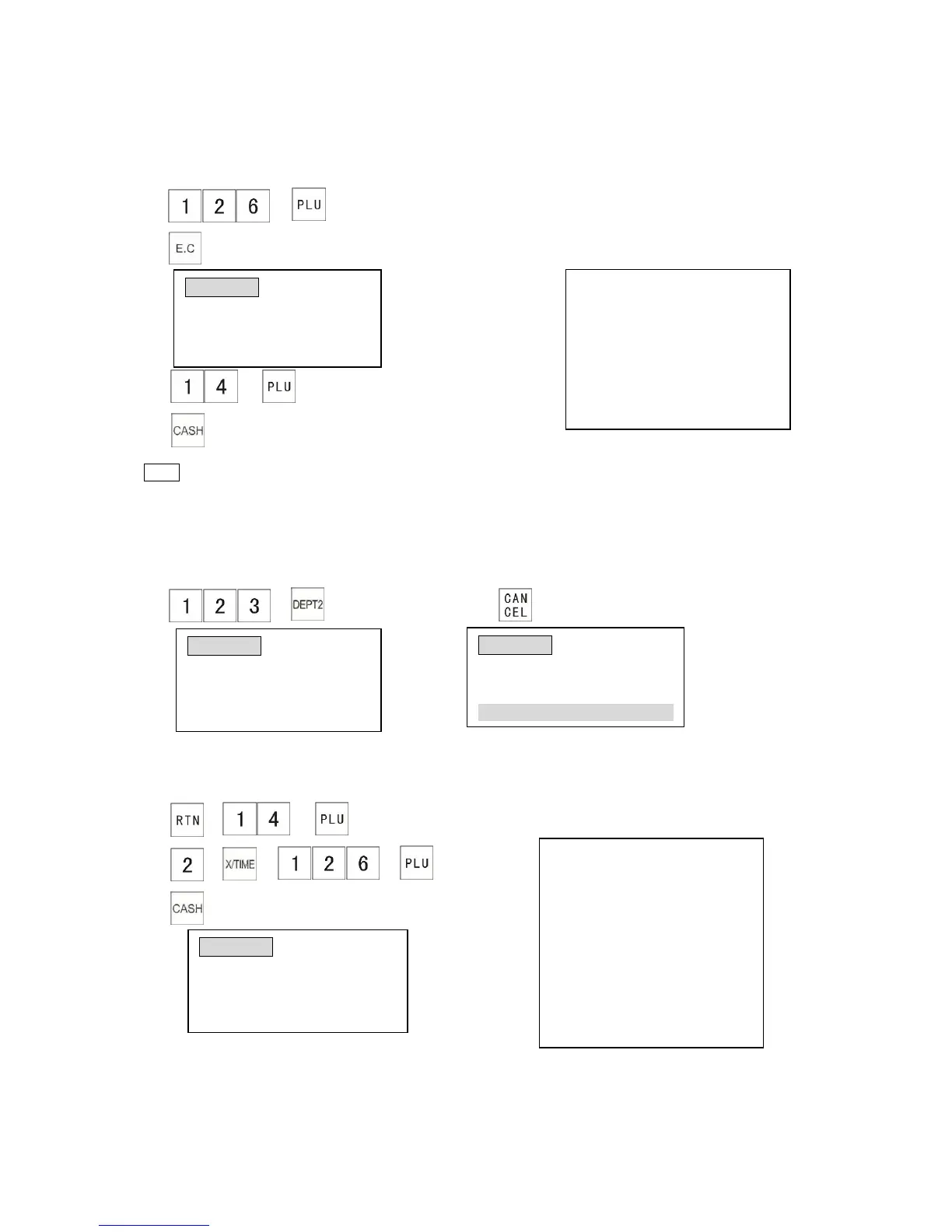
You can void an item immediately after you register it by pressing the [E.C] key.
Example:
1) (Operator realizes wrong PLU key was pressed)
2) The receipt shows:
3)
4)
Note
*Once subtotal or total have been pressed you can no longer select the [E.C] key.
4.1.13 Cancel
You can cancel all registered items in the current transaction by using the [CANCEL] key.
1) 2)
4.1.14 Return Product
This section explains how to refund/return an item.
Example:
1) The receipt shows:
2)
3)
RETURN
PLU0014 $20.00
-2X $10.00
PLU0126 $20.00
---------------------------------------
ITEM CT -3
---------------------------------------
CASH $-40.00
CLERK 01 0.00
PAYMENT: -40.00
CASH TEND: -40.00
CHANGE: 0.00
CLERK 01 0.00
*TRANSACTION CANCELLED*
PLU0126 $10.00
-VOID-
PLU0126 $10.00
PLU0014 $20.00
-------------------------------------
ITEM CT 1
-------------------------------------
CASH $20.00
CLERK 01 0.00
PLU0126
VD - 10.00
TOTAL 0.00
CLERK 01 0.00
DEPT0002
1.23
TOTAL 1.23

Table of Contents