21
3.5 Programming the [-] Key, the [+%] Key, and the [-%] Key
This section explains how to set [-%], [+%], [-] keys.
Description of [-%] Key and [+%] Key
The [-%] and [+%] keys are used to subtract and add a certain percentage or service charge to the
price of an item. For example, you can use [+%] key to add a premium and use [-%] key to give a
discount. You can use these keys with preset percentage or you can manually enter the
percentage at the time of the sale.
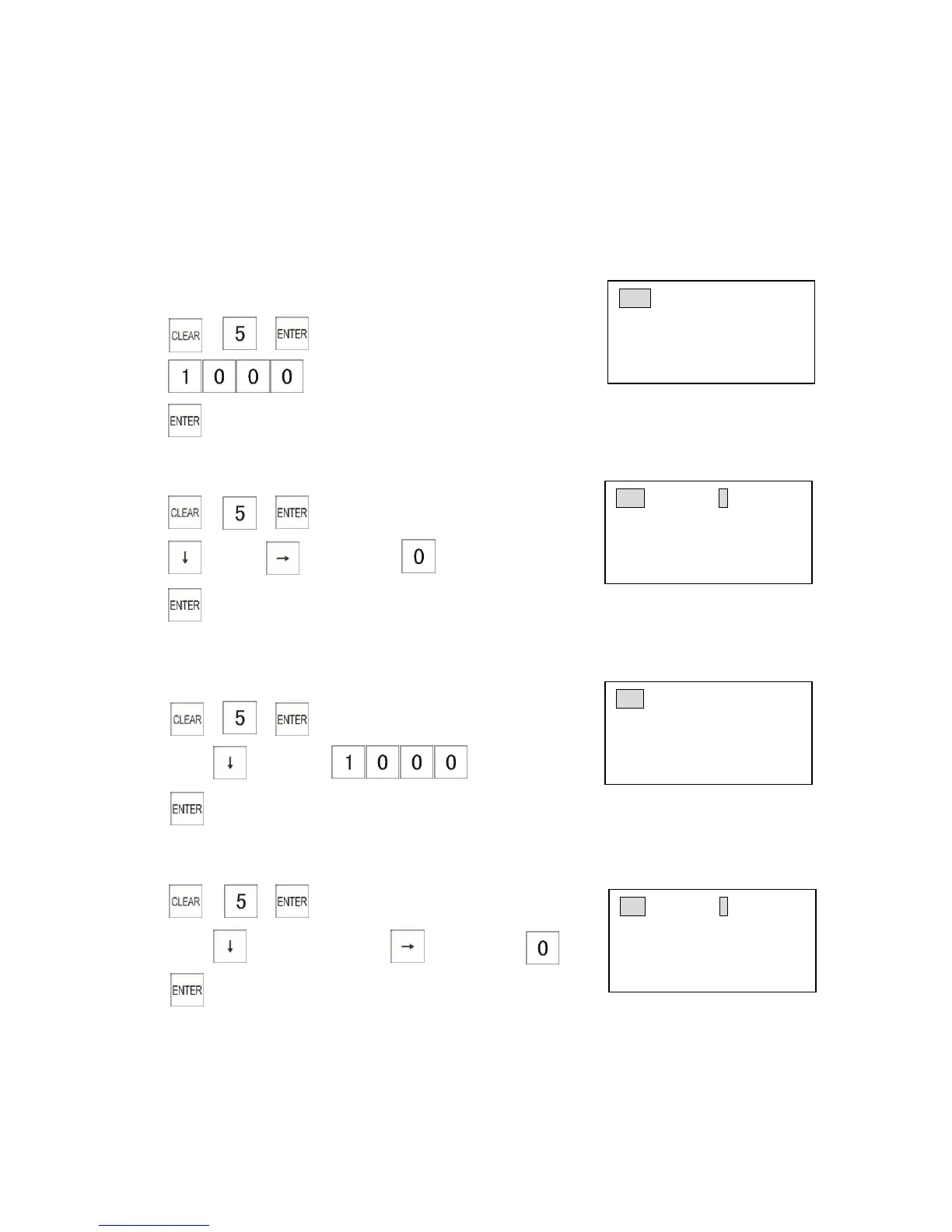
3.5.1 Programming the [+%] Key Rate
Example: Program a surcharge [+%] key rate of 10%.
1) → →
2)
3)
3.5.2 Programming the [+%] Key Flags
1) → →
2) → press key 4 times →
(Tax4 unavailable)
3)
3.5.3 Programming the [-%] Key Rate
Example: Program a discount [-%] key rate of 10%.
1) → →
2) Press key twice →
(-% as [10] → - %)
3)
3.5.4 Programming the [-%] Key Flags
1) → →
2) Press key 3 times → press key 4 times →
(Tax4 unavailable)
3)



 To Next Page