EasyManua.ls Logo

Optimas OP-680 - Programming Foreign Currency Rate; Programming Foreign Currency Name; Clerk Programming

Default Icon
76 pages
Print Icon
To Next Page IconTo Next Page
To Previous Page IconTo Previous Page
Loading...
35
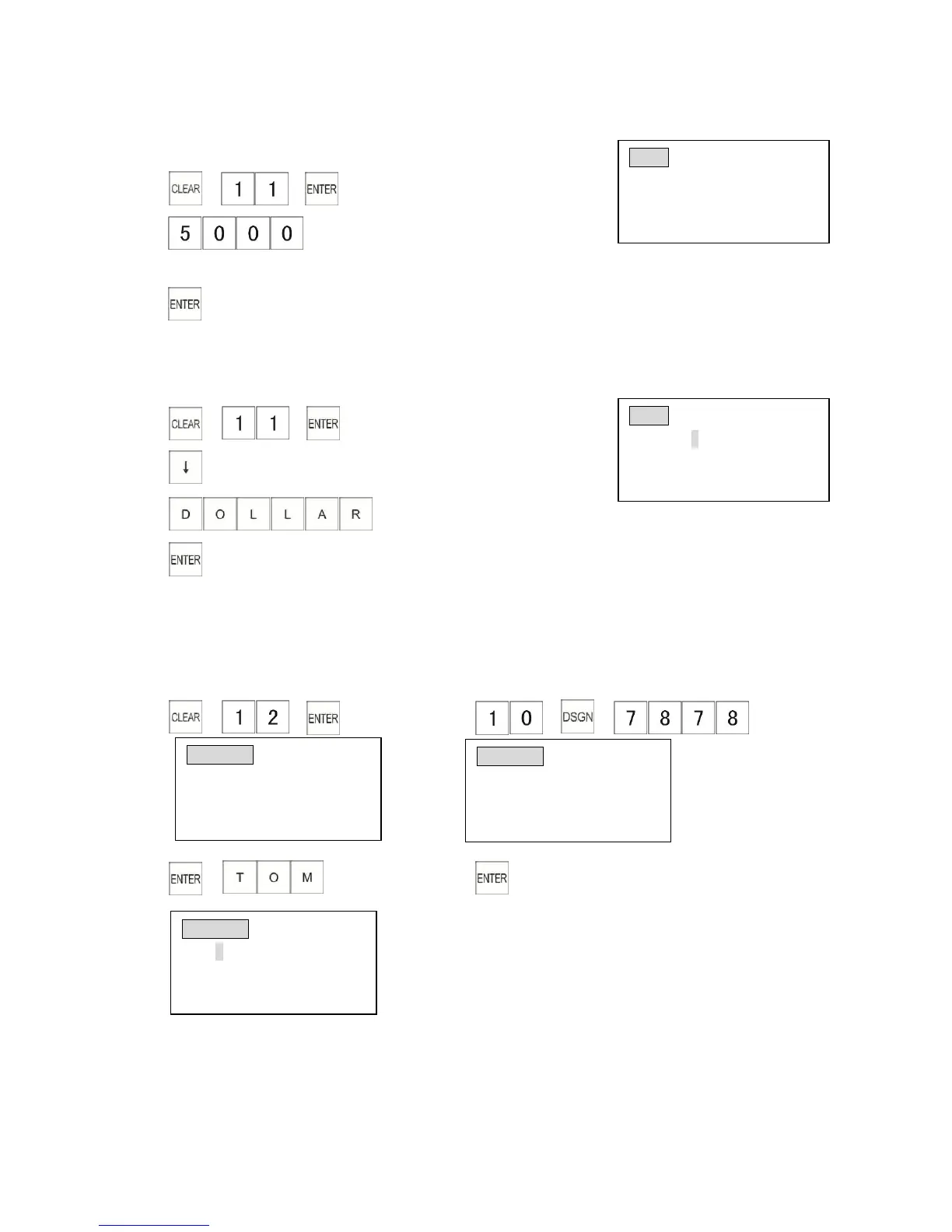
3.11.1 Programming Foreign Currency Rate
Example: Program the exchange rate of FC 1 to 0.5: 1.
1)
2)
(0.5: 1)
3)
3.11.2 Programming Foreign Currency Name
Example: Program the FC 1 name as DOLLAR.
1)
2)
3)
4)
3.12 Clerk Programming
This section explains how to program clerk information. You can have a maximum of 10 clerks.
Each clerk includes up to 12 characters for the name and a 4 digit ID number.
Example: Program the ID of Clerk 10 to 7878, the name as TOM.
1) 2)
3) 4)
FC 01
CONVRATE
FC to $ s: 0.0000
8 digits incl decimal
Input # then [enter]
3
FC 01 (ABCD) NAME
DOLLAR
Enter alpha characters:
[Uppercase]
3
CLERK 01 PASSCODE
Clerk Passcode 1
Enter #(4 digit max)
Input # then [enter]
CLERK 10 PASSCODE
Clerk Passcode 10
Enter #(4 digit max)
Input # then [enter]
CLERK 10 (ABCD)NAME
TOM
Enter alpha characters:
[Uppercase]

Table of Contents