39
3.15 Guest Programming
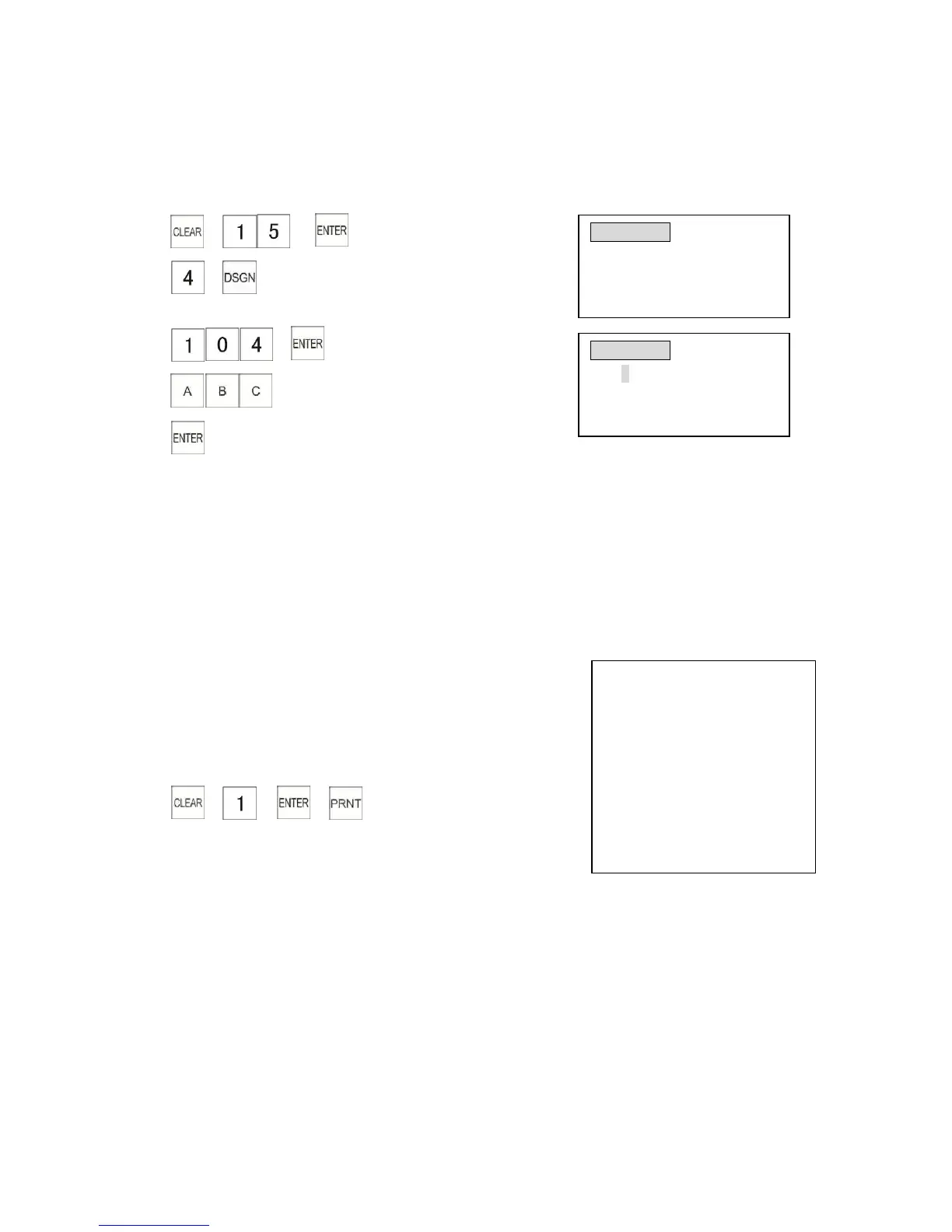
This section explains how to program guests. A maximum of 200 guests can be programmed. The
guest can be input max. 4 digits , the name max. 12 characters.
Example: Programming guest number is 4 of guest 4 . Programming name is ABC.
1) → →
2) →
3) →
4)
5)
3.16 Check and Print Programming Data
You can print out the programming data.
The steps are as follows:
1) Before printing the programming data, please turn the control lock to the”P”position.
2) Select the programming item to be checked, then press
[PRNT] key.
Example:
1) Turn the control lock to the”P”position.
2) → → →
As shown in the example on the right
3.17 Character Input Method
3.17.1 Input Method
Input character and symbols. You can input capital and lowercase letters and symbols.
3.17.1.1 Capital Letters (ABCD) and Lower Case (abcd) Input
A. Turn the control lock to the “P” position and select a programming item.
B. Press the [ENTER] key to complete the entry.



 To Next Page