IV–100
● 12-1
Check high pressure sensor
Compare control board display and gauge display.
Confi rm pressure
while stopped
Install gauge on high pressure side, and display the outdoor
main board compressor outlet pressure. Use No.0 Operation
data display (data code 11). Is the difference between
display value and gauge pressure within 0.1MPa?
Yes To
No To
Confi rm pressure
while operating
Operate heater or cooler, and check the outdoor main board
compressor outlet pressure display.
Is the difference between the display value and gauge
pressure within 0.1MPa?
Yes
Pressure sensor is
normal
No To
Check outdoor
main board
voltage
a. Is there a DC 5V voltage between the outdoor main board
connector 6P (red) CN049 No. 4 and No. 6?
Yes To b
No
Replace outdoor main
board
b. Is there a voltage equivalent to gauge pressure between
the outdoor main board connector 6P (red) CN049 No. 5 and
No. 6?
Yes
Replace outdoor main
board
No To c
c. Wiring connection/contact poor, or wire broken, between
control board connector 6P (red) CN049 and compressor
outlet pressure sensor?
Yes Repair wiring
No
Replace pressure
sensor
● For work procedure for replacing outdoor main board, see “5. Reference Document”.
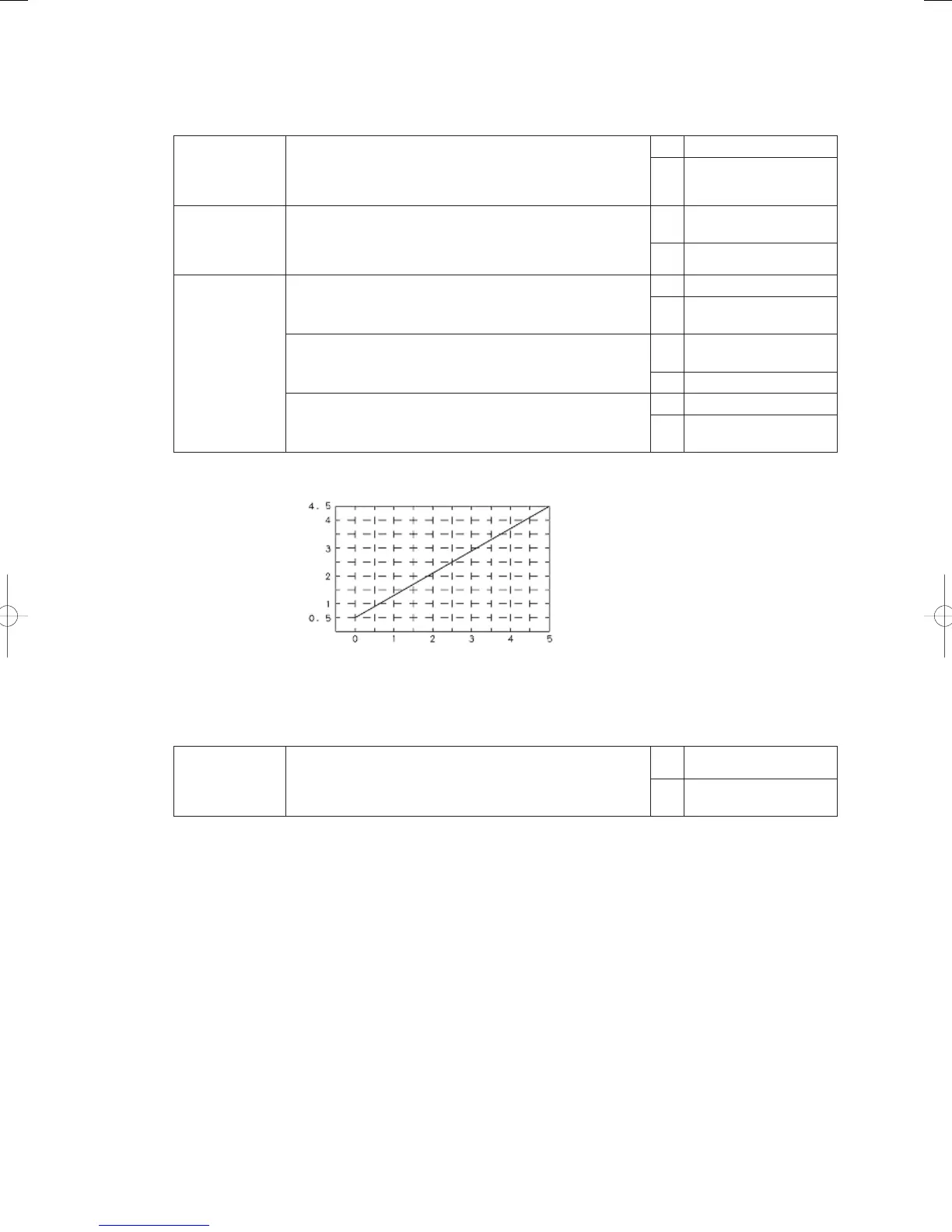
Compressor outlet pressure(MPa)
Compressor inlet pressure(MPa)
Sensor voltage (DCV)
● 13-1
Check bypass
valve
Operate for several minutes, then stop with a difference in
compressor inlet pressure and outlet pressure, and open
the valve using outdoor main board menu item No. 04. Is the
pressure equalized?
Yes Bypass valve is normal
No
Bypass valve is defective
(does not open)
GHPtroubleshooting.indbIV‒100GHPtroubleshooting.indbIV‒100 2012/11/2611:20:152012/11/2611:20:15















 To Next Page