IV–46
E09 Multiple Main Remote Controller Units Set
Error detection method
An error is determined when multiple main remote controllers exist within a remote controller group.
• Forgot to set a remote controller “sub” when controlling with two remote controllers.
• Forgot to set a remote controller “sub” when controlling with a wireless remote controller and a wired remote
controller
Troubleshooting
1
Remote
controller
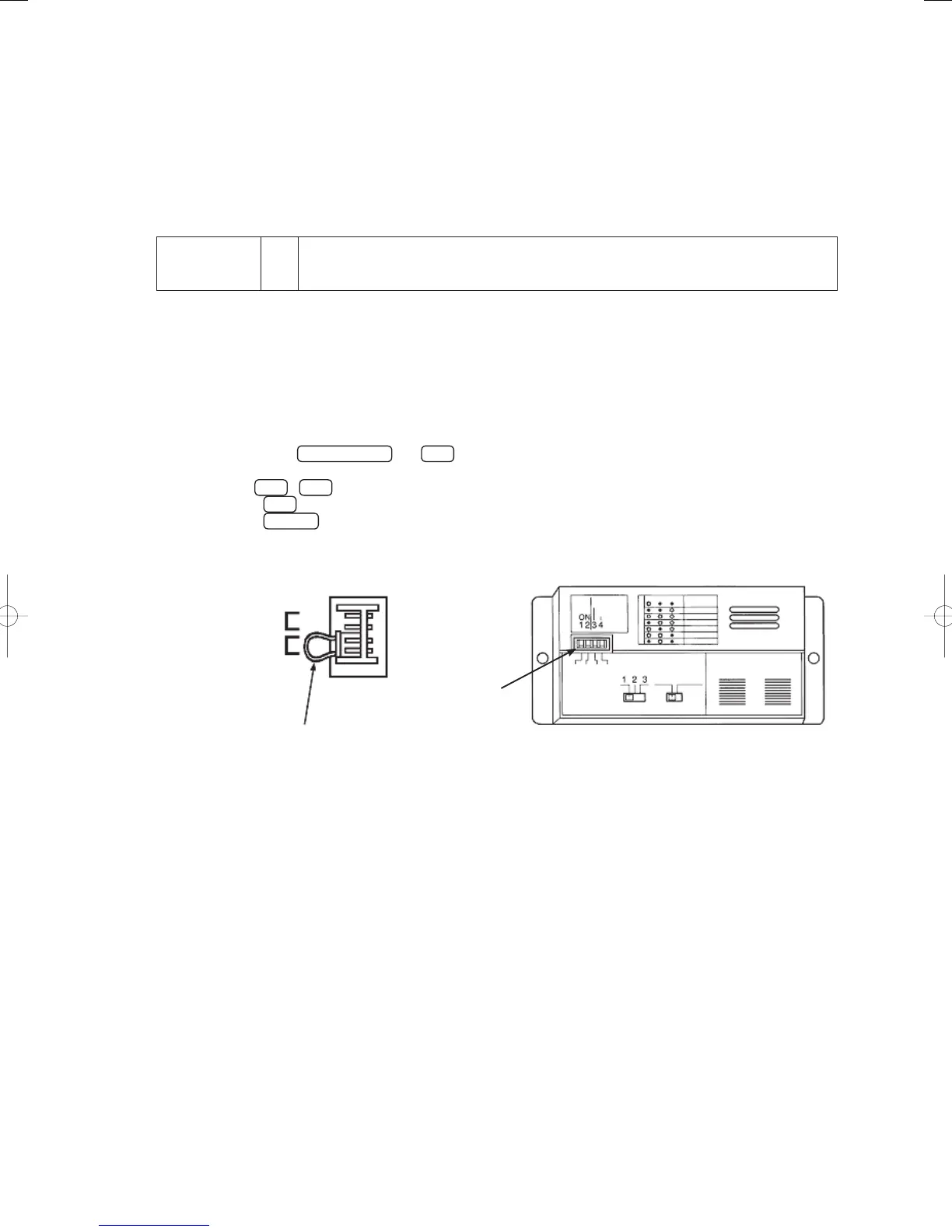
1-1 Set one of the two remote controllers to “Sub”.
● For board and Electrical Wiring Diagram, see Chapter 6.
• Outdoor main board: page VI-2
• Outdoor power board: page VI-3
• Converter board: VI-4
• Indoor control board for DC motor models: page VI-5
• Outdoor Unit Electrical Wiring Diagram: page VI-6
● 1-1
Sub remote setup procedure (E type)
Hold down the
Change mode
and
Set
buttons for 4 seconds or more.
“Setup”, an item code “
” and setup data “
” appears on the remote controller LCD.
Use the
▼
/
▲
buttons to switch to “
” setup data.
Press the
Set
button (the setting is completed when fl ashing changes to steady light)
Press the
Inspect
button to return to normal remote controller display.
Wired remote controller (B type) Wireless remote controller
Remote controller main
Remote controller sub
Remote controller address
Remote controller address connector
Main: OFF
Sub: ON
GHPtroubleshooting.indbIV‒46GHPtroubleshooting.indbIV‒46 2012/11/2611:20:092012/11/2611:20:09















 To Next Page