IV–104
P30 Group Control’s Sub Unit Error (* warning displayed only on system controller)
Error detection method
When an error occurs on a group control sub unit (for all abnormalities), the system controller displays P30.
Troubleshooting
11-1Confi rm error details using one of the following methods.
Check warning display on wired remote controller.
Check warning history in system controller servicing check mode.
1-2 Troubleshoot the warning found in 1-1.
● For board and Electrical Wiring Diagram, see Chapter 6.
• Outdoor main board: page VI-2
• Outdoor power board: page VI-3
• Converter board: VI-4
• Indoor control board for DC motor models: page VI-5
• Outdoor Unit Electrical Wiring Diagram: page VI-6
● 1-1
System controller service check mode (warning history)
Indoor unit/outdoor unit warning history monitoring mode (also clears warning history)
Press the
Inspect
icon and
Set
button continuously for 4 seconds or more.
Service Check lights, and the item code “
” lights.
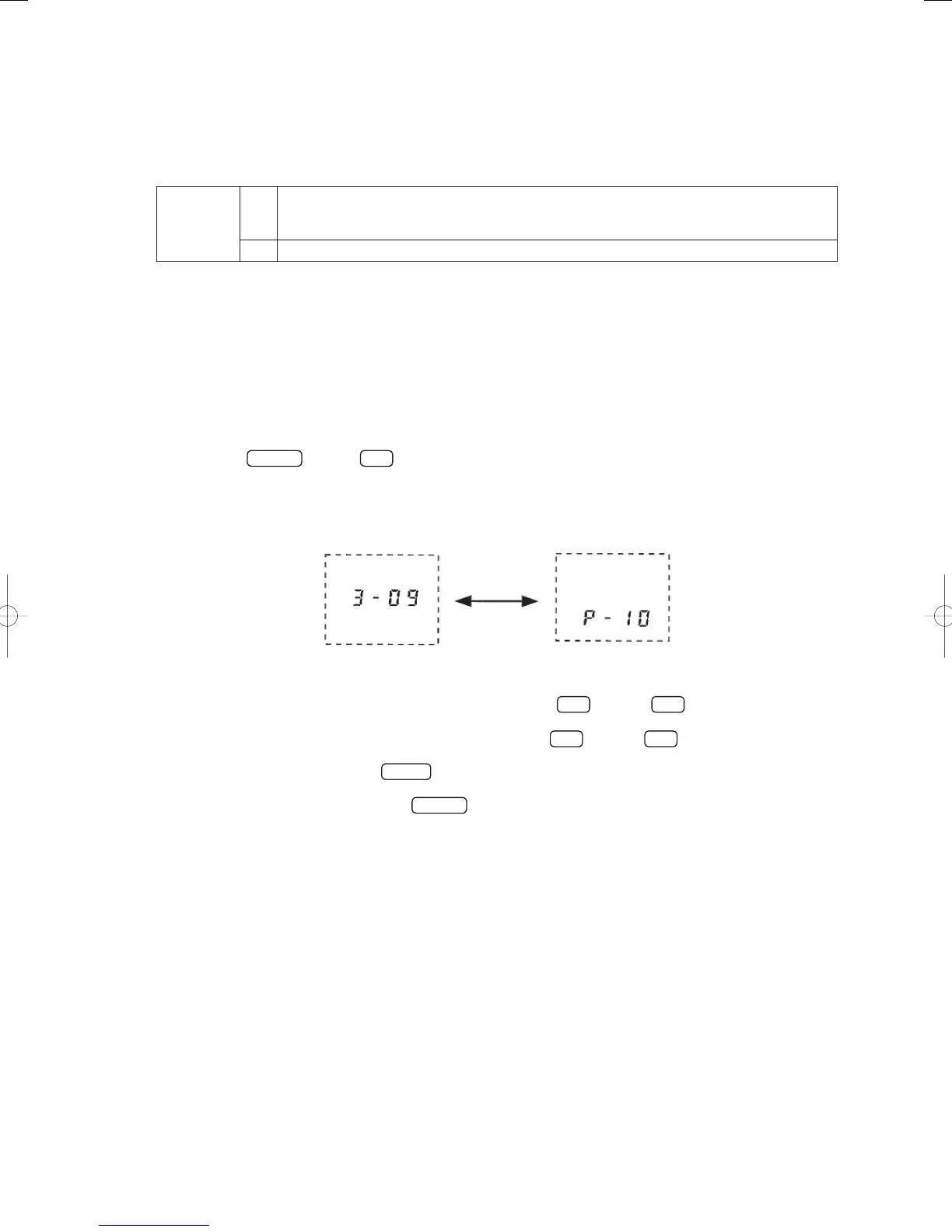
When the group number is selected (when [1] is fl ashing), when any warning history exists, the newest
warning history is displayed alternately with the unit number.
* Temperature settings are not available.
System
Indoor
Unit No.
Unit No. Display
Displayed alternately
Inspection
Alarm Display
To check older warning history, press the temperature setting
▲
button or
▼
button, and select the
item code (01~04).
To check warnings for other groups, press the Switch Group
▲
button or
▲
button, and select the
group number.
To clear the warnings, press the
cancel
button.
(This deletes the entire warning history for the currently selected group.)
To end the servicing check, press the
Inspect
button.
GHPtroubleshooting.indbIV‒104GHPtroubleshooting.indbIV‒104 2012/11/2611:20:162012/11/2611:20:16















 To Next Page