V–43
(8) Ignition Timing Check and Adjustment
Preparation for work
Turn off remote controllers for all indoor units. Confi rm outdoor units have stopped.
Distributor mode setting
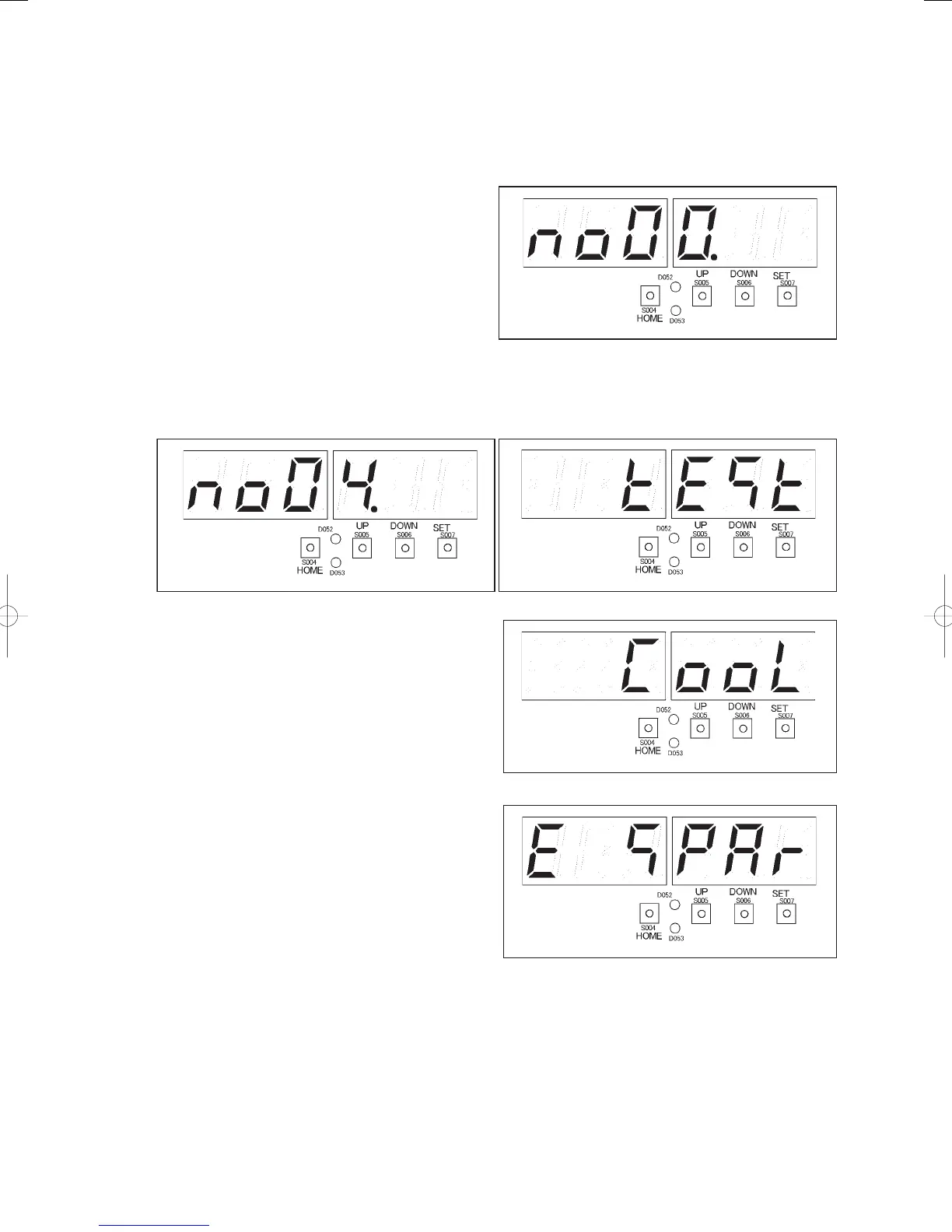
Set the distributor mode by selecting “
” from the “
” test run forced setting display.
1) Press the HOME key (S004) for one second or
more.
Menu item number “
”(right fi gure) will be
displayed.
2) Press the UP (S005) or DOWN (S006) key, displaying the menu item numbers. Select menu item
“
” in the fi gure below. The display “
” (fi gure below) will appear.
3) Press the SET key (S007). “
” (right fi gure)
will bedisplayed. The LEVEL LED (D053) will
light.
4) Press the UP (S005) or DOWN (S006) key to
display “
” (right fi gure). Press the SET
key (S007) for one second or more.
The TEST/WARNING LED (D052) will light, and
the distributor mode will be set.
GHPtroubleshooting.indbV‒43GHPtroubleshooting.indbV‒43 2012/11/2611:20:222012/11/2611:20:22















 To Next Page