Operation Manual
FT128 Rev 2.4
29
• Standard plates for mounting MCP 20HP Face Plate (CB682)
• ASE options: Romteck ASE Mounting Bracket (CB685), Tyco ASE Mounting
Bracket (CB686)
• Printer Mounting Bracket (CB691)
• Battery Shelf for 19 Inch Rack Cabinet (CB687)
Large or small 19” rack cabinet is suitable for both FT1020G3 or FT128 including each
ancillary rack equipment. Choosing either system to use large or small enclosure is
dependent on the number of options added to each system. All ancillary racks are 3U
which can be fitted with every possible optional module. 1U is left opened below both 19”
Rack Cabinets for easy access and storage of site documentation. A 003 key is required
to open the outer acrylic door to access the controls on the panel.
5.3 Addressable COM Loop Display Modules
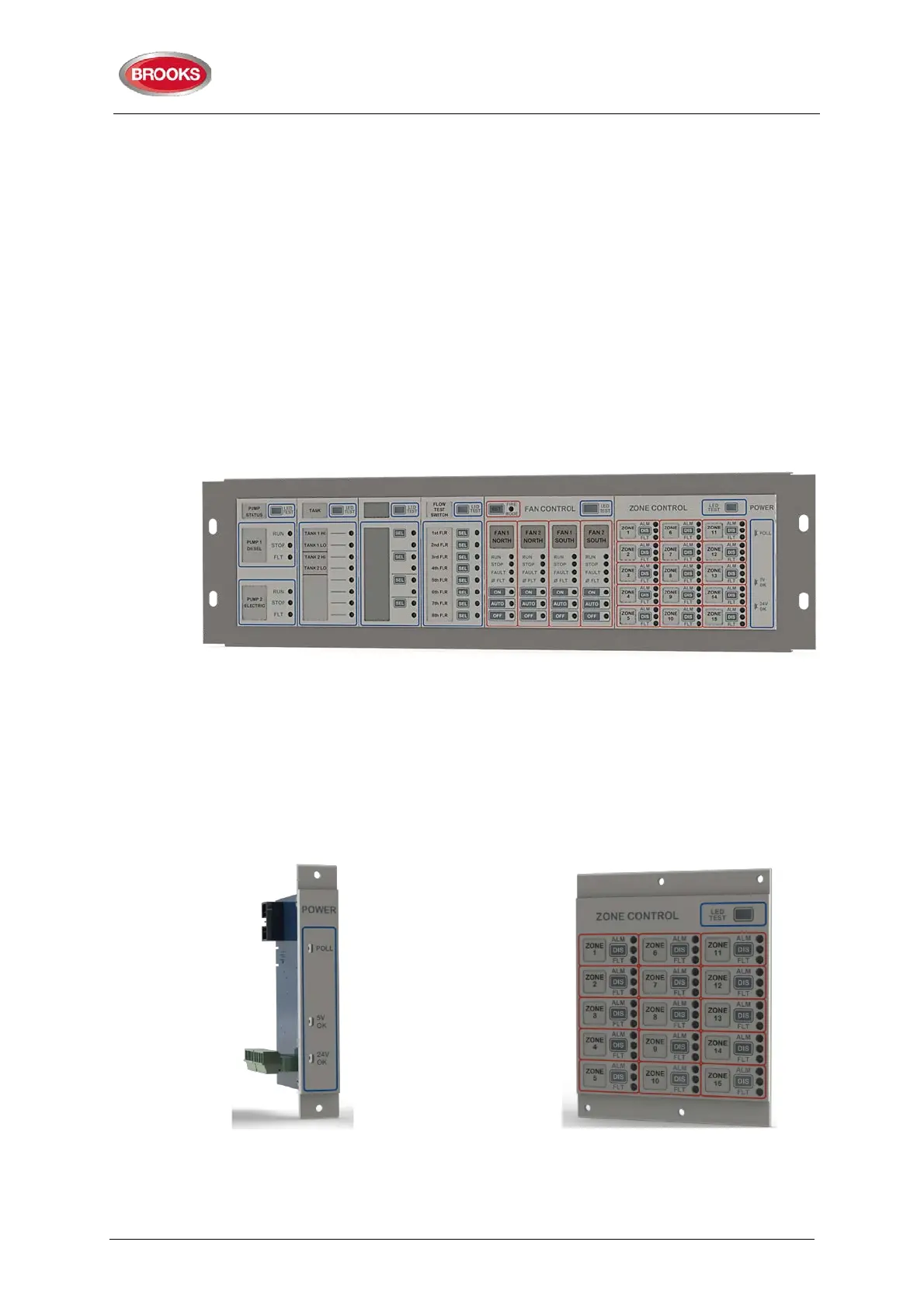
The ancillary 3U rack is designed to be fitted with any combination of display modules as
shown in Figure 12 below.
Figure 12 3U Ancillary Modules Face Plate (CB681)
Any combination of modules in Figure 13 to Figure 20 will fit onto the 3U Ancillary Modules
Face Plate (CB681) as shown in Figure 12. These provide maximum flexibility for the
control of inputs and outputs when used with any FT128 or FT1020G3 Addressable FDCIE
loaded with software ≥ V2.4.x.
The modules are interconnected by a single ribbon cable part number CA380. A blank
module 10HB is used to cover an unused module space. Also available is a Blank Module
4HP used to blank out the space reserved for the 1204 Power Monitor Module when 3U
Ancillary Modules Face Plate (CB681) is used as a generic panel.
Figure 13: 1204 Power Monitor
Module
Figure 14: 1205 Zone Control
Module



 To Next Page