Operation Manual
FT128 Rev 2.4
19
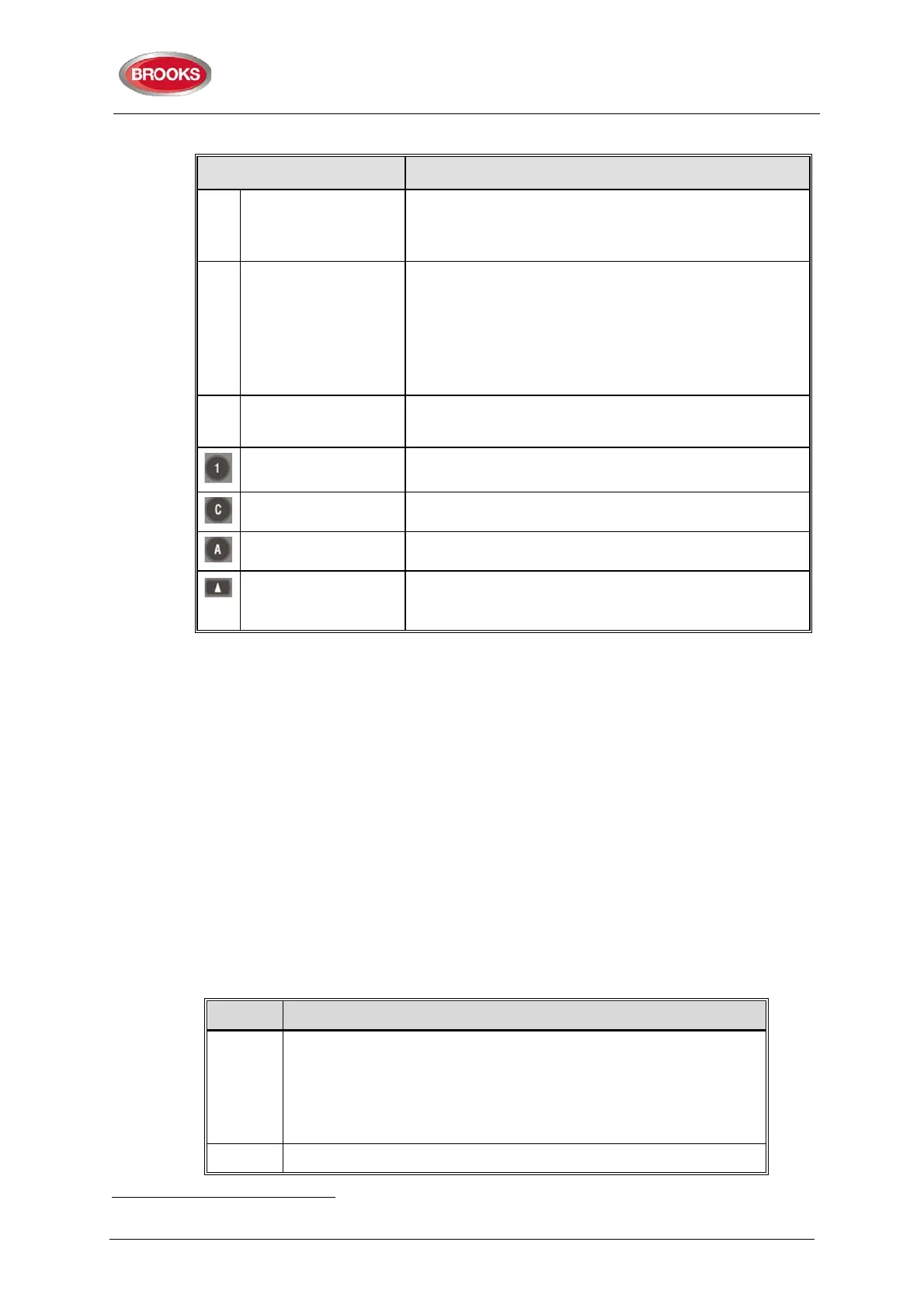
Table 6 Control Panel push buttons
Key/push button Operation/function
P6
Fault acknowledge
(yellow)
Used to acknowledge the faults shown in menu H6. Also
used to acknowledge
H8/S4.
16
P8 Access (white)
Used to log on, i.e. to get access to the menu tree (via an
access code) to carry out disablements, etc. In
conjunction with a fire alarm, some information is
available and some actions are possible to perform via
the "Fire alarm menu" (X1-X9) without log on, see chapter
"Fire alarm", page 50 .
P9 Return (white)
Used to stop input of data, leave a menu ("one step up")
and to log off.
1 – 9 and 0 Numeric keys for the figures 0-9.
C Used to clear /delete just written data.
A Used to accept a menu and accept input of data.
← →
↑ ↓
Left / right keys are used to move the cursor in a menu.
Up / down keys are used to scroll between the menus.
3.4.2 The Display (LCD)
3.4.2.1 LCD Backlight
When the information above is shown in the LCD, the backlight is OFF.
As soon as any other information (see below) is shown in the LCD, the backlight is turned
ON.
The LCD backlight will remain on even during loss of the main power source.
3.4.2.2 Information Priority Order
When the FT128 is in normal operation (quiescent state), i.e. no fire alarms, no faults, no
disablements, no service signals, no zones in test mode, no activated interlocking in /
outputs, and/or Alert Annunciation function not enabled, only the LED "Operation" should
be lit and some system information is shown in the LCD.
The LCD information priority order is shown in Table 7 below.
Table 7 LCD priority order
16
In New Zealand convention, the “Fault acknowledge” button is used to acknowledge a Fire alarm, i.e. the alarm abbreviation
"ALM" in the LCD is changed to "ACK".
Priority Event
1
Fire alarms:
• Fire alarm
• Heavy smoke/heat alarm
• Alert Annunciation (AA) alarm
2 Quiet alarm



 To Next Page