Operation Manual
FT128 Rev 2.4
75
18 Software Download
18.1 EBLWin Software Installation
To install EBLWin software in your PC, the instructions in this chapter must be followed,
the instructions apply only to software versions ≥ V2.0. This does not cover the optional
installation of EBLWeb for the WebServer or TLON installation. For EBLWeb installation,
please refer to the Web Server II manual MA440 for FT1020G3 / FT128.
Required files:
The following files must be copied in your PC:
1. PEW .Net Framework V2.0 or higher (if Windows did not install it as part of its
updates)
2. 2.10.00 WHQL (Win7_Win8_Win8.1)
3. Drivers for USB to Serial Converter
4. Sentinel_LDK_Run-time_setup
5. EBLWin V2.4.4 file named EBLWin.msi and setup.exe
6. Australian_EBL512G3_244.BIN or NewZealand_EBL512G3_244.BIN
54
Hardware required:
1. EBLWin key 5094
2. Null modem serial cable
3. USB to Serial Converter to USB adapter
4. Laptop with Win7 - Win10
18.1.1 Installation procedure:
The order of prerequisite software and drivers installed before EBLWin can be installed is
important. Please follow this order closely:
1. If running on Win7, install PEW .Net Framework V2.0 or higher first. Go to
Microsoft https://www.microsoft.com/en-us/download/details.aspx?id=55167
and
download the latest Microsoft .NET Framework (Offline Installer) for your machine.
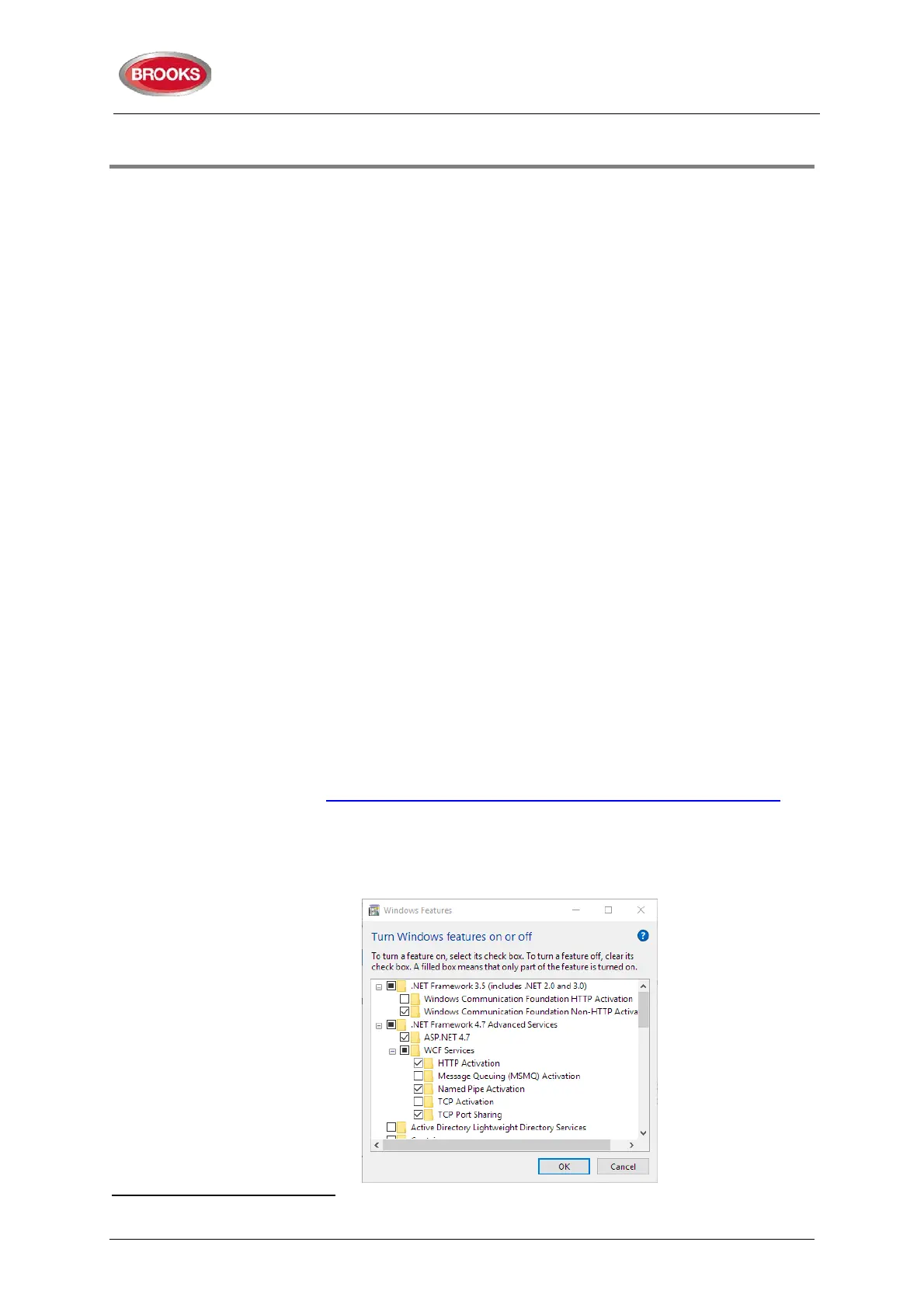
If running on Win10, it is probably already installed as part of its system. To ensure
that .NET is turned on, ask Cortina with this keyword “Windows Features” and
ensure that .NET Framework are turned on as shown below:
54
The BIN files are not part of the EBLWin installation, it is used only to upgrade existing firmware or replace corrupted firmware
in 4556.



 To Next Page