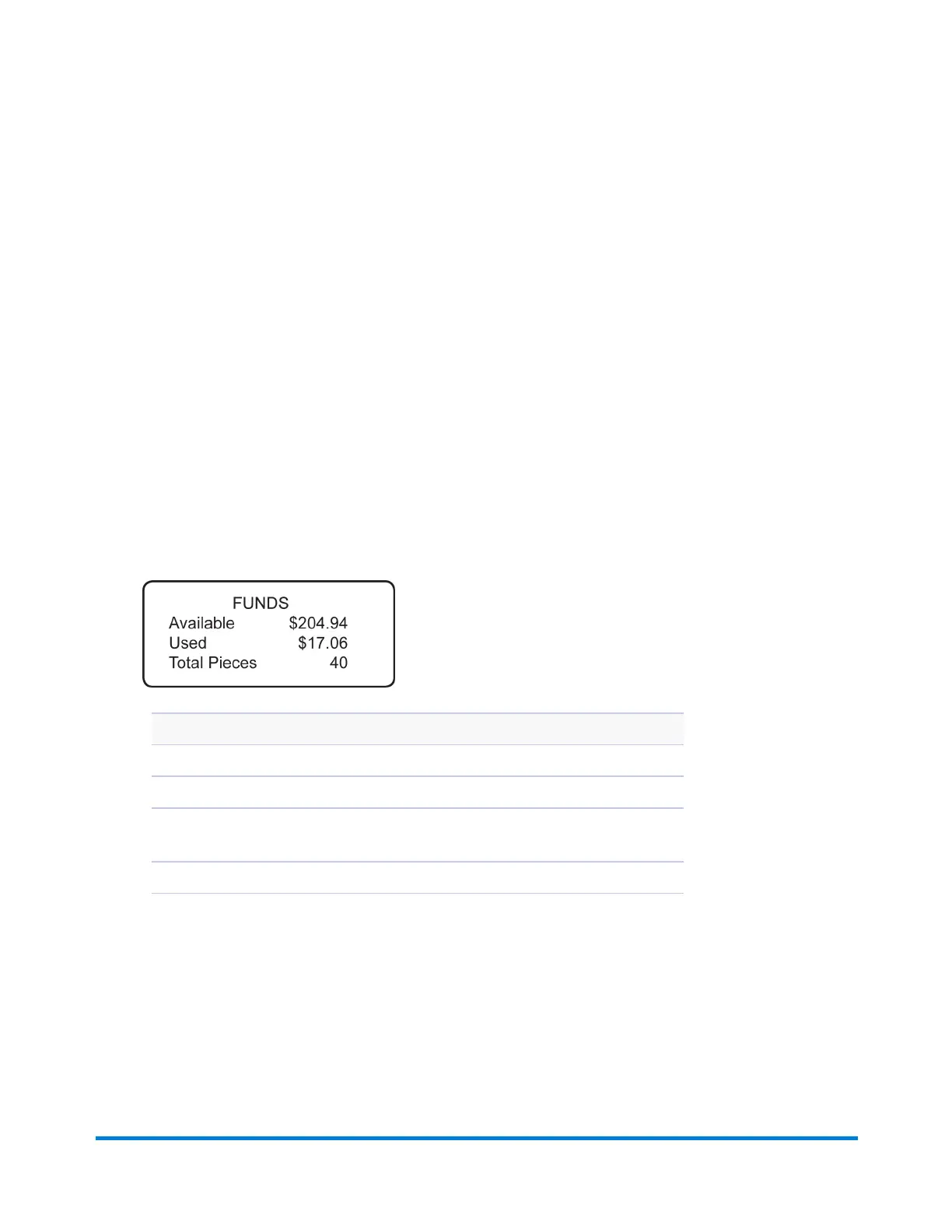
Checking Postage Funds in the Meter
Postage is stored internally in your meter. When you need to add more, you establish communications
between your meter and the Pitney Bowes Data Centre, and specify the amount of postage you wish to
download. The postage is electronically transferred to your meter from your Pitney Bowes Postage By
Phone® meter payment account.
You must have a Pitney Bowes Postage By Phone meter payment account and have funds available in it
before you can download the funds (for postage) to your meter. If you need to establish a Postage By
Phone account contact Pitney Bowes. See Pitney Bowes Contact List.
You can check the funds (postage) in your machine.
1. Press Funds.
2. The funds available, used and pieces processed will display.
3. Press Clear (back arrow key) or Home to return to Home screen.
Description
Available: the amount of funds (postage) left in your meter.
Used: the total of all postage ever used in the meter.
Total Pieces: the total number of mail pieces run through the meter that had
postage applied.
Active:indicates if the rate is active (Yes or No).
If you are connected to the PB Data Centre using PC Meter Connect, refer to Checking the Postage
Amount Using PC Meter Connect.
Adding Postage
Pitney Bowes Operator Guide February, 2017 Page 136 of 226












 To Next Page