Viewing PCMeter Connect Software Version
You may get an error message on your mailing machine display indicating that you are running a version
of PC Meter Connect that is not compatible with the version of software running on your machine. This
topic shows how to check the version of PC Meter Connect loaded on your PC.
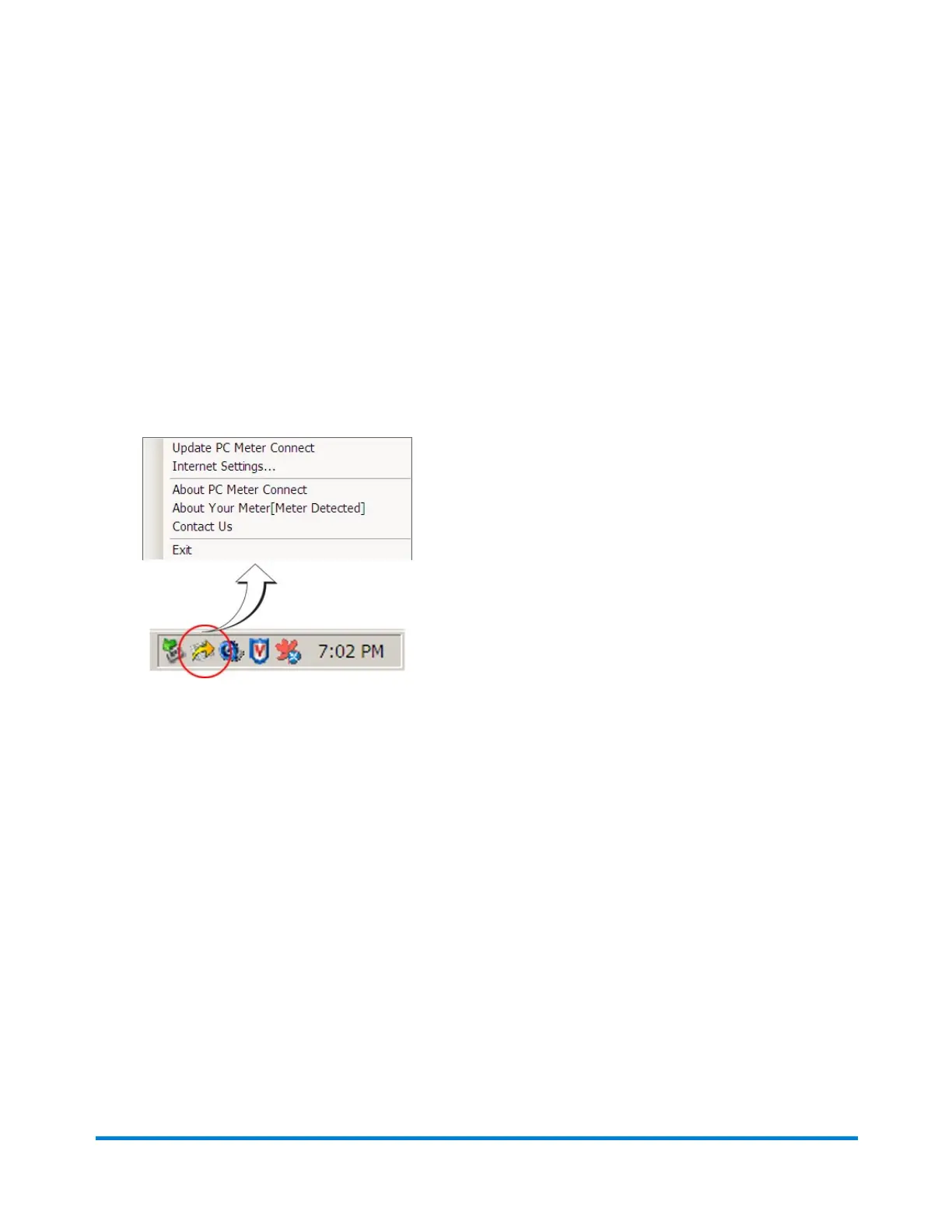
1. Right-click on icon in the system tray.
2. Select About PC Meter Connect to find out what PC Meter Connect version you are currently
running.
3. If you need to update the version of your PC Meter Connect software, visit
www.pb.com/support/PCMC.
Using PC Meter Connect
Pitney Bowes Operator Guide February, 2017 Page 190 of 226












 To Next Page