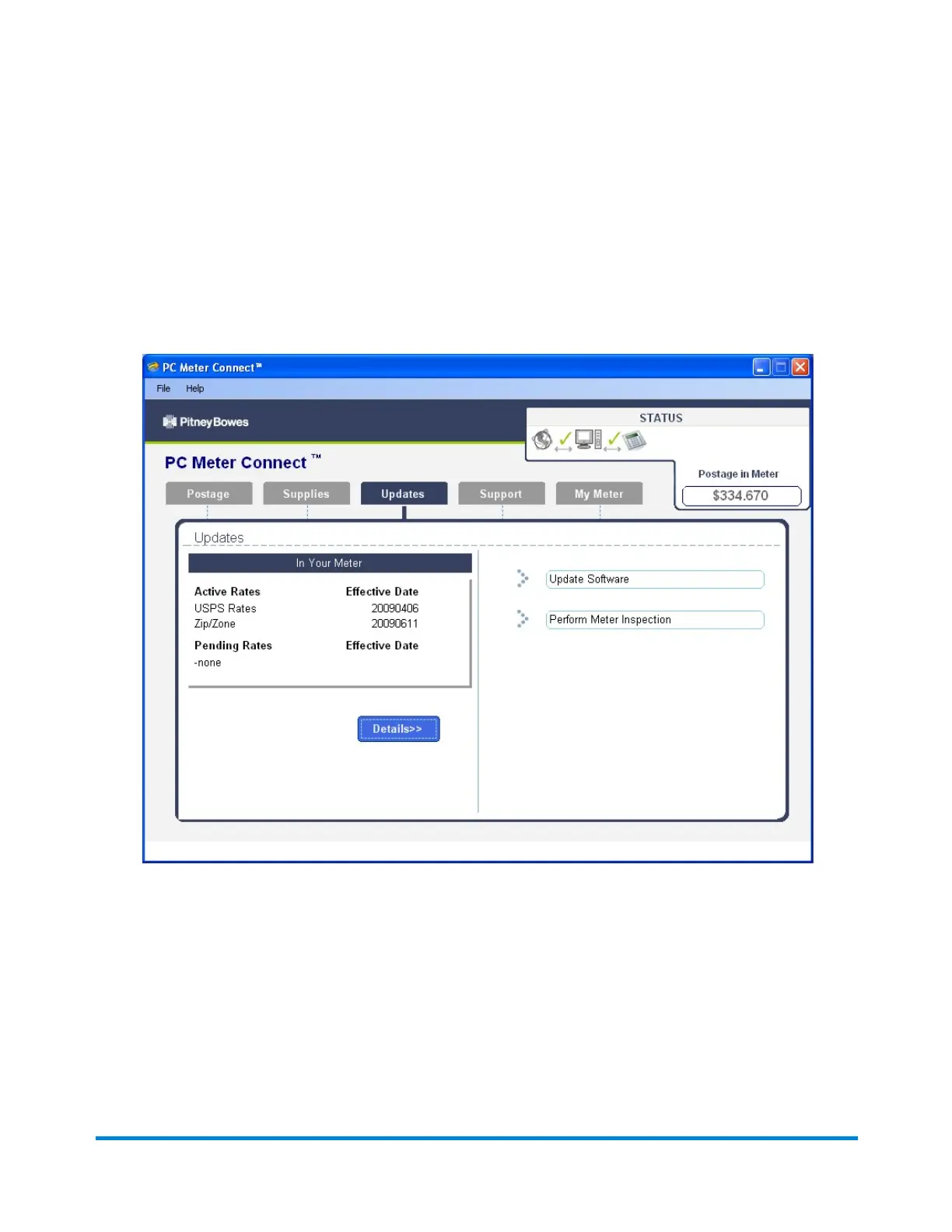
Downloading New Postal Rates Using PC Meter Connect
1. Click on the Updates tab from the PC Meter Connect main window.
2. The meter checks to see if there are any updates required. The current active rates and any
pending rate updates are displayed in the Support Information panel on the left of the screen.
3. When completed the system will prompt you to click Continue, then Done.
4. If updates are required click on the Update Software link in the Task panel on the right side of the
screen.
Using PC Meter Connect
Pitney Bowes Operator Guide February, 2017 Page 167 of 226












 To Next Page