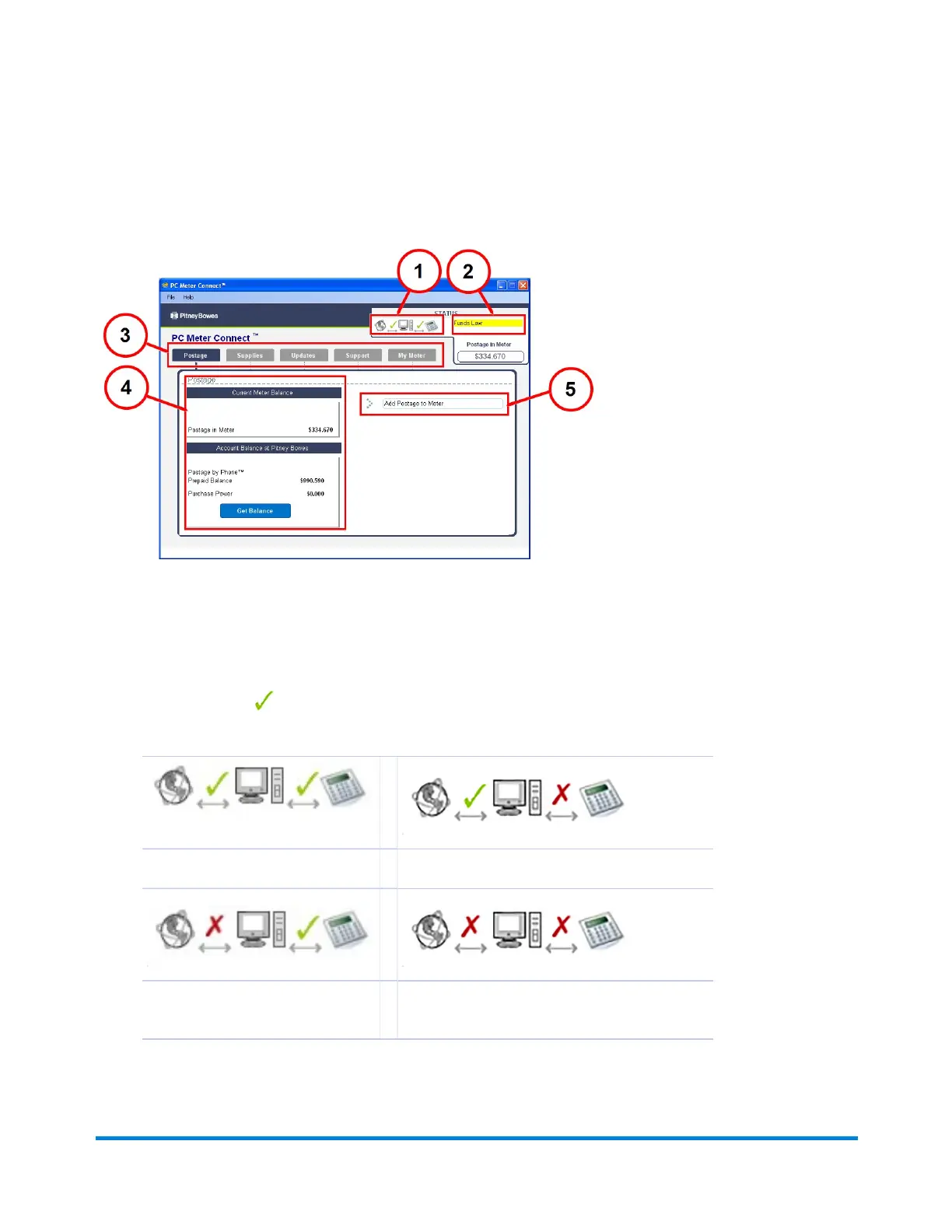
PC Meter Connect Application Main Window
PC Meter Connect™ Main Window
1. Connection Status - indicates whether your PC can communicate with the Internet and to your
mailing machine.
A green check indicates a good connection, while a red X means the devices can not
communicate .
Good Communication
PC Not Communicating with Machine
PC Not communicating with
Internet
PC Not Communicating with Internet or
Machine
Using PC Meter Connect
Pitney Bowes Operator Guide February, 2017 Page 162 of 226












 To Next Page