Add Postage Report
1. Press Reports.
2. Select Printable report.
3. Select Add Postage Report.
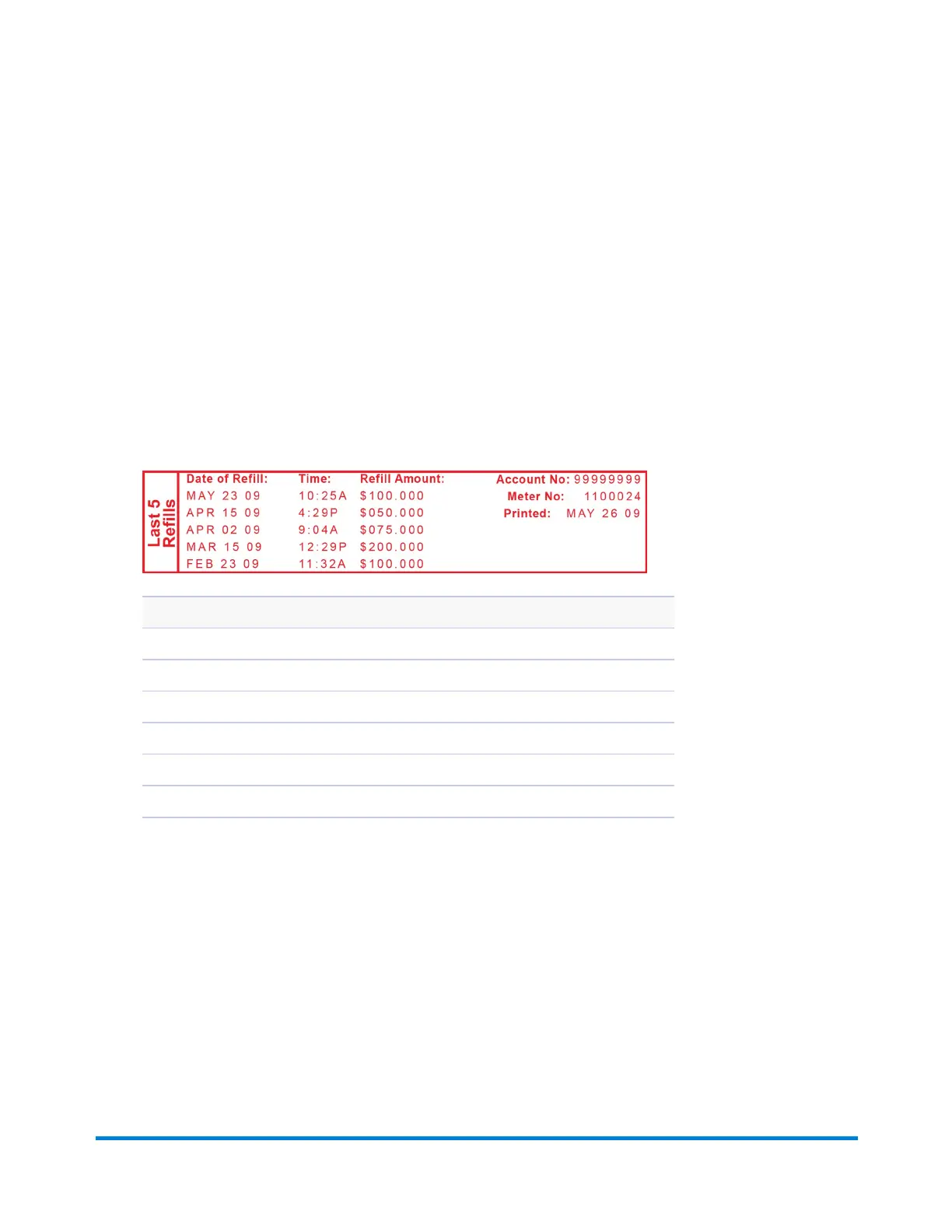
4. When prompted, insert tape sheet or envelope into the machine. The report is printed (see sample
below).
5. Press Clear (back arrow key) to return to the Reports menu, or press Home to return to the Home
screen.
Description
Date of Refill: the date of the refill.
Time: the time of refill.
Refill Amount: the amount of the refill.
Account No.: your Postage By Phone® system account number.
Meter No: serial number of this meter (normally meter number).
Printed: the date the report was printed.
If you have PC Meter Connect, refer to Printing a Refill Summary Report Using PC Meter Connect.
Reports
Pitney Bowes Operator Guide February, 2017 Page 87 of 226












 To Next Page