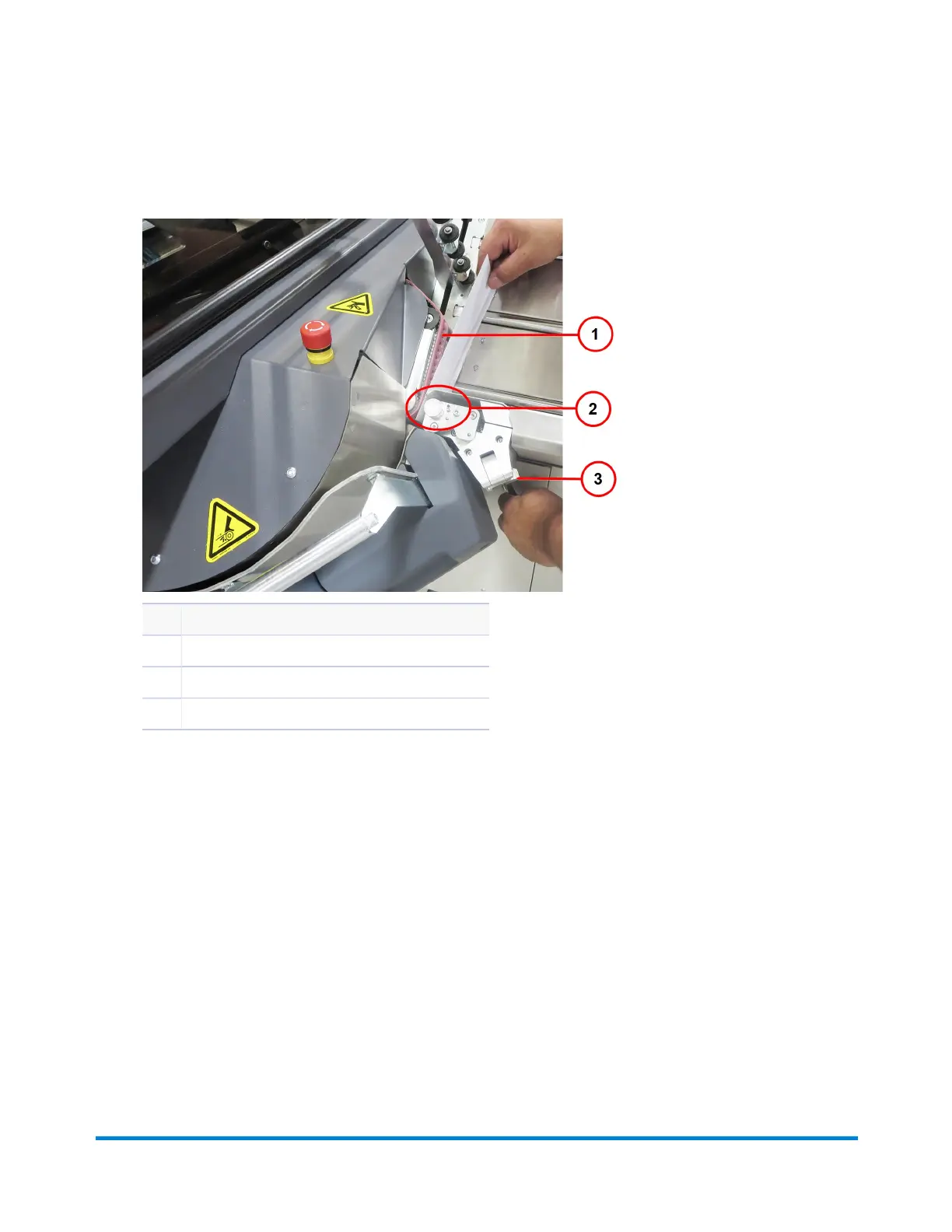
2. Whileholdingbacktheseparatoraccesslever,slideoneenvelopebetweentheseparatorandthe
redbelts,makingsureit'sbetweentheseparatorrollers.
Item Description
1 RedBelt
2 SeparatorRollerArea(roller not seen in photo)
3 SeparatorAdjustmentKnob
InsertEnvelopeBetweenSeparatorRollers
3. Releasetheaccesslever.
4. Turntheseparatorknobtoadjustforthickness.Youshouldfeelaveryslightdragontheenvelope
asyoutrytoremoveitfromtheseparatorroller.(Adjust the separator knob only a few clicks and
recheck the settings.)
a. Ifthereistoomuchdragontheenvelope,opentheknobtoreducedrag.
b. Ifthereisnotenoughdragontheenvelope,closetheknobtoincreasedrag.
Operator Adjustments
Pitney Bowes Epic Select Operator Guide December,2017 Page 53 of 288



 To Next Page