2-16 SV63136 Rev. A
2 • Meet the Inserting System
The status area of the screen is devoted to displaying information about the
task(s) you are performing. This area displays any or all of the following:
• Mail Piece Icon Tree
• Item Orientation
• Options
• Data displaying across the bottom of the screen in the Home screen
only includes batch count, piece count and User ID.
Mail Piece Icon Tree
The Mail Piece Icon Tree is located on the left side of the screen. The
Tree displays an icon for each component in the mail piece and a fold
icon, if the material is to be folded. The icons are arranged in the order in
which the mail piece components will be collated, with the outer envelope
icon showing at the top of the Tree. A letter appearing alongside the icon
designates the Feeder Tray assignment; a small blue droplet icon indicates
that the seal feature is enabled.
Status Area
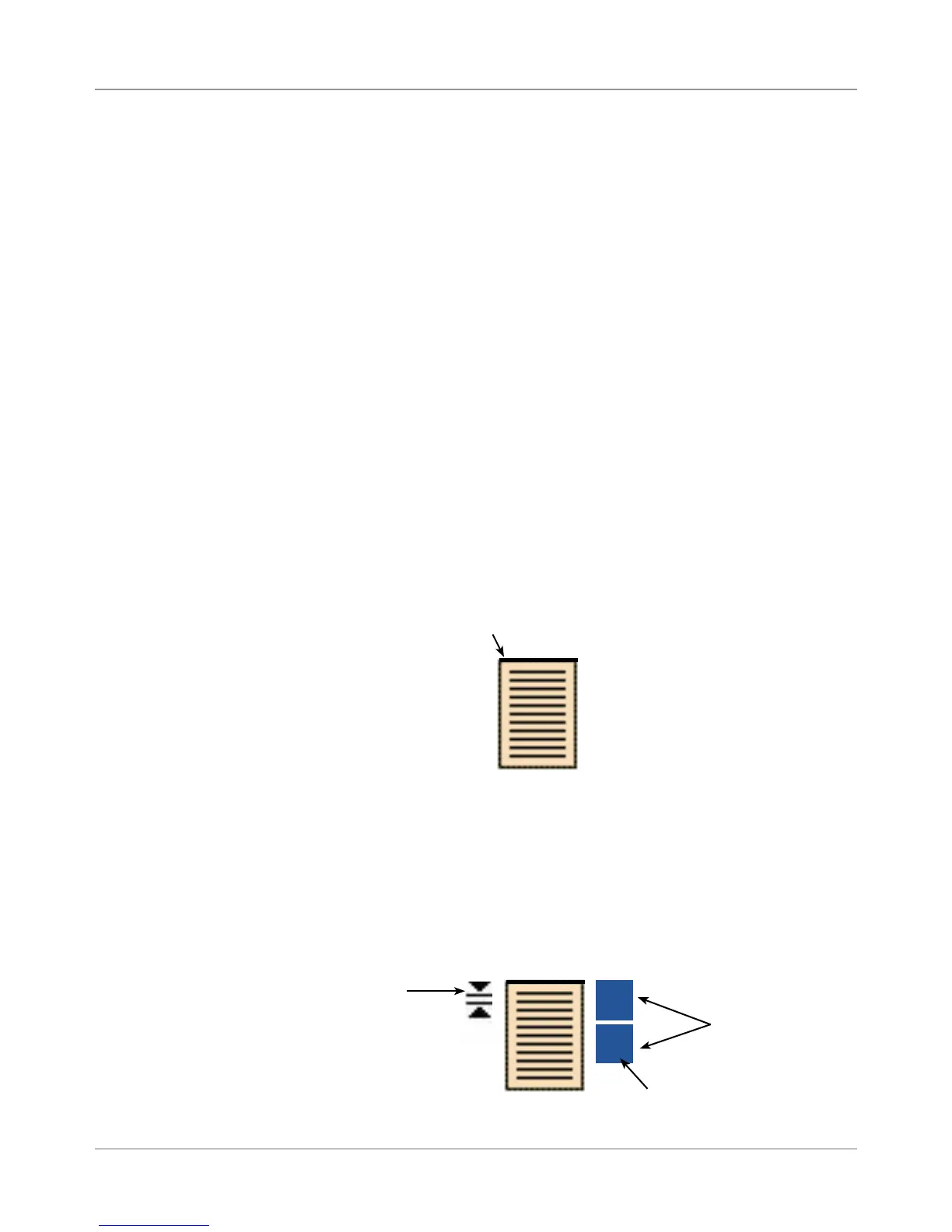
• Each icon has one darker edge either at the top or bottom that indicates
the leading edge of the material. The leading edge of an object is
the edge that feeds into the machine first. For example, a sheet that
must be loaded face up with the top of the sheet leading would be
represented by a "face-up" sheet icon containing a "leading edge" line
on top.
• A feeder assignment letter will be placed alongside the icon to indicate
the feeder tray to load the object into. Two or more feeder assignment
letters alongside a single icon indicate that Feeder Trays have been
linked. The item should be loaded in all the Feeder Trays indicated.
When one feeder tray becomes empty, feed will automatically switch to
the next linked feeder tray, in a continuous cycle.
• If double detect is in use, the double detect icon will appear immediately
to the left of the relevant icon.
Leading Edge
Sheet, Face Up
Feeder Assignment Letter
C
A
Linked Feeders
Double Detect
Icon



 To Next Page