SV63136 Rev. A
4-5
Advanced Operation • 4
Deleting a Job
Jobs that display in the Saved Jobs list are the only jobs that can be
deleted.
NOTE: Library jobs are permanent residents of the system's memory. The Delete
function is disabled for the any of the Library jobs.
To Delete a Job from the Saved Jobs List:
1. From the Home Screen for any job, select Menu.
2. Select Jobs.
3. Select Delete Saved Job. The list of saved jobs displays.
NOTE: If you are not logged in with supervisor or manager access rights, you
will be prompted to enter an access code.
4. Select the name of the job you want to delete.
5. Select Delete Job to confirm the delete command.
NOTE: Selecting Delete causes permanent deletion of this job from the sys-
tem's memory. However, if this is the current job the job name will appear on
the Home screen, as it is still in the system's "working" memory. Additionally, a
copy of the deleted job can be run if it appears in the Recently Run Jobs list.
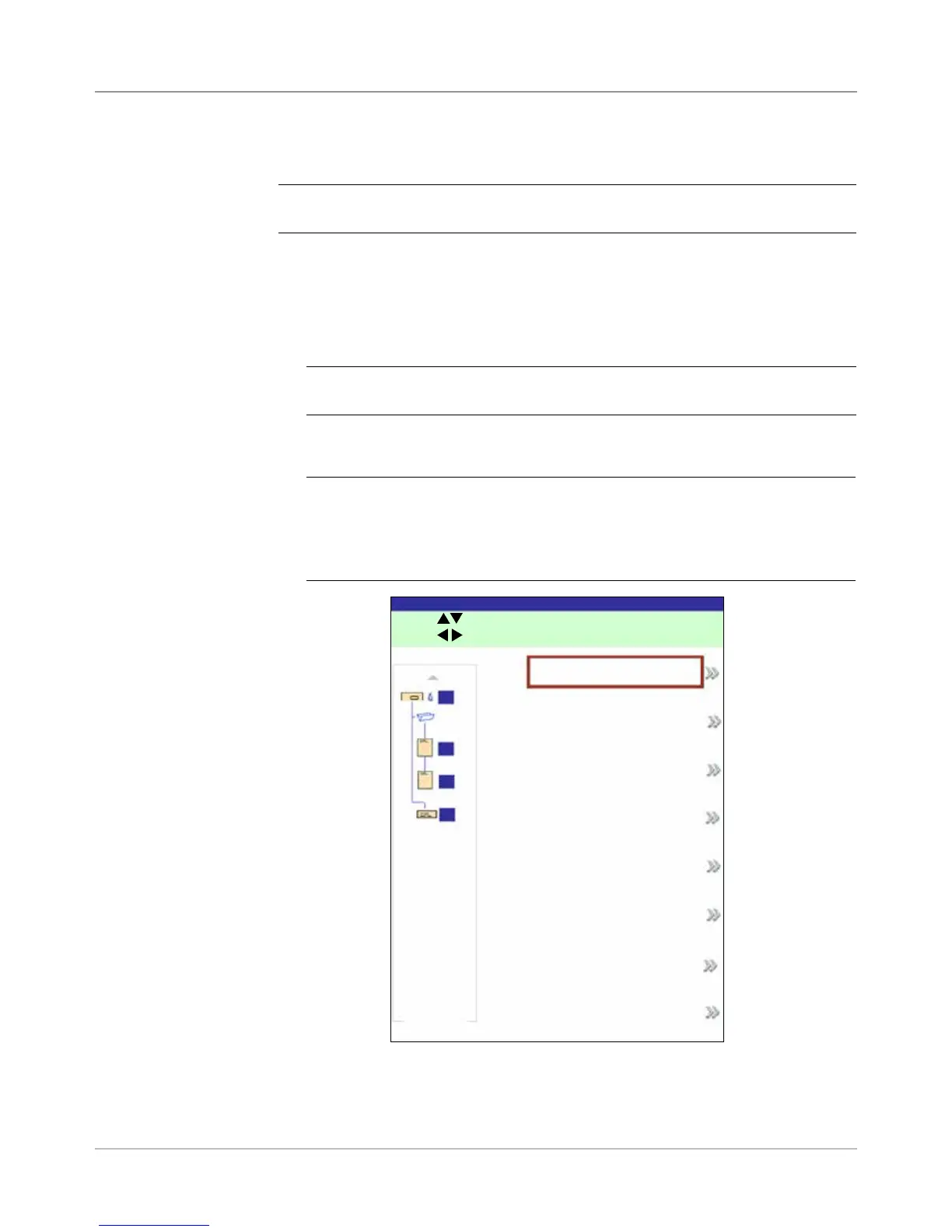
Delete Job
Delete Job Screen
Press to scroll.
Press to move highlight.
A
B
C
D
INVOICE 1
INVOICE 2
INVOICE 3
INVOICE 4
INVOICE 5
INVOICE 6
INVOICE 7
Next
Job: NVOICE 1



 To Next Page