3-24 SV63136 Rev. A
3 • Basic Operation
Running a
Trial Piece
(continued)
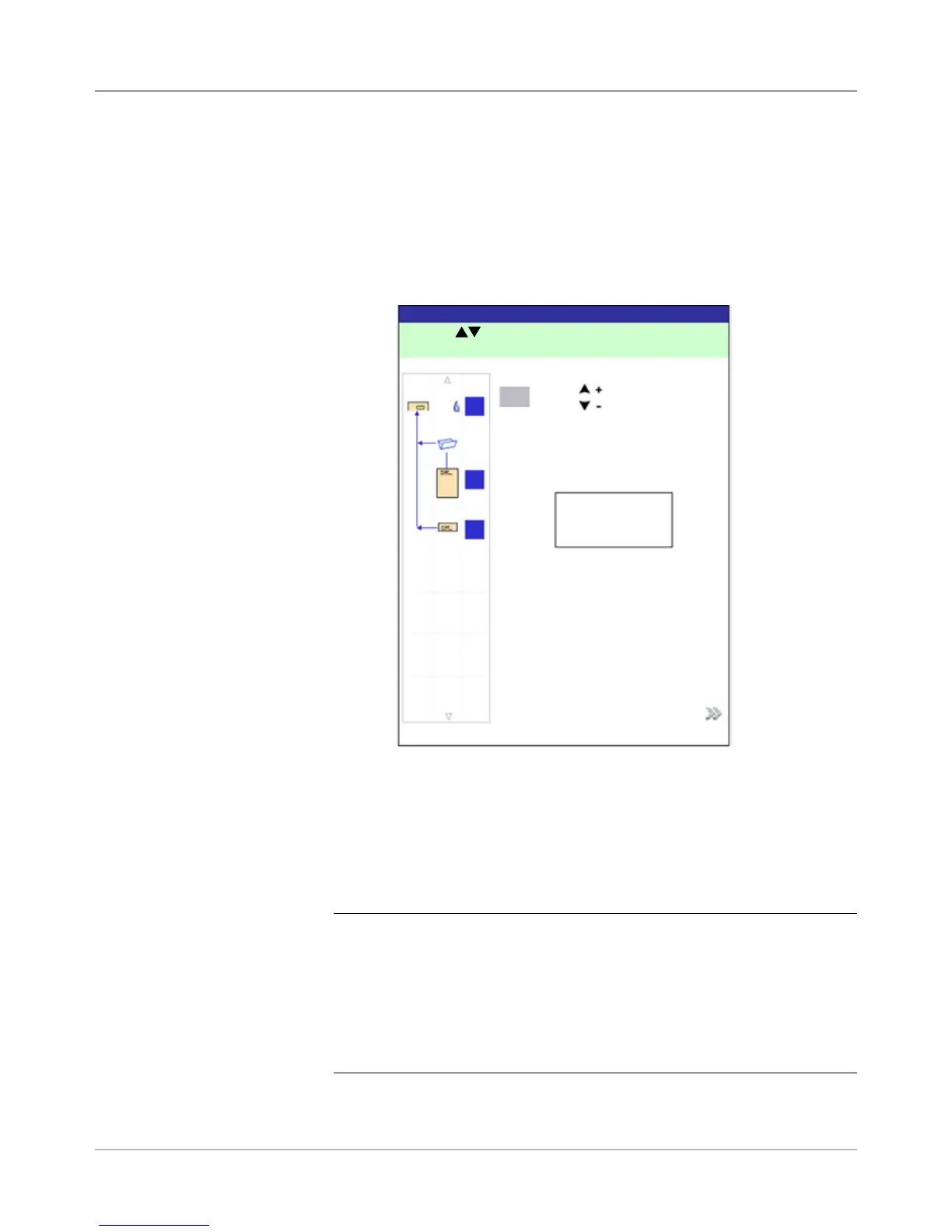
• Use the UP/DOWN keys to re-position the address, and then
select Finished. You will be returned to the Home screen.
c. If you want to make other adjustments, select Edit Job. You will
now be able to add, delete, or move mail piece components and to
change parameters for a document(s) in the mail piece.
NOTES:
• Detailed instructions on use of the Add, Delete, Move, and Edit func-
tions are contained in later sections of this chapter.
• If you make any changes to the mail piece order, address position
and/or to a document(s) in the mail piece, run Trial Piece again to
verify machine function and mail piece accuracy.
• Any edits you make are NOT saved unless a Supervisor/Manager
specically saves them.
d. If you need to check/verify the job settings, access the Review Job
screen (select Home>Menu>Jobs>Review Job).
5. Depending on your findings, choose one of the following options listed
on the Trial Piece screen:
a. If the trial mail piece passes inspection, select Trial Piece OK. You
will be returned to the Home screen, or press START to begin the
job.
b. If the address needs to be moved UP/DOWN (applies to Windowed
envelopes), select Adjust Address. The following screen appears.
Adjust Address Screen
Press to adjust.
3
mm
A
B
C
ABC Company
36 Waterview Dr.
Derby, CT 12345
Accept



 To Next Page