Setup & User Guide
113 |
DOC-246-GDE-Pivot3 Acuity 2.3 Setup & User Guide-v1.0.docx
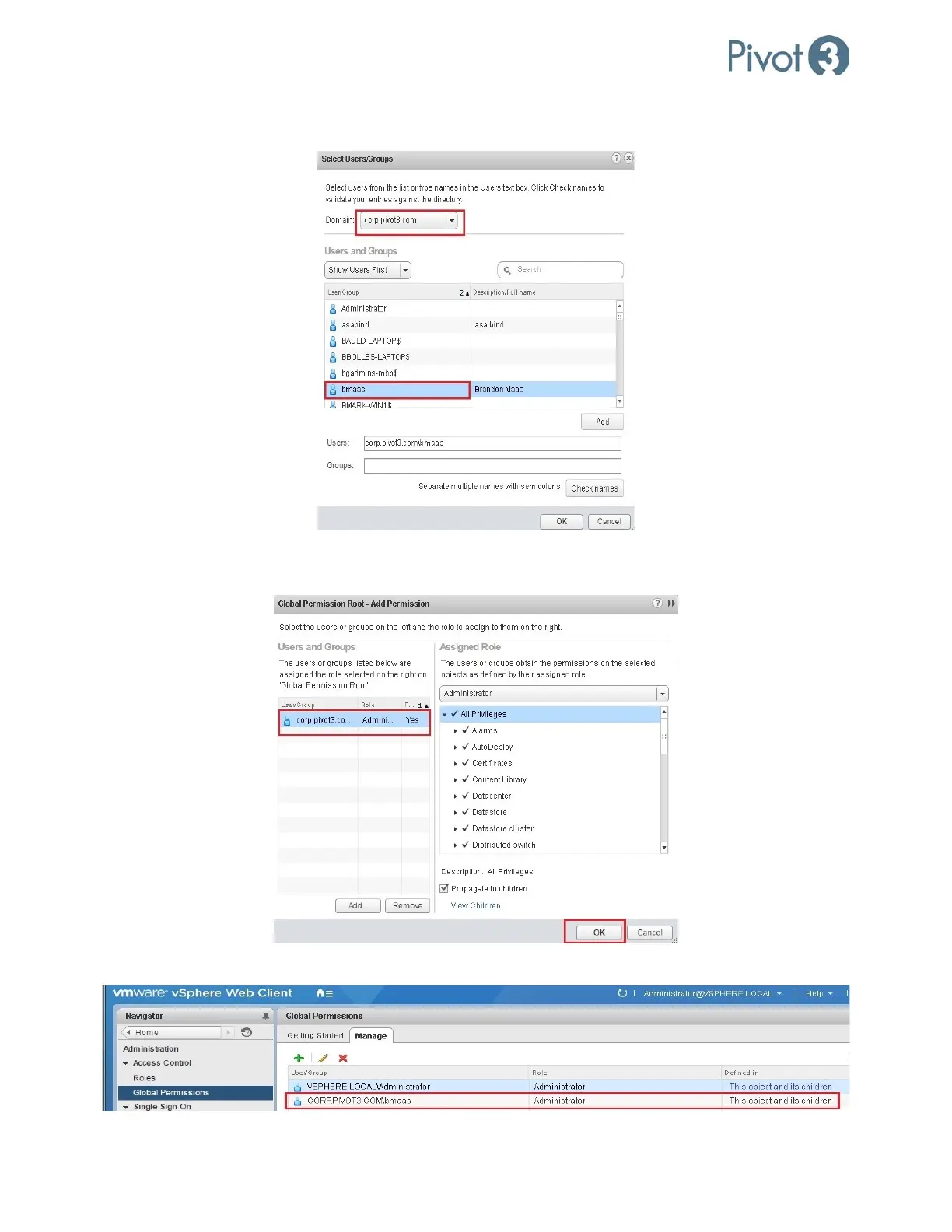
3. Select the AD Domain Server from the Domain dropdown in the Select Users/Groups wizard. Select the desired user
or group from the list and click OK.
4. Confirm the selected User or Group is listed in the Global Permissions Root > Add Permission wizard and select the
Administrator role from the Assigned Role dropdown. Click OK.
5. Confirm the AD user is assigned with Administrator role under Global Permissions.
6. Now the AD user can be installed or registered within the plugin with Single Sign-On mode.



 To Next Page