X-Series Hyperconverged Nodes Powered by Acuity
Setup & User Guide, v1.0
41
|
DOC-246-GDE-Pivot3 Acuity 2.3 Setup & User Guide-v1.0.docx
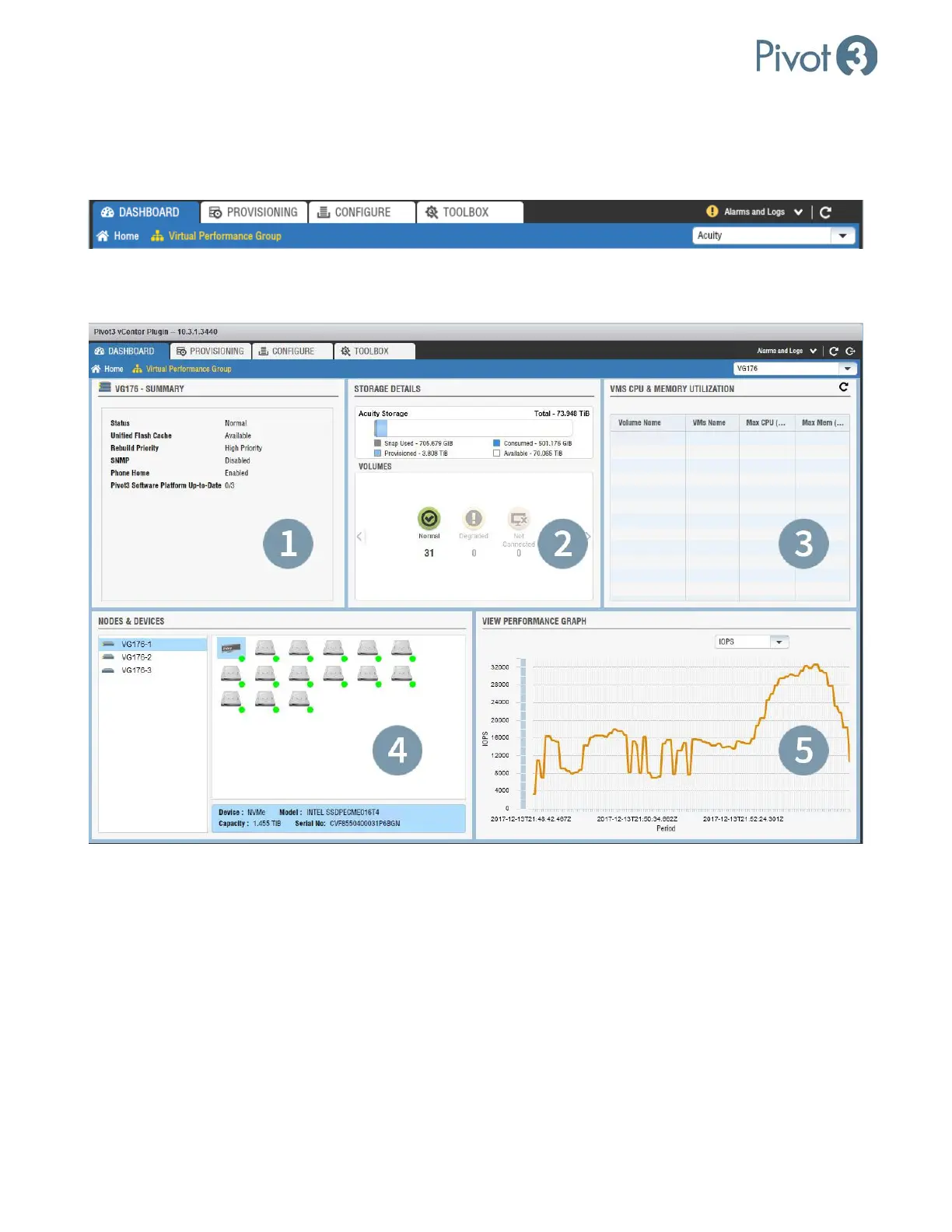
Dashboard Overview – Virtual Performance Group
The Virtual Performance Group Dashboard will not populate until a vPG is populated in the upper right drop-
down box. Ensure the desired vPG has been selected.
After the desired vPG has been selected, the components will populate with detailed information about that vPG.
Dashboard Tab
1. vPG - Summary
This component shows the properties summary of the vPG selected.
2. Storage Details
This component shows a summary of the storage in the selected vPG, including used and available capacity. The
Volumes section displays a summary count of the states of the volumes in the vPG.



 To Next Page