Setup & User Guide
71 |
DOC-246-GDE-Pivot3 Acuity 2.3 Setup & User Guide-v1.0.docx
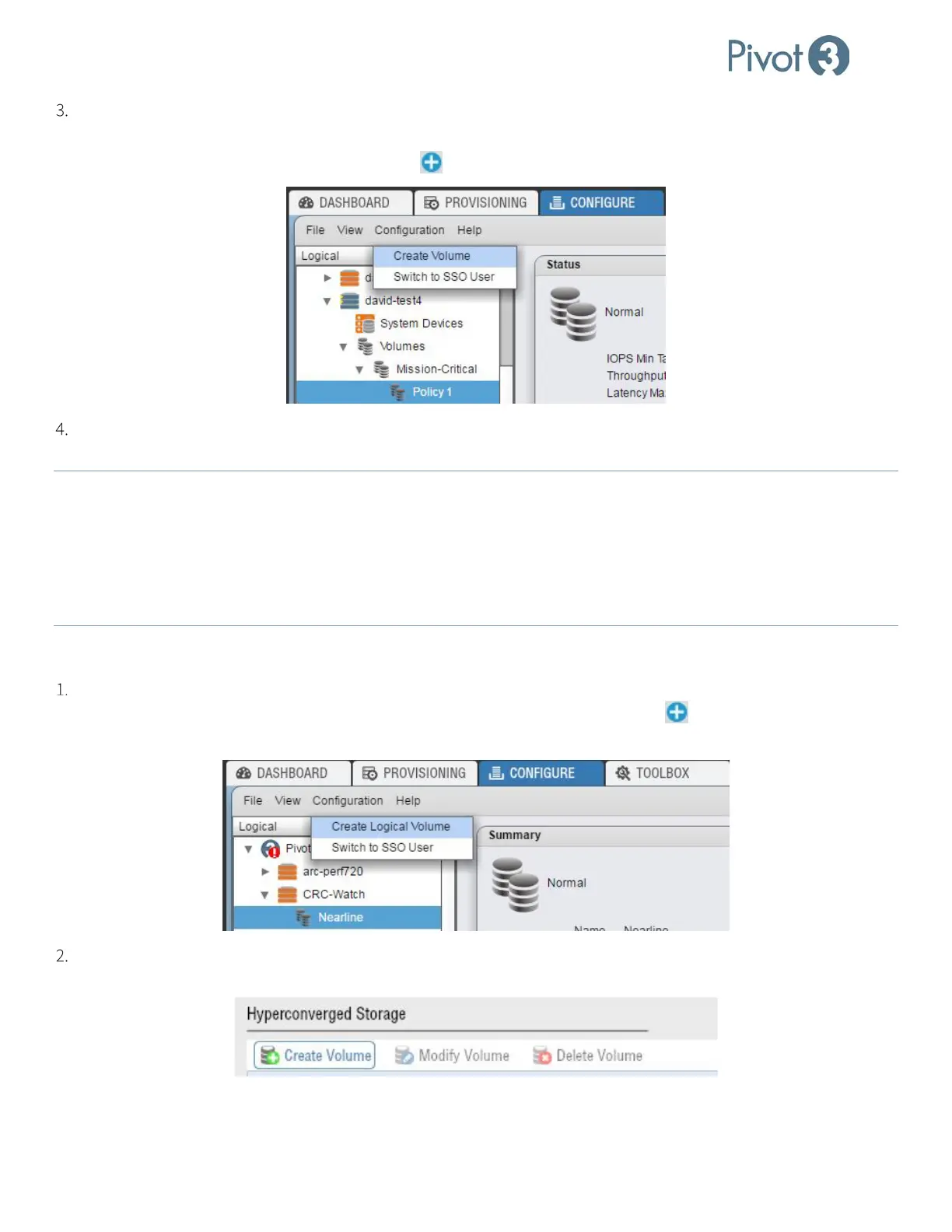
The second way to create a volume is through the Configure tab’s Logical view.
a. On the Configure tab, click on the Policy level desired for the volume (as explained on p.47). Either choose
Configuration > Create Volume or click the in the top right of the menu bar.
Regardless of how the procedure is initiated, the same dialog box will pop up asking for volume details. Populate
these fields with the preferred settings.
NOTE: If volume creation has been initiated from the Policy level of the Configure tab, Performance Policy and vPG name will
already be chosen and cannot be altered.
NOTE: Volume names must be fewer than 40 characters, and cannot contain any of the following characters: \ ' ; / { * } " : ~
% & @ + = < > ? ` _ ^ #
NOTE:
This process can take a significant amount of time, depending on the number and configuration of ESXi hosts, network
connectivity, etc.
Creating a vSTAC Volume
vSTAC volumes are also supported in Pivot3’s Acuity software platform. In the Logical tree view of the Configure tab,
highlight the tier level and click Configuration > Create Logical Volume or click the in the top right of the menu
bar.
Alternatively, click Create Volume in the Hyperconverged Storage section of the Provisioning tab’s Storage
Provisioning view.



 To Next Page