Setup & User Guide
87 |
DOC-246-GDE-Pivot3 Acuity 2.3 Setup & User Guide-v1.0.docx
Schedules on a Volume or an Application Group
Schedules are set on a volume and only apply to that volume, unless there is an application with a writer to define the
volume association between multiple volumes on the Server. Snapshots, Replications, and Performance Policy changes
can be scheduled and monitored in Long Running Tasks.
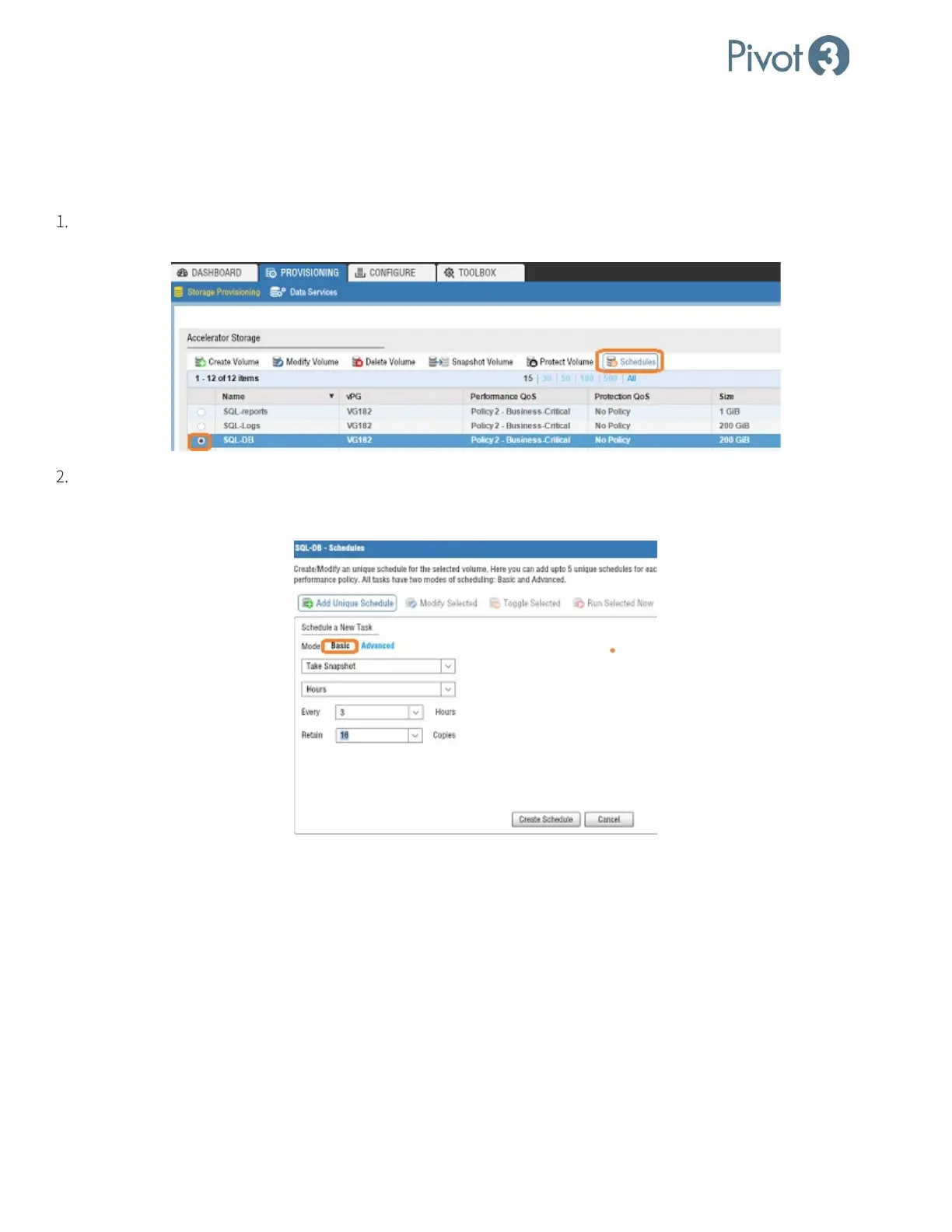
Log in to the Web plugin and open the Provisioning tab, Storage Provisioning view. Select the radio button next to
the desired volume and click Schedules.
Select Add Unique Schedule – Basic to create a basic schedule to run at a time interval chosen by the administrator.
In this example, a Snapshot will be performed every 3 hours and the system will retain 16 copies before removing the
oldest snapshot.



 To Next Page