Setup & User Guide
63 |
DOC-246-GDE-Pivot3 Acuity 2.3 Setup & User Guide-v1.0.docx
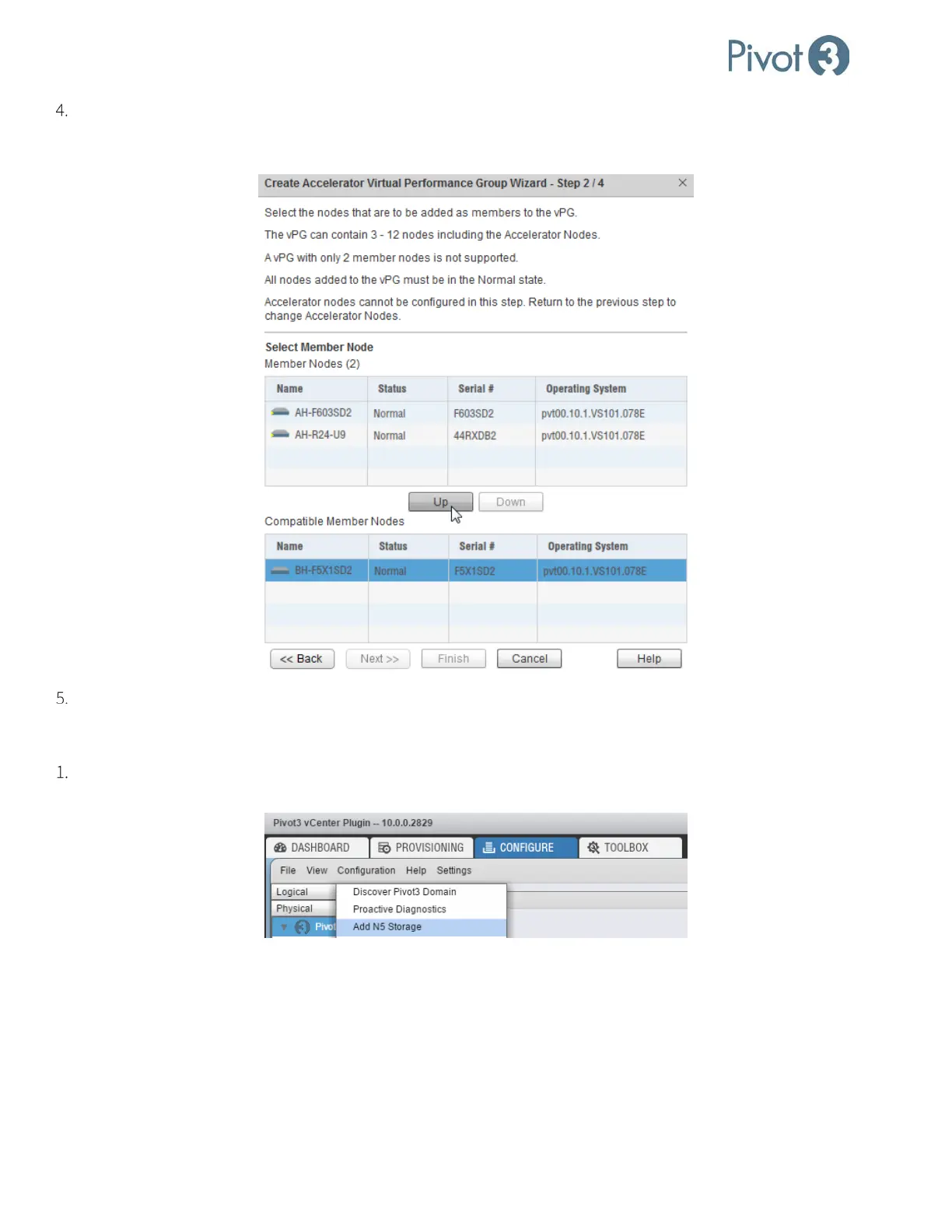
Next, choose an unaccelerated node to add to the vPG. Compatible, unaccelerated X-Series nodes that have been
discovered in the Domain will be visible. Choose the node to add to the vPG and click
Up. When all desired nodes
have been added, click Next.
Name the vPG. The vPG name must be between 1-15 alphanumeric characters.
Add an N5 Storage Node
Adding an N5 Storage Node is similar to configuring vSTAC and X-series nodes. From the Configure tab, click to
highlight the Pivot3 domain level and navigate to Configuration > Add N5 Storage.



 To Next Page