Setup & User Guide
117 |
DOC-246-GDE-Pivot3 Acuity 2.3 Setup & User Guide-v1.0.docx
Section 15 Upgrade Acuity Software on vPGs
This section explains the upgrade procedure for the Acuity software on Pivot3 vPGs.
This section describes how to:
• Upgrade the Acuity software on Pivot3 vPGs
Prerequisites before performing an upgrade:
• Upgrade vCenter. For Windows, use 6.5U1b; for Linux, use 6.5U1c. Refer to vmware.com for additional details.
• Upgrade Pivot3 Web Plugin from version 2.1.1 or 2.2 to version 2.3.2. Refer to Section 4 or Section 5 for this procedure,
depending on environment.
• Ensure the vCenter credentials are set for the vPG. Refer to Section 13 in Set Hypervisor Credentials, step 3.
• Ensure there is access to the Internet or the latest Acuity software platform package from Pivot3.
Determine Upgrade Required
NOTE: Depending on environment, an online upgrade may take significantly longer than upgrading between previous
versions of vSTAC OS (anywhere from 6 hours or above depending on I/O load for a 3-node vPG; may be higher for
vPGs with more nodes), and ESXi will reboot itself several times.
BEST PRACTICE: To prevent vCenter Web Client from timing out during an Online upgrade, administrators may increase the
timeout value from the default 120 minutes to 10,000 minutes via Navigator > Host > Configure tab >
General > Timeout settings > Edit
.
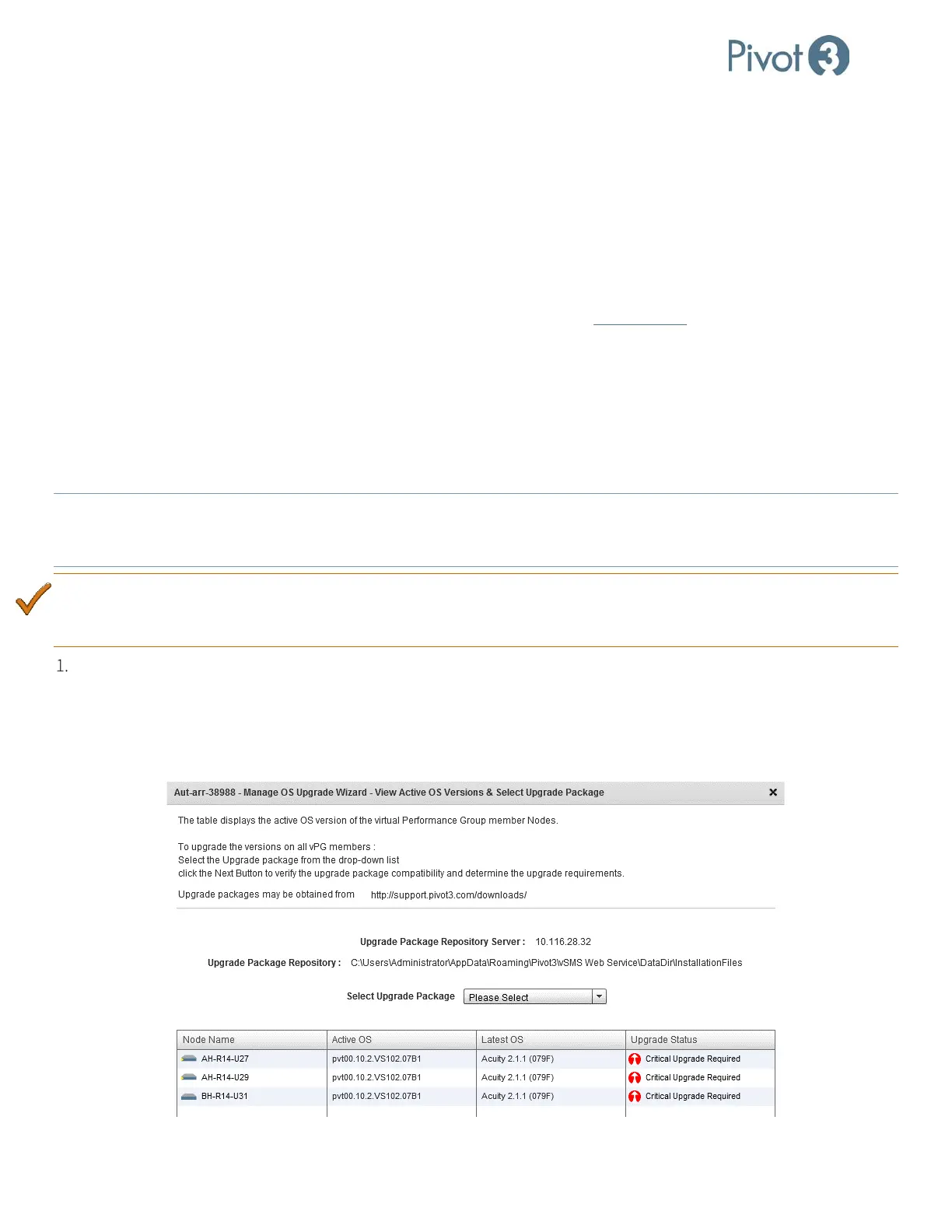
Ensure all new configuration files have been received and placed in the folder defined during installation. These files
will provide the data for the drop-down box shown below.
— For Windows vCenter, place files in C:\Users\Administrator\AppData\Roaming\Pivot3\vSMS Web
Service\DataDir\InstallationFiles.
— For vCSA (Linux), place files in /var/pivot3. For more information on this subject, refer to Appendix F.



 To Next Page