Setup & User Guide
| 116
DOC-246-GDE-Pivot3 Acuity 2.3 Setup & User Guide-v1.0.docx
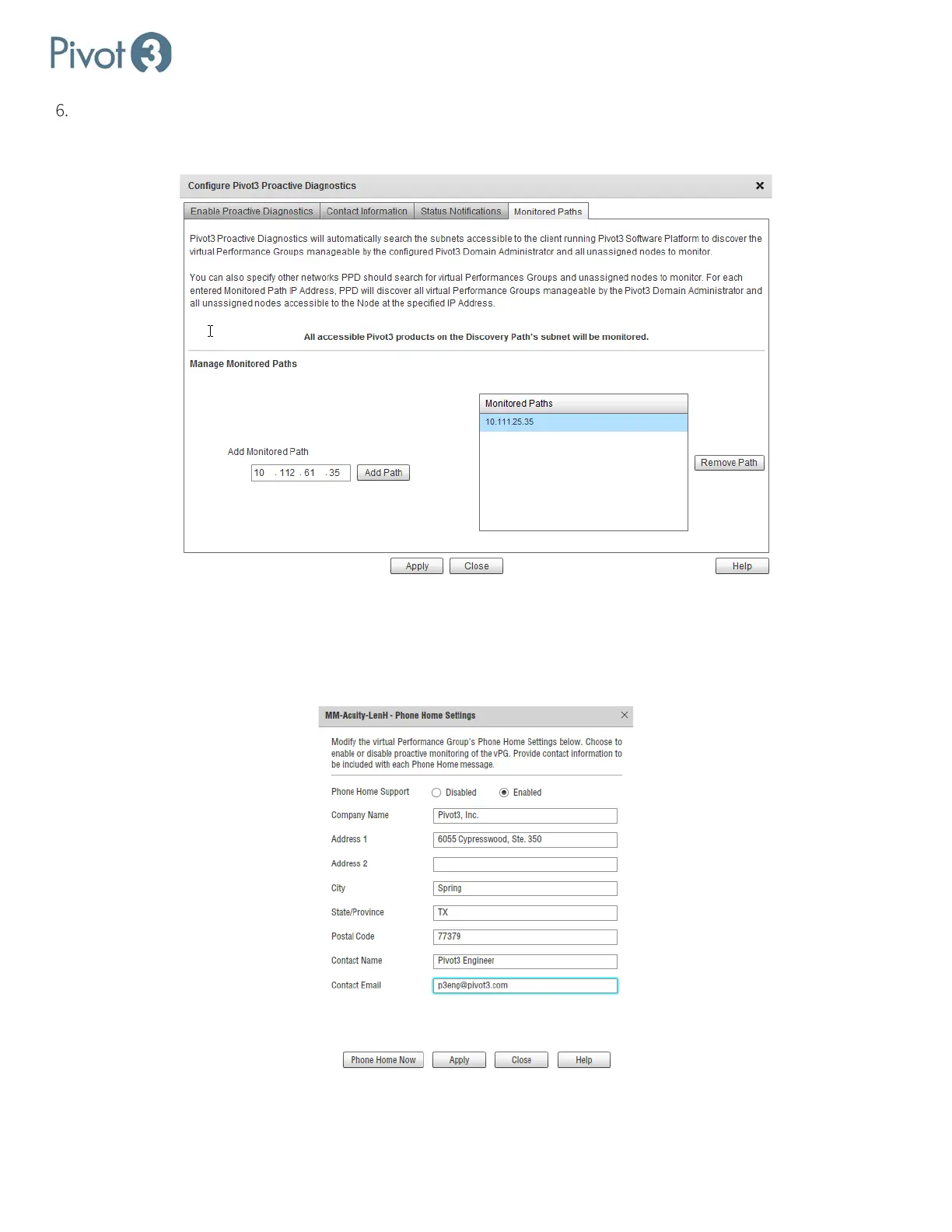
The Monitored Paths tab is where an administrator can define which subnets containing vPGs that need to be
covered by Pivot3 Proactive Diagnostics. To add a path, type the IP address into the field on the left. To remove a
path, highlight the IP address to be removed and click Remove Path.
Phone Home
The Phone Home feature collects a variety of information about the operation and performance of the system and sends
it to Pivot3. Once all information has been populated, click Apply. Administrators can return to this dialog box to perform
Phone Home Now, and the fields will be populated with previously entered data.



 To Next Page