Setup & User Guide
| 60
DOC-246-GDE-Pivot3 Acuity 2.3 Setup & User Guide-v1.0.docx
Section 8 Configure NIC Ports for Pivot3 Features
The SAN Networks managed through the Acuity software platform operate as an isolated network, processing storage
data through physical switches. Isolating the SAN Networks provides greater security by leaving the Management and
Application networks available to run virtual machines and support an application-specific configured environment.
CRITICAL: If IPv6 has not yet been enabled on the network, follow the procedure in Configuring Pivot3 for IPv4
before
beginning this section’s procedure.
This section describes how to:
• Configure the Management NIC settings in the Pivot3 vCenter Plugin for direct control over the Management Network.
Required items for this section:
• Pivot3 X-Series Node with Acuity software installed that has been powered on and is visible by the Pivot3 vCenter
Plugin.
• Access to desired static IP Address, Subnet Mask, and Default Gateway settings
• Each node will need 1× static MGMT IP and 2× Static Storage IPs.
CRITICAL: Pivot3 features will not function correctly without a Management NIC defined
.
Configure Management NIC in Pivot3 vCenter Plugin
The vCenter Server / Client for the Plugin must be on the same network as the vPG.
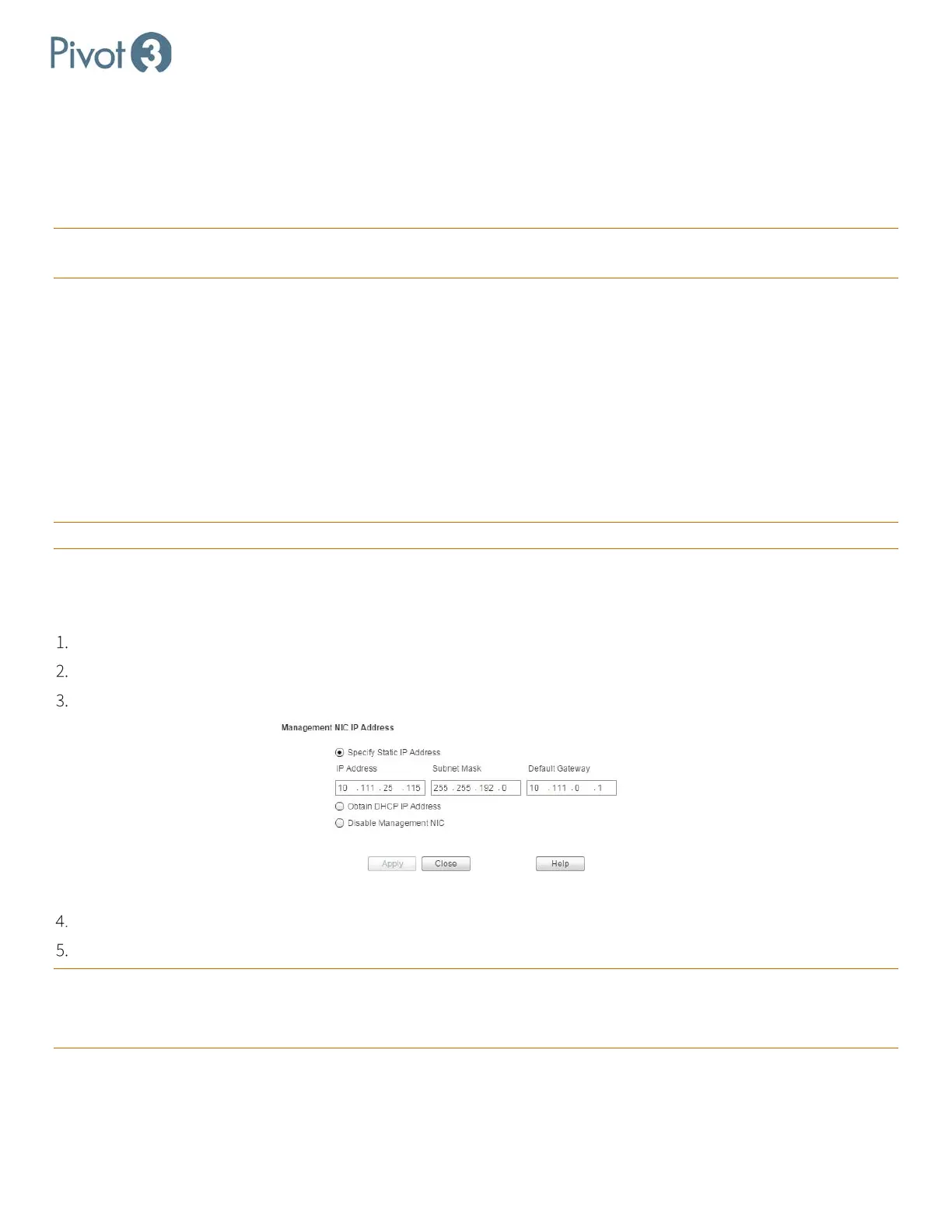
In Physical view, select a node (either within a vPG or Unassigned) and click Configuration > Management NIC.
For DHCP, choose the radio button next to Obtain DHCP IP Address and click Apply.
For Static IP, choose the Specify Static IP Address radio button.
Enter Subnet Mask, IP Address, and Default Gateway. Click Apply.
It may be necessary to rediscover the Pivot3 domain to gain access to the Plugin.
CRITICAL: If the IP address that the Plugin connects to is changed on an unassigned node, the node may not be accessible.
This applies to changing any IP address in a vPG.
CRITICAL: Do not configure the Gateway on the SAN NICs.



 To Next Page