Setup & User Guide
127 |
DOC-246-GDE-Pivot3 Acuity 2.3 Setup & User Guide-v1.0.docx
Migrating to Single Sign-On
About This Feature
CRITICAL: SSO Users will have difficulty saving some settings with the web browser set to Incognito Mode. Pivot3 does not
recommend using Incognito Mode in the web browser used to access the vCenter Plugin.
Single Sign-On (SSO) is a feature that allows the end user to bypass a second set of credentials (at the Pivot3 layer)
required to access all of the nodes, vPGs, and volumes without compromising data security.
CRITICAL: If the pivot3ssouser
password was established and forgotten or lost, contact Support to re-establish SSO and
Administrator credentials.
SSO can be enabled one of two ways:
From a Clean Installation
As shown in Step 7 of Section 4, there is an authentication choice made between Pivot3 Authentication and vCenter
Single Sign-On. If vCenter Single Sign-On is chosen during installation, then SSO will be automatically activated for
use.
During setup, it is imperative that pivot3ssouser is provided as an administrator credential set. Password is
customizable by the end user.
Retroactively from the vCenter Plugin
NOTE: When migrating to SSO, each step must be performed for all relevant vPGs in the domain that are to be accessed
in SSO mode.
First, set up a role as described in Section 13.
• On the Configure tab, from either the Physical or the Logical view, click on the vPG to receive the new role.
• Navigate to Configuration > Administrators and click Add.
NOTE:
Only two administrator accounts can be associated with a vPG at any one time. If there are already two sets listed,
delete the set not currently being used and add the pivot3ssouser credential set.
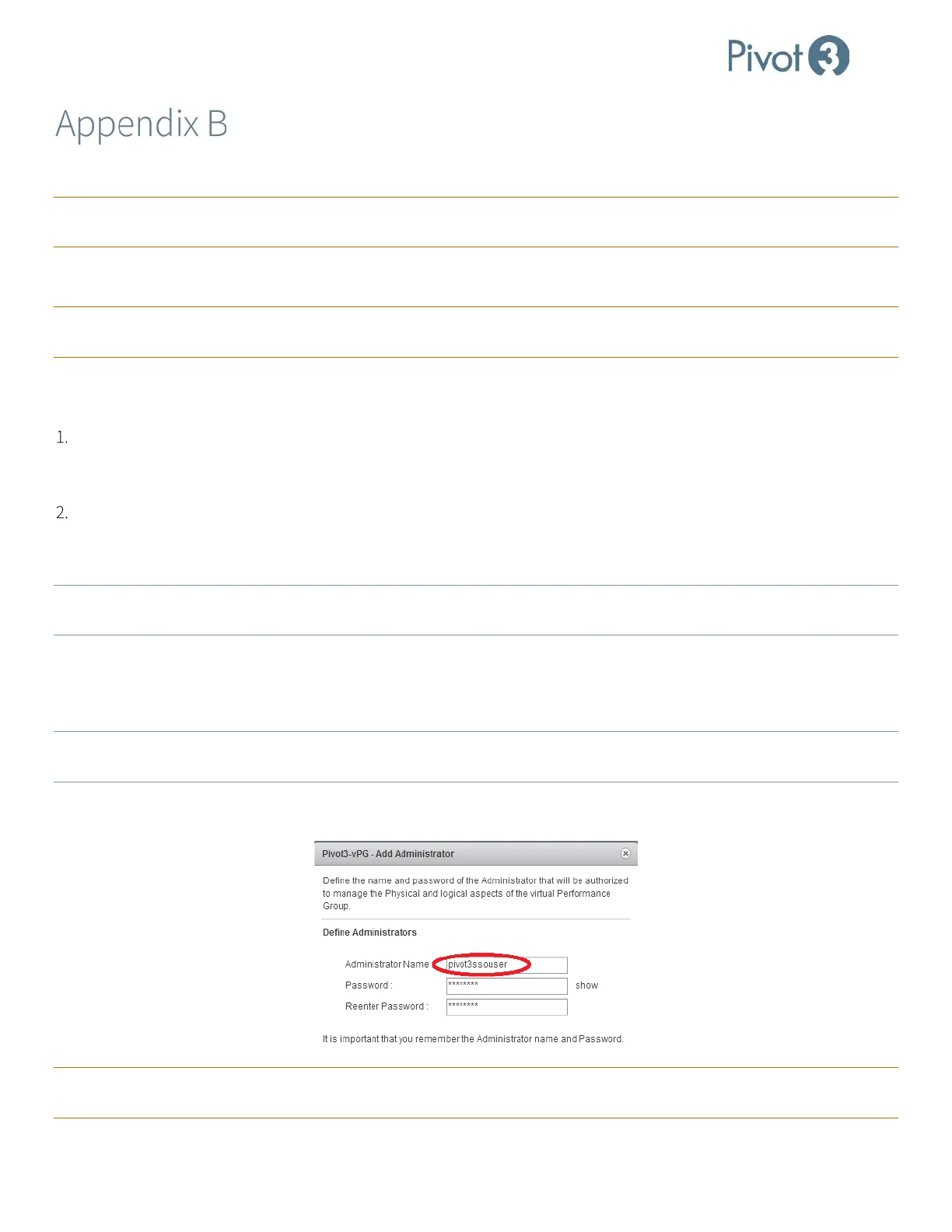
• Enter Administrator Name pivot3ssouser (required) and choose a password that will not be forgotten. (If the
password has already been decided, enter that information into these fields.) Click Apply to continue.
CRITICAL: This role MUST have the username pivot3ssouser,
or switching to SSO mode will not provide access to the
desired vPGs.



 To Next Page