Setup & User Guide
103 |
DOC-246-GDE-Pivot3 Acuity 2.3 Setup & User Guide-v1.0.docx
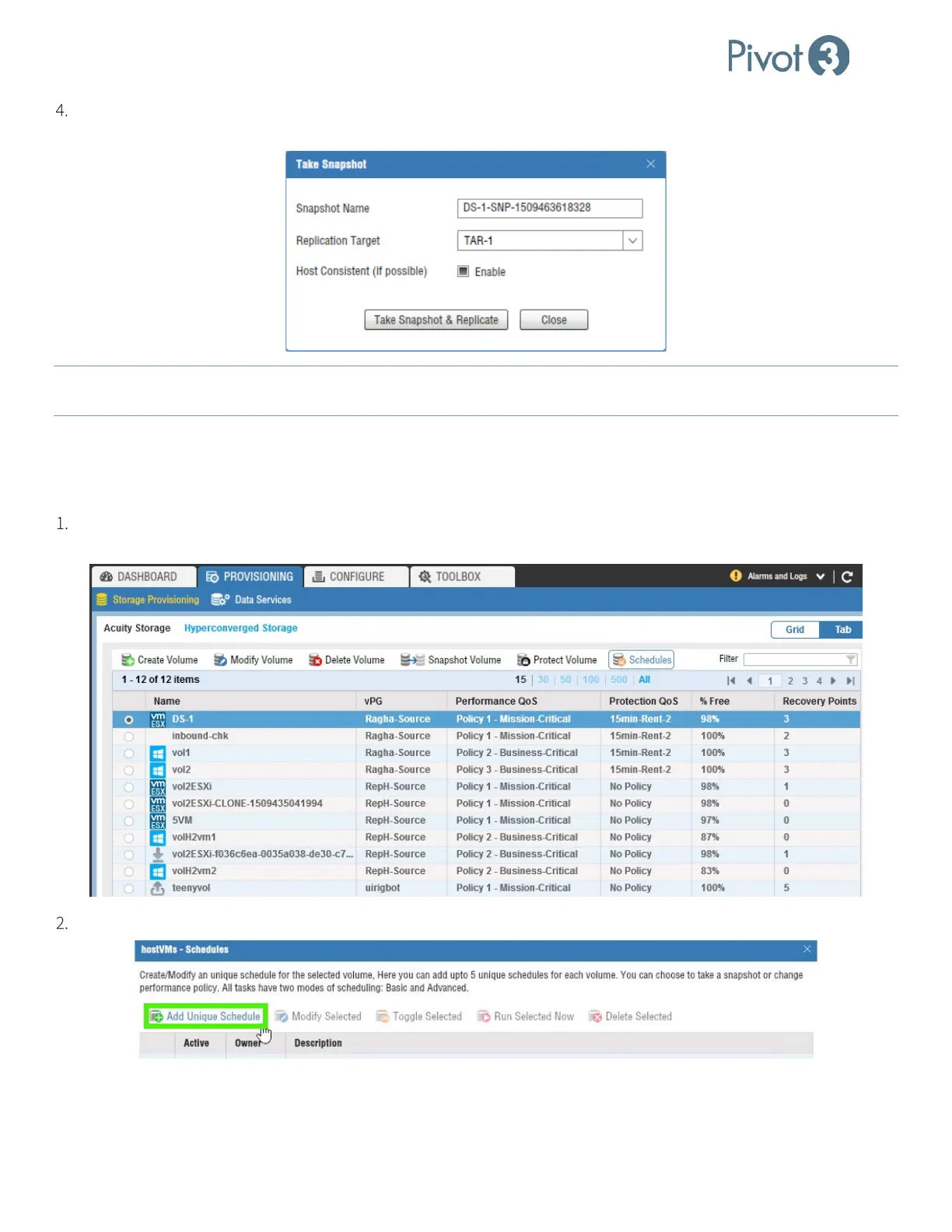
Rename the snapshot if desired, choose a Replication Target from the drop-down list, and ensure Host Consistent (if
possible) is
Enabled. Click Take Snapshot and Replicate.
NOTE:
Retention on a schedule does not apply to manual snapshots. If a snapshot is taken manually, it must be deleted
manually. Manual snapshots are not included in the retention count.
Scheduling Replication on a Volume
Schedules are set on a volume and only apply to that volume. More information available in sub-section Schedules on a
Volume or an Application Group in Section 12.
Log in to the vCenter plugin and open the Provisioning tab, Storage Provisioning view. Select the radio button next
to the volume to be altered and click Schedules.
Select Add Unique Schedule to create a schedule to run at a time interval chosen by the administrator.



 To Next Page