Setup & User Guide
| 106
DOC-246-GDE-Pivot3 Acuity 2.3 Setup & User Guide-v1.0.docx
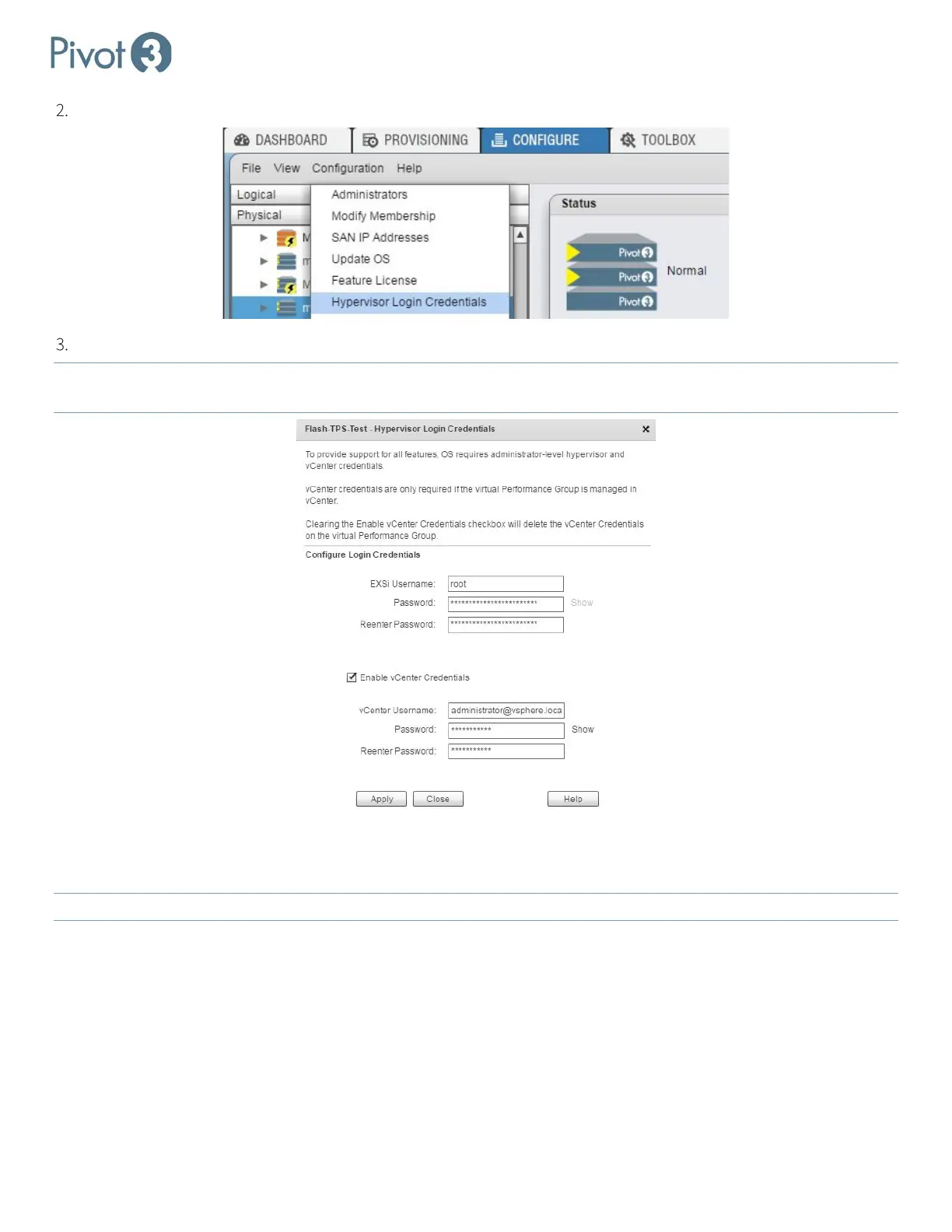
In the Physical view at the vPG level, select Configuration > Hypervisor Login Credentials.
Enter the credentials as requested for both ESXi and vCenter.
NOTE: Specifying the ESXi hypervisor login credentials does not set or change the credentials on the individual
hypervisors. It simply tells the plugin and Acuity software which credentials are required for ESXi hypervisor access.
SSO User Management
During Installation, the following folder and roles are created:
NOTE:
Role names are case-sensitive.
• Pivot3 Permissions (folder)
• pivot3.superuser (role): Pivot3 Administrator level; this level can see and manage all vPGs in the domain.
• Pivot3.ReadOnly (role, case-sensitive): Can see all vPGs in the domain but cannot make changes.
Other, Non-Administrative roles can be defined with limited accessibility; these are configured individually during
Permissions allocation.



 To Next Page