Setup & User Guide
107 |
DOC-246-GDE-Pivot3 Acuity 2.3 Setup & User Guide-v1.0.docx
Creating Roles
In the Pivot3 vCenter Plugin, roles and users are set up separately. They must be connected to each other using the
vCenter native UI.
CRITICAL:
The role must be created before it can be assigned to a user or a group.
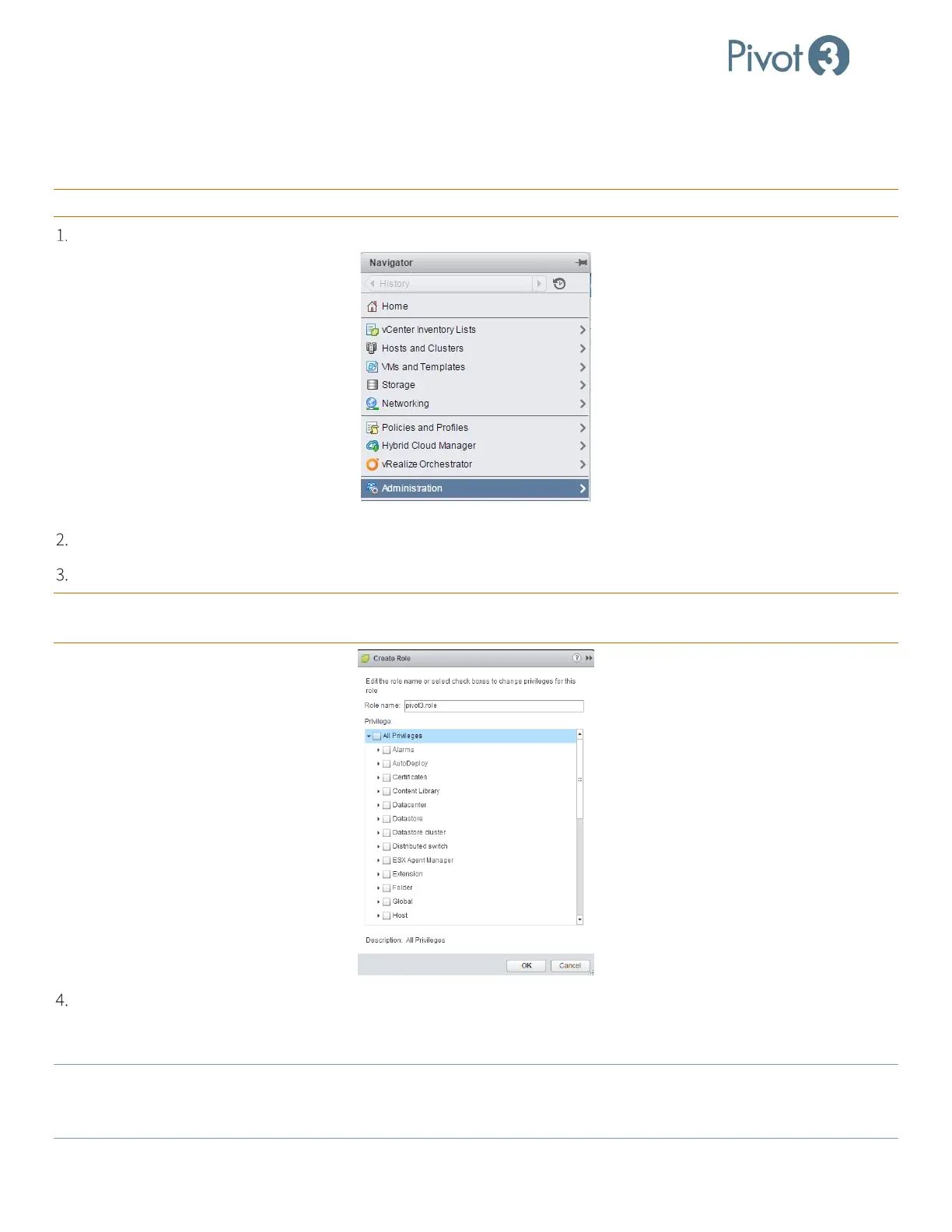
At the vCenter Home page, click Administration on the left pane.
Click the green + to add a role to the list.
In the Role name box, enter the name of the role to be created.
CRITICAL: The role name must begin with pivot3, followed by a dot, followed by chosen descriptor, i.e., pivot3.[role].
Otherwise, role assignments will not function correctly.
Go down the list and check each privilege to be assigned to users operating under this role. When all applicable
privileges have been checked, click
<OK> to return to the Roles screen, and ensure the newly created role is now
listed. Alternatively, check the All Privileges option to provide a full privilege set.
NOTE:
The SuperUser Administrator role, which is used to set up all other roles, is set up during initial installation and only
grants vSphere Permissions in certain categories. The SuperUser or vSphere Administrator can only assign the
same or fewer permissions as are granted to the account creating it.



 To Next Page