Setup & User Guide
129 |
DOC-246-GDE-Pivot3 Acuity 2.3 Setup & User Guide-v1.0.docx
Configuring Pivot3 for IPv4
Pivot3 vCenter Plugin
If the Management Station is not configured for IP version 6 (IPv6), follow the procedure outlined below to pre-configure
the IP addresses on the SAN Network interfaces of the nodes. Once completed, this procedure will enable the
Management Station to discover the nodes using IPv4. Otherwise, skip these steps and proceed to the next section.
Repeat this procedure for each new X-Series Node:
From the Management Station, launch VMware vSphere Client. In the IP address / Name: field, enter the VMware
Management Network IP address of the node to be configured. These are the ESXi host IP addresses configured in
Discover Nodes.
The default user name is root and the default password is vSphereP3.
After vSphere Client has connected, select the IP address in the left pane and press the plus (+) key to display the
virtual machines.
Select the Pivot3_VM and then select the Console tab. Click in the console display area to enable keyboard input.
Press <Alt> and <F2> at the same time to display the login screen.
At the login prompt, type p3setip and at the password prompt, type pivot3.
NOTE:
The login will not register as correct until the node has reached a certain point in the boot sequence. If the correct
credentials are entered and still cause an incorrect login error message, wait a few moments and repeat Steps 4 and
5 above
.
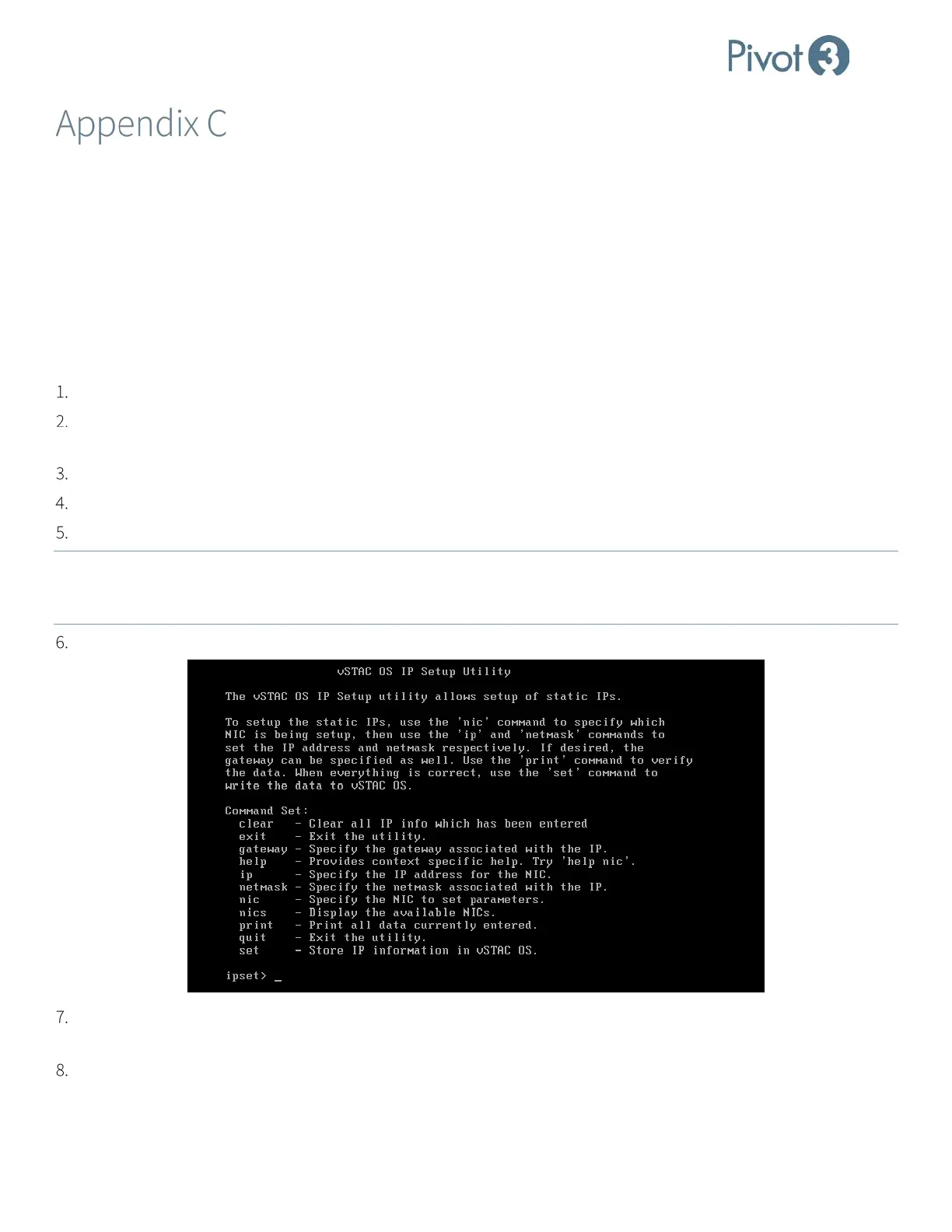
The IP Setup Utility displays. Use this utility to set IP addresses on all available NICs.
At the ipset> prompt, type nics to determine all available NICS visible to the network. Each of these NICs will require
IP addresses. A typical setup will include san0, san1, and mgmt0.
At the ipset> prompt, type nic san0 to begin the IP address configuration for the first SAN NIC port. Example:
ipset>nic san0



 To Next Page