Setup & User Guide
123 |
DOC-246-GDE-Pivot3 Acuity 2.3 Setup & User Guide-v1.0.docx
Section 17 Shutdown Procedure
The best way to shut down a vPG safely is to first ensure all I/O has stopped, shut down all guest VMs or Application Server
VMs, and then shut down the vPG. This prevents data loss and inaccurate failure status readings.
NOTE:
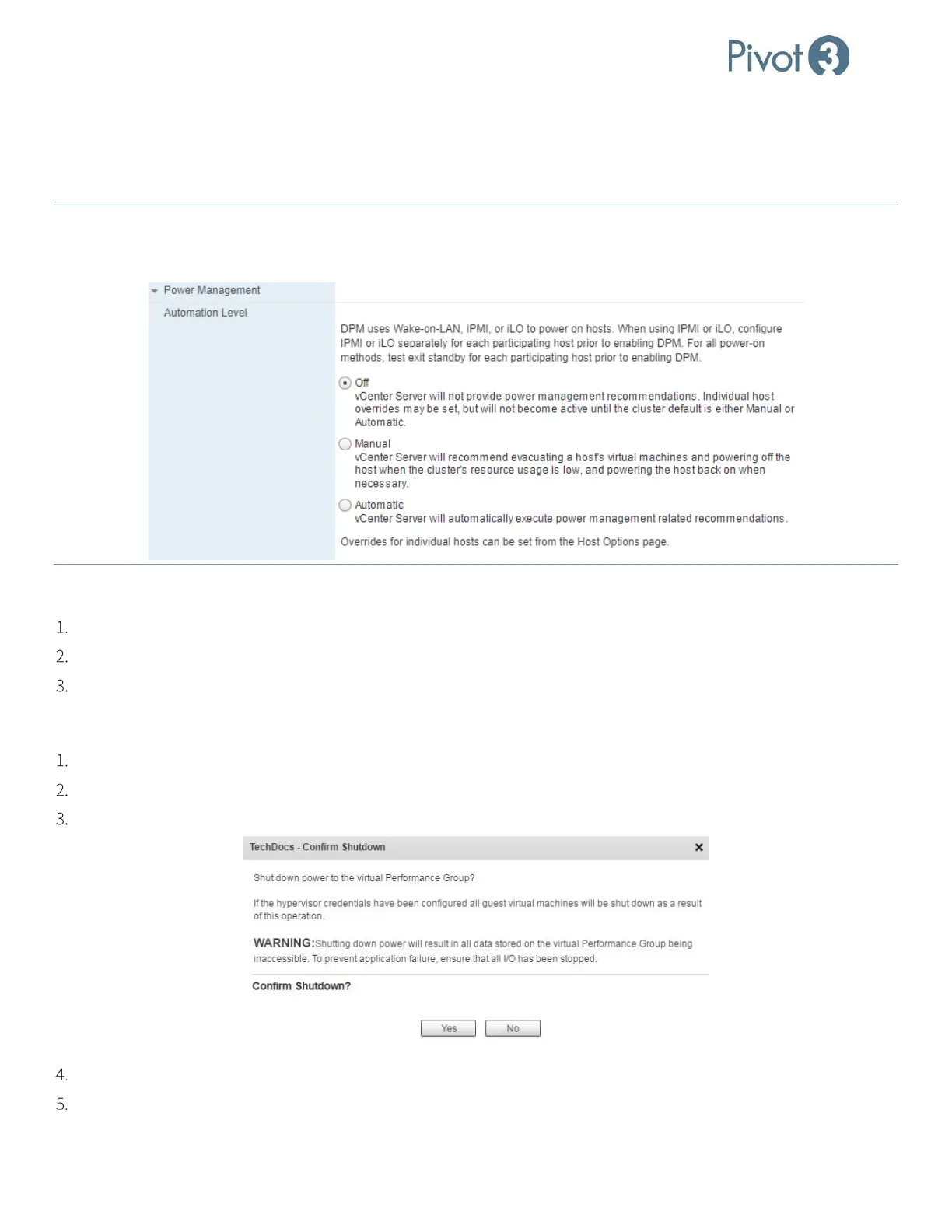
If the Power Management’s Automation Level is set to Automatic in vCenter, the hosts may enter Standby Mode and
Power off if the vPG is shut down from the Plugin.
Pivot3 recommends leaving the Power Management Automation Level setting to Off.
Application Server VM
Stop all I/O.
Shut down the virtual machine using the operating system method of performing a system shutdown.
Repeat the previous steps on all Application Server VMs.
Pivot3 vCenter Plugin
Log in using the proper credentials for the Acuity vPG to be shut down.
Select the Physical view tab and select the vPG to shut down.
Navigate to File > Shut Down. A dialog box will require confirmation.
Click Yes.
Navigate to File > Exit to exit the plugin.



 To Next Page