Setup & User Guide
| 92
DOC-246-GDE-Pivot3 Acuity 2.3 Setup & User Guide-v1.0.docx
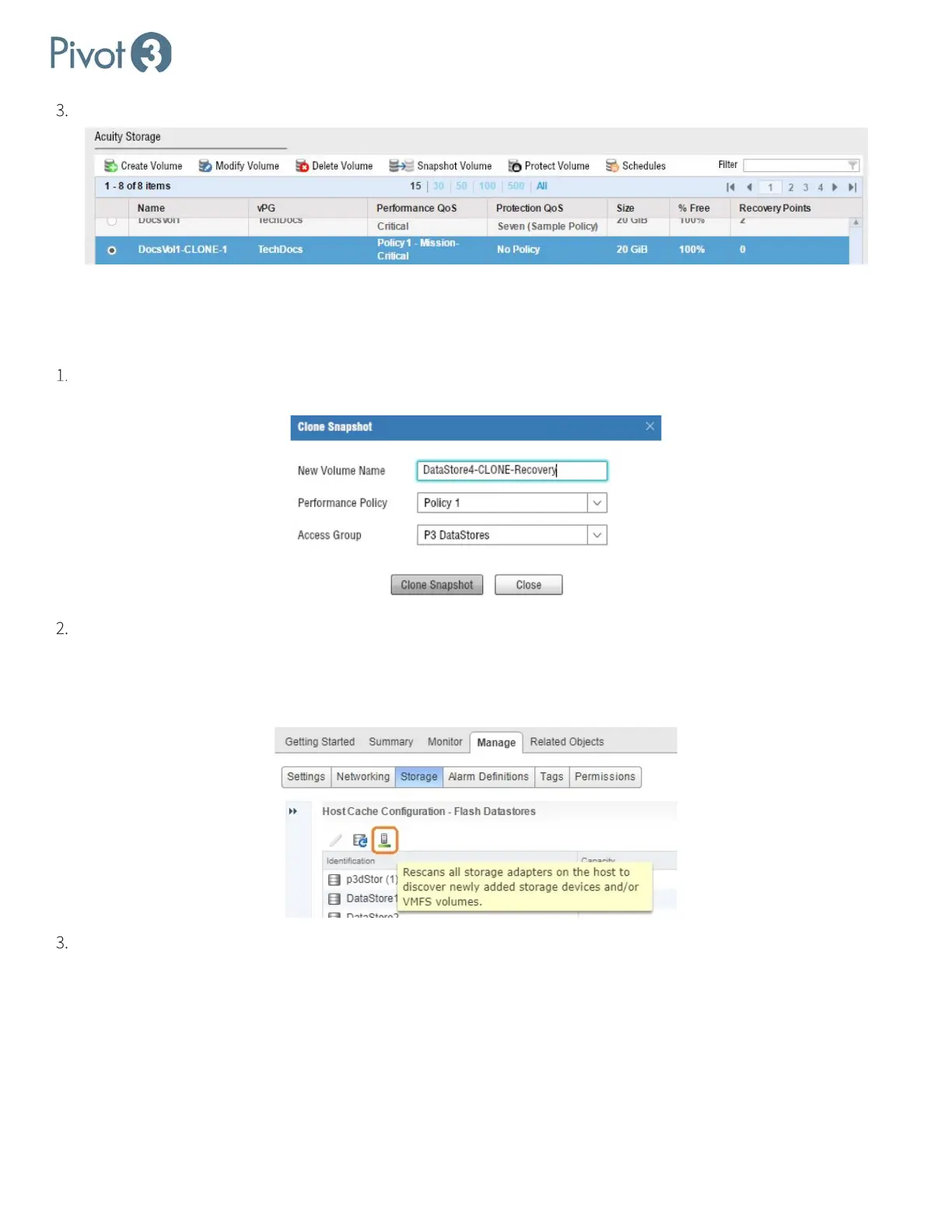
Once the clone has been created, a new volume will be visible in the Storage volume list.
Recovering a Snapshot
ESXi
Select a snapshot to clone from Provisioning > [Select a volume] > Snapshot Volume > [Select a Snapshot] >
Clone Snapshot.
Rescan storage from the vSphere Web Client.
a. Navigate to Home > Hosts and Clusters.
b. Select the new ESXi host in the Navigator panel and navigate to Manage > Storage > Host Cache Configuration.
Click the Rescan icon.
Add the new Datastore.
a. Navigate to Home > Hosts and Clusters.



 To Next Page