Setup & User Guide
91 |
DOC-246-GDE-Pivot3 Acuity 2.3 Setup & User Guide-v1.0.docx
Clone a Snapshot
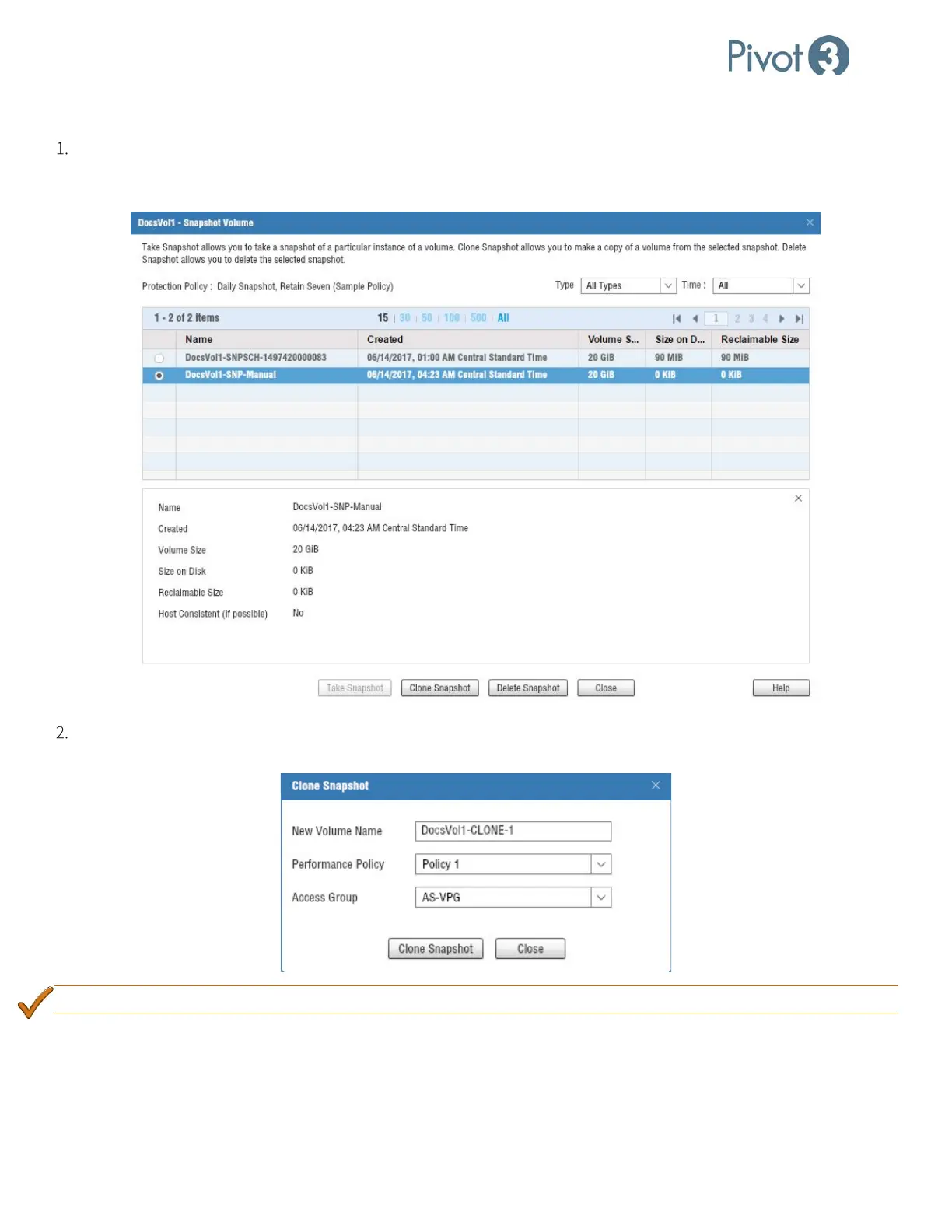
Navigate through the same Provisioning > Storage Provisioning View > Select Volume > Take Snapshot route
used to create a snapshot, select the snapshot to be deleted or cloned from the options available, and the screen will
change to provide these options.
The Clone Snapshot option will provide an opportunity to modify the clone volume’s name, Performance Policy, and
Access Group.
BEST PRACTICE: Provide a custom Access Group instead of the default. Allow Access is strongly discouraged
.



 To Next Page