Setup & User Guide
| 102
DOC-246-GDE-Pivot3 Acuity 2.3 Setup & User Guide-v1.0.docx
Taking a Manual Snapshot with Replication
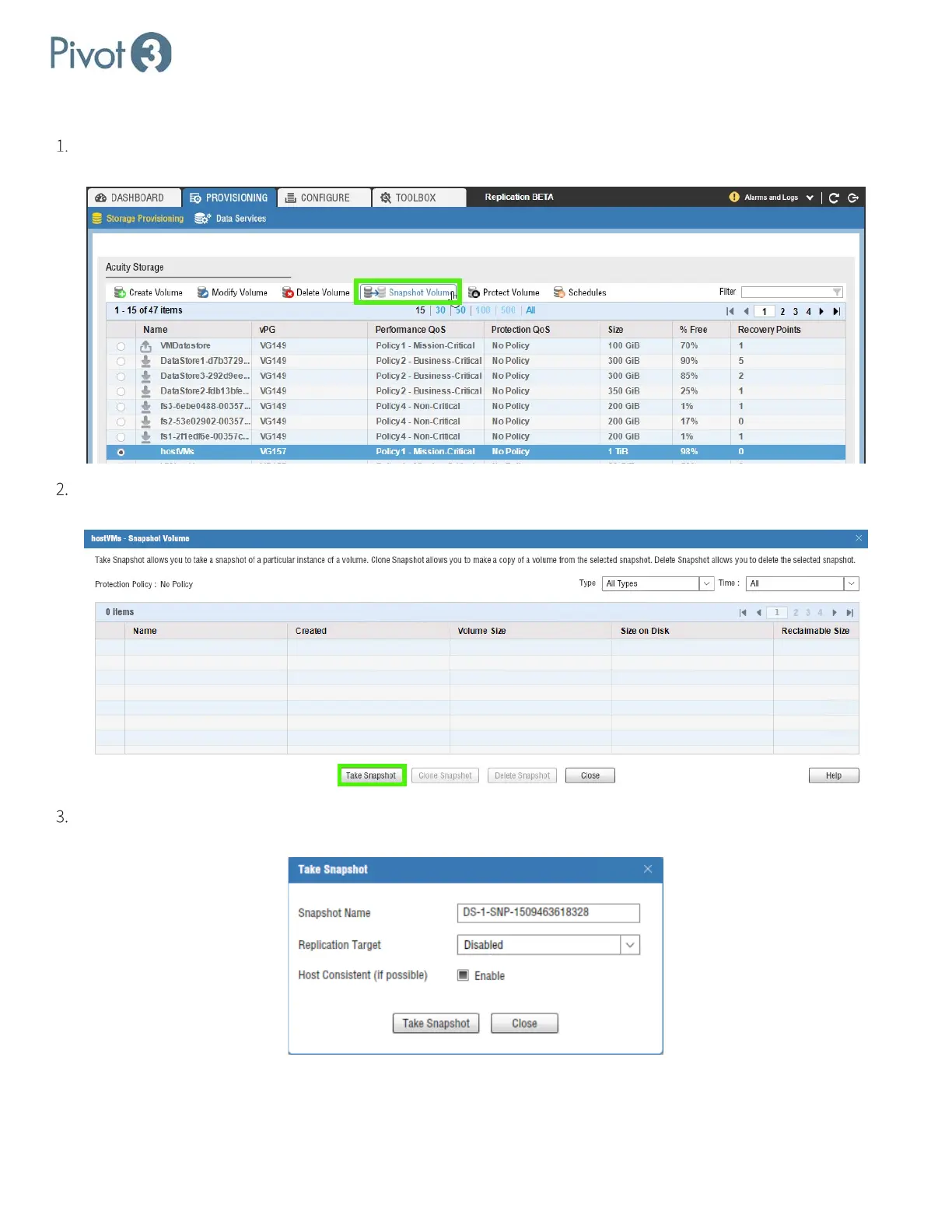
As with Creating a Manual Snapshot, navigate to the Provisioning tab’s Storage Provisioning view. Click the radio
button next to the volume to receive a snapshot with replication and click Snapshot Volume.
If there are any existing snapshots, they will show up here and can be cloned or deleted when selected. To create a
new manual snapshot, simply click
Take Snapshot at the bottom of the dialog box.
The Take Snapshot dialog box pops up. Initially, the Replication Target will read Disabled; click the drop-down box
to select a replication target.



 To Next Page