Setup & User Guide
101 |
DOC-246-GDE-Pivot3 Acuity 2.3 Setup & User Guide-v1.0.docx
Long Running Tasks
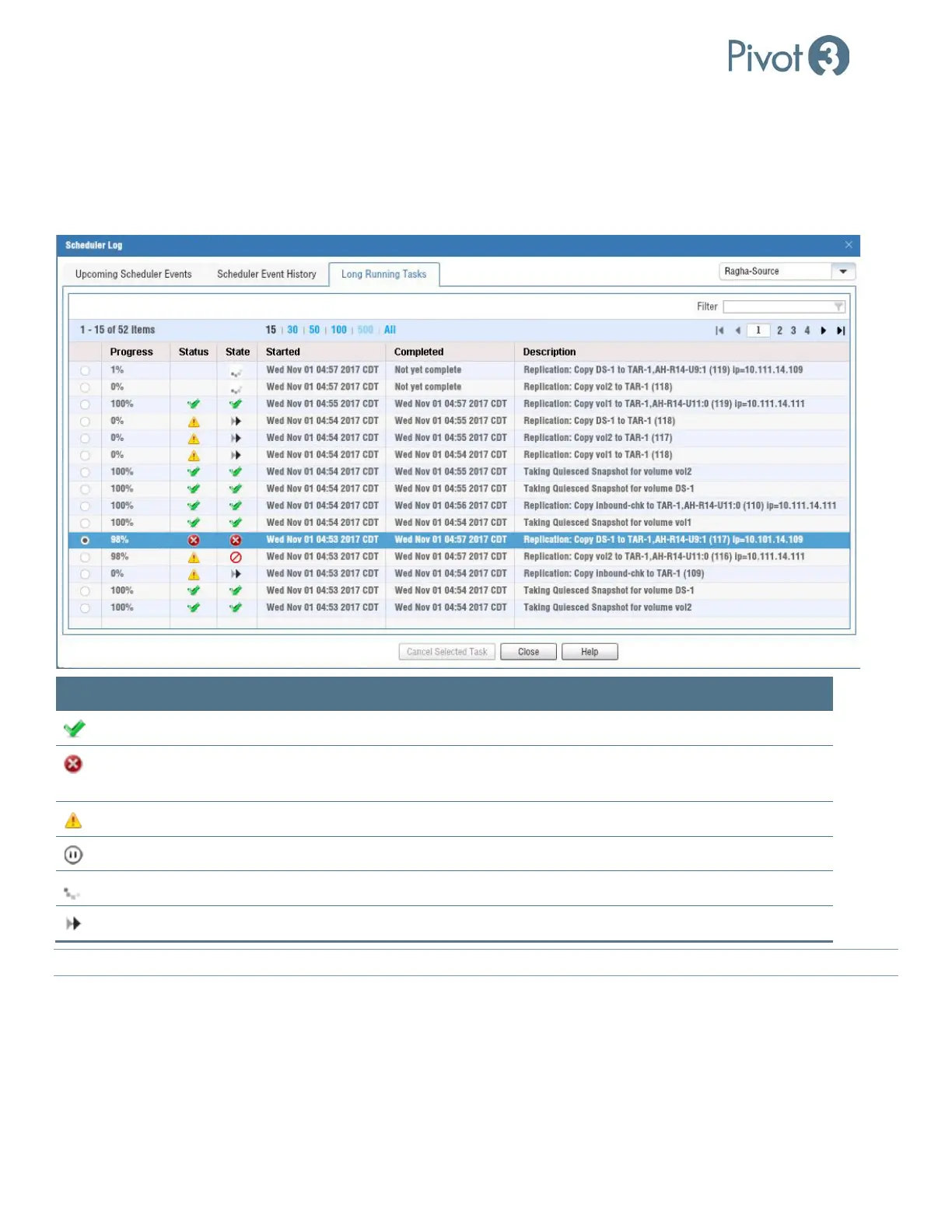
To verify that the scheduling of replication jobs is optimized to produce minimal system impact, monitor the Long
Running Tasks list. The Progress, Status, State, and Description of each task is listed. This list is displayed on the Long
Running Tasks tab of the Scheduler Logs window, available through Alarms and Logs > Scheduler Logs in the top right
of the plugin.
Icon Meaning Definition
Status: Completed Successfully The task listed in Description has completed with no errors.
Status: Failed
Recheck the environment with this task to ensure connections
are secure and credentials are correct.
Status: Warning Something has stopped the completion of this task.
State: Queued This task is currently queued.
State: In Progress This task is in progress.
State: Superseded This task has been superseded by another replication.
NOTE: To understand more about a task, hover the mouse over the description for more details.



 To Next Page