Setup & User Guide
73 |
DOC-246-GDE-Pivot3 Acuity 2.3 Setup & User Guide-v1.0.docx
At this time, both the volume and the datastore are created and configured based on the settings entered. Once the
process is complete, the dialog box will disappear.
Create an N5 Storage Volume
CRITICAL: An N5 Storage node must be added to the domain for this procedure to be possible.
N5 Storage volumes and Hyperconverged volumes differ in that they have been configured to run on different types of
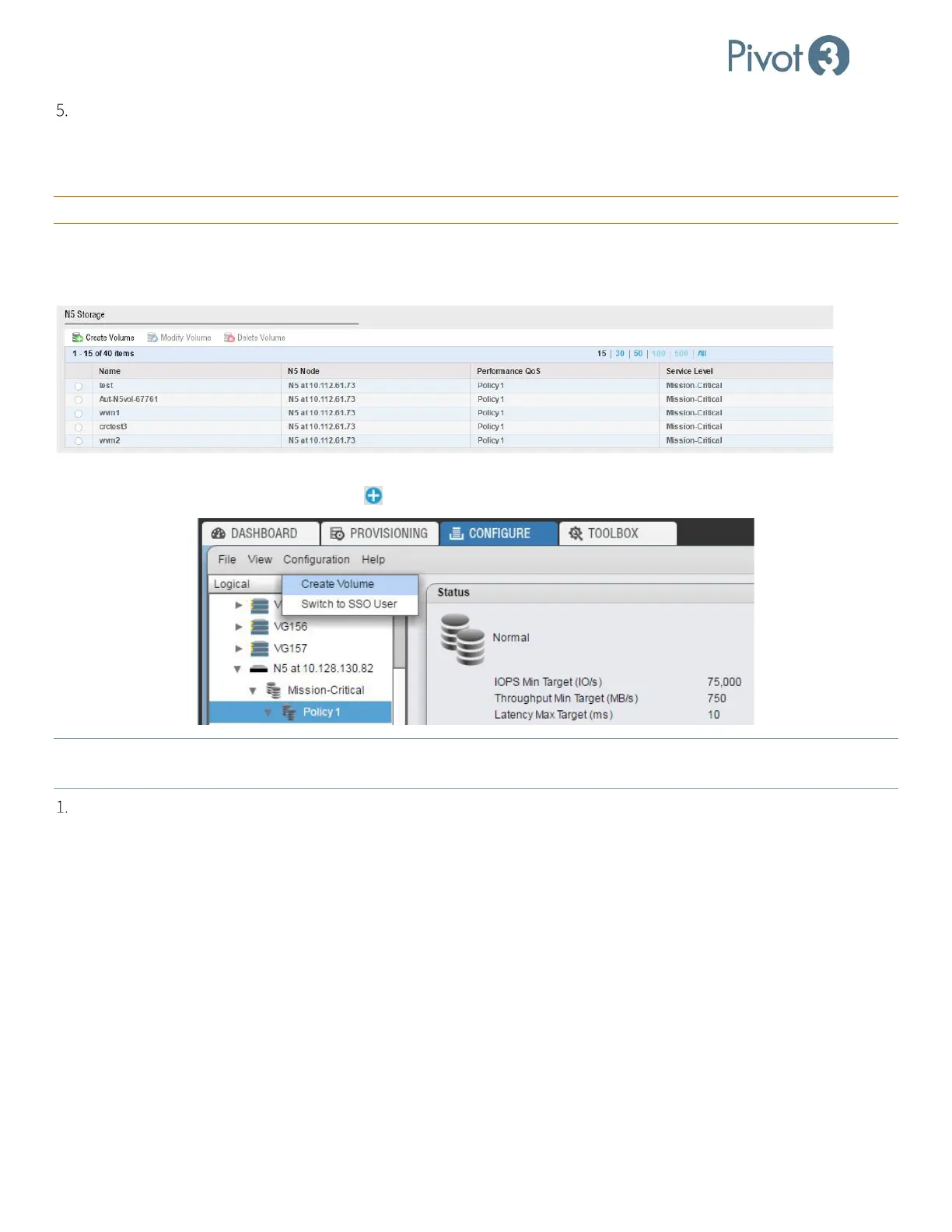
hardware for separate purposes. Begin this procedure from the Dashboard tab, Storage Provisioning section. Click the
Create Volume option at the top left of the N5 Storage section.
N5 Storage Volume Creation can also be commenced from the Configure tab. With the Policy level selected, navigate to
Configuration > Create Volume or click the in the top right of the menu bar.
NOTE: For N5 Storage volumes created from the Configure
tab, the N5 Storage and Performance Policy settings will be
greyed out and not customizable.
Follow the instructions in the Create Volume dialog.



 To Next Page